


Billing Software Built for Chiropractic and Wellness Practices
Run billing with fewer loose ends after every appointment. Ruana gives chiropractic, massage therapy, and wellness practices a cleaner way to manage checkout, invoices, receipts, superbills, payments, refunds, packages, memberships, and billing records.

Designed for secure billing workflows in chiropractic and wellness practices.
Ruana supports HIPAA-conscious recordkeeping, patient privacy, and organized payment documentation, so your team can manage invoices, receipts, superbills, and CPT codes without exposing sensitive information.



See How Billing Works in Ruana
Ruana helps your team move from appointment to payment without turning checkout into a long admin task. Create billing documents, add the right codes, track payments, and keep every transaction connected to the client record.
Start From the Appointment
Open billing directly from the appointment or client record when the visit is ready for checkout. Your team can move into payment without searching through separate files, spreadsheets, or disconnected billing notes.

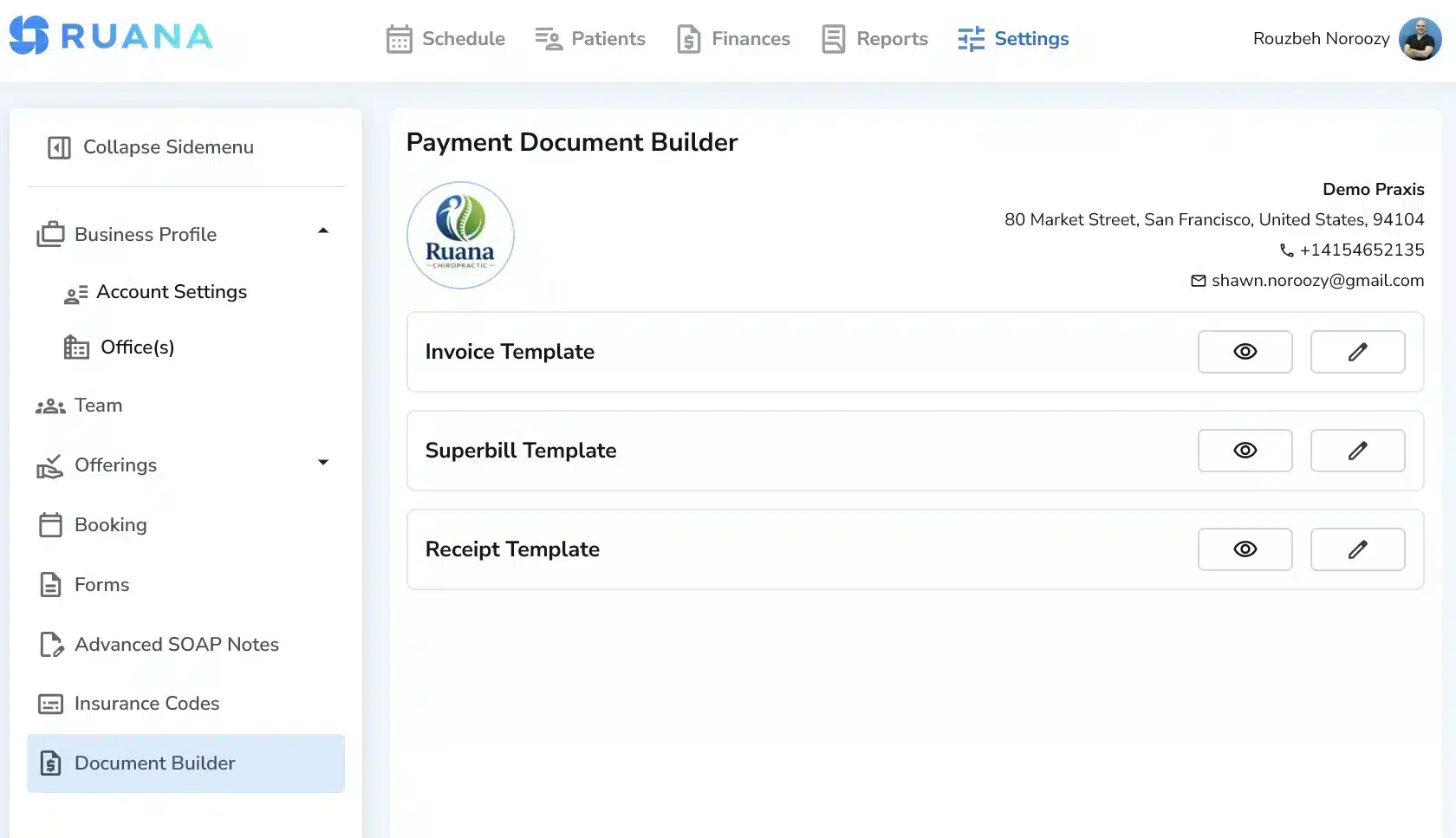
Create the Billing Document
Generate a professional invoice, receipt, or superbill based on what the client needs. Ruana lets your practice customize billing documents by adding, removing, or requiring fields, so the final document matches your workflow.
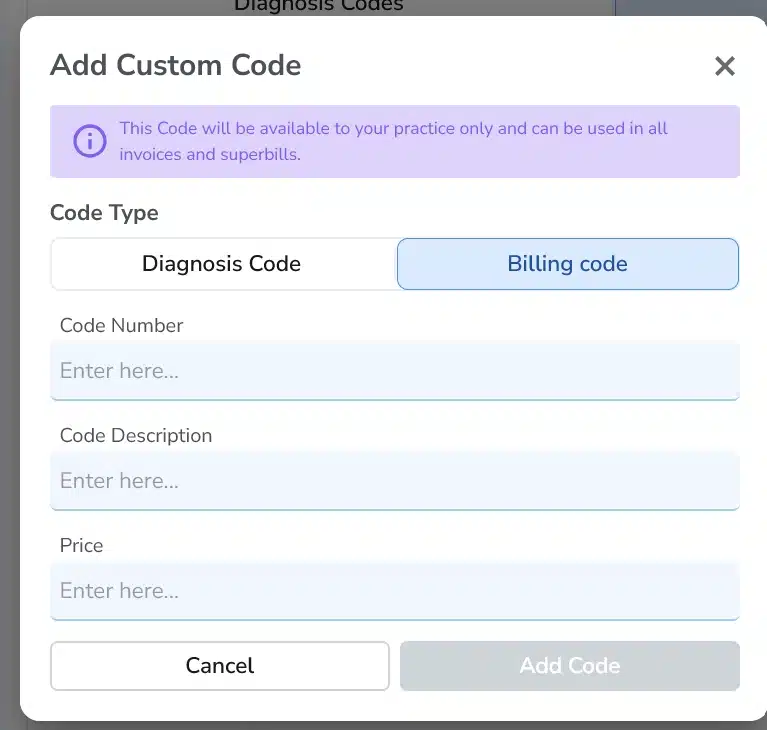
Add Codes and Charges
Add insurance-ready billing codes, CPT codes, custom codes, products, services, packages, or membership-related charges. You can also favorite your most-used codes, so common billing items are easier to find during checkout.
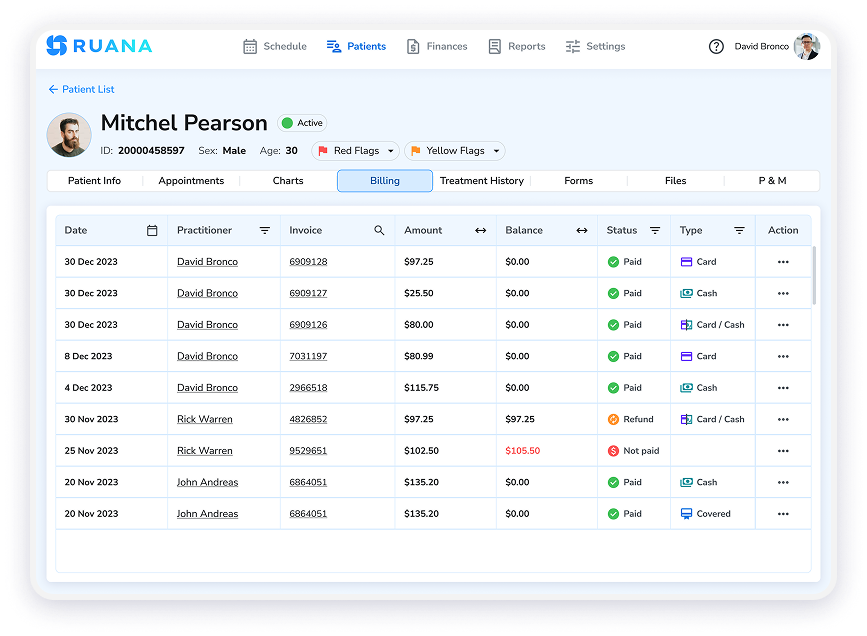
Track Payment Status
Once payment is recorded, Ruana keeps the transaction connected to the client record. Your team can track balances, packages, memberships, refunds, and reports to see what has been paid and what still needs attention.
Chiropractic Insurance Billing Software Built for Cleaner Revenue Flow
Ruana’s billing tools are designed to make checkout faster, records clearer, and payment tracking easier to manage across the practice. We’ve stopped treating billing as a separate admin task. Instead, chiropractic and wellness practices can keep all the payment details connected to the appointment and client record.
Speed Up Patient Checkout
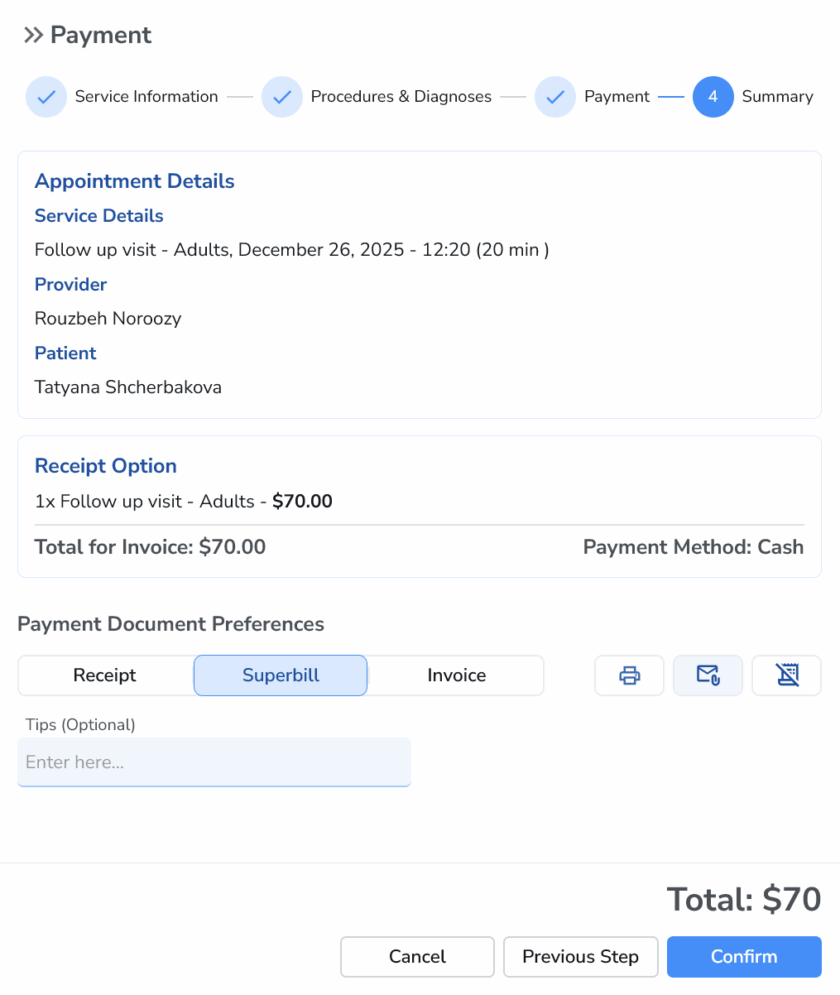
Checkout should not become the slowest part of the appointment. Move through payment, invoice creation, and receipt generation in just a few clicks.
This matters most on busy clinic days, when front desk delays can affect the next patient and the practitioner’s busy schedule. A faster checkout experience helps patients leave with the right billing document, while your team avoids unnecessary back-and-forth after the visit.
Support Insurance and Cash Workflows
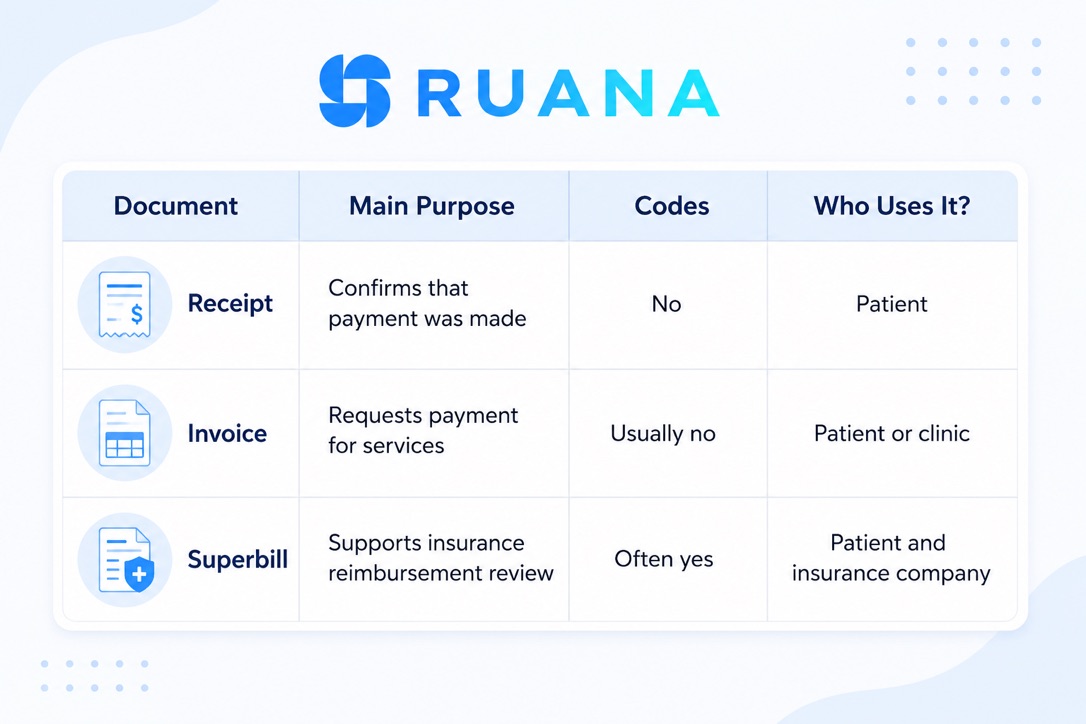
Ruana can support both insurance-related documentation and cash practice billing without forcing your team into one rigid billing setup. Create superbills for reimbursement, use insurance-ready billing codes, and separate out-of-pocket charges when a visit includes mixed payment types.
Get the most with our chiropractic software for cash practice, so your team can keep billing clearer for patients. Whether they need reimbursement documents, a simple receipt, or an itemized invoice for direct payment, Ruana has a solution.
Find CPT Codes Faster
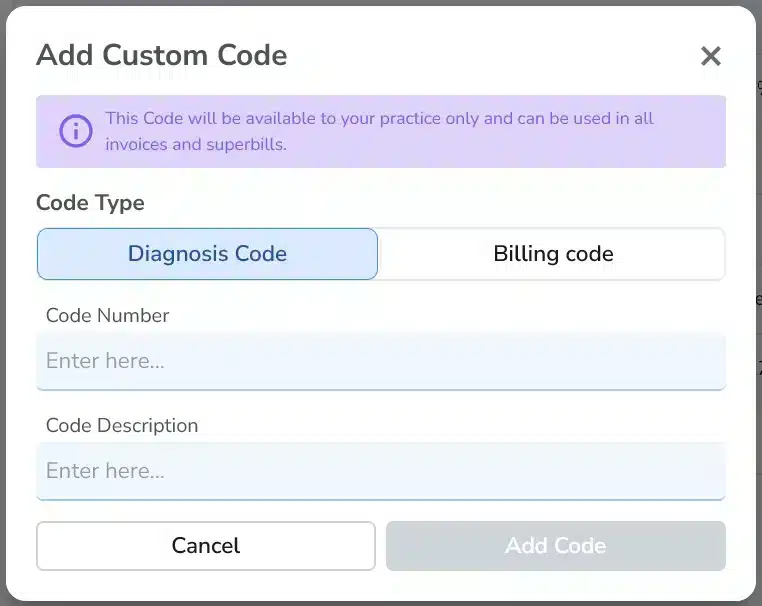
Use our built-in insurance-ready billing codes or let your team add custom codes when needed for specific services, specialties, or local requirements.
Reduce code hunting with favorite codes that keep your most-used CPT code options easier to find during checkout. For chiropractic and wellness practices that bill similar services often, this helps make the billing process faster, cleaner, and more consistent from one patient to the next.
Stay on Top of Every Payment
Keep payment activity, balances, packages, memberships, refunds, and reports easier to follow inside Ruana. Your team can see what has been paid, what still needs attention, and which billing details are connected to each client record.
Use clearer payment tracking to reduce spreadsheet work, avoid loose billing notes, and keep financial information easier to review after checkout.

Make Checkout Faster and Billing Easier
Create invoices, add billing codes, track payments, and keep every charge connected to the client record.
Start your free 14-day trial. No credit card. No commitment.
Cash Practice Billing Software Connected to the Full Ruana Workflow
You can now move from care to payment with fewer disconnected steps. Payment and billing details always stay tied to the same patient journey that begins with online booking, moves through scheduling, intake forms, and SOAP notes, and continues into checkout, reminders, and reports.
Follow all your appointments, documentation, charges, invoices, receipts, superbills, and payment records inside a single practice workflow.

Billing Software Built for Different Wellness Practices
Ruana gives different practice types a flexible billing setup that keeps charges, invoices, receipts, and payment activity easier to manage without turning checkout into a separate admin project.
Massage Therapy Practices
Manage session payments, packages, memberships, and receipts from one organized billing flow. Ruana helps massage practices keep payment details tied to the client record, so repeat visits and prepaid services are easier to follow.

Multi-Specialty Wellness Clinics
Keep billing clearer across different services, practitioners, and appointment types. Manage varied charges, payment records, invoices, and receipts without relying on separate notes or disconnected spreadsheets.

Cash-Based Practices
Support direct-pay workflows with faster checkout, cleaner receipts, and organized payment tracking. Ruana helps cash practices manage charges and balances in a way that stays simple for the front desk and clear for clients.

Frequently Asked Questions About Ruana’s Payment and Billing Software
Have questions about invoices, superbills, CPT codes, or packages and memberships? Here is what you need to know about billing in Ruana.
Does Ruana support CPT codes?
Yes! You can use CPT codes and insurance-ready billing codes across your chiropractic and wellness practice invoices or superbills.
Your team can also save frequently used codes as favorites, making common services easier to find during checkout. This helps reduce manual code searching and keeps billing more consistent from one patient visit to the next.
Can I create superbills in Ruana?
Of course! Ruana allows practices to create superbills that patients can use for insurance reimbursement when applicable.
Chiropractic or cash-based practices that don’t submit claims directly through a clearinghouse can use this feature to give patients clear billing documentation with the relevant service, payment, and code details.
Can I customize invoices, receipts, or superbills?
You are free to customize all your billing documents managed via Ruana, including invoices, receipts, and superbills. Our practice management software has all the necessary tools to help you adjust the fields, add required information, and create cleaner billing documents for different payment situations.
Does Ruana support packages and memberships?
Yes! Ruana supports packages and memberships, making it easier to manage prepaid visits, recurring services, and ongoing client billing.
This is useful for massage therapy practices, chiropractic care plans, wellness memberships, and cash-based clinics that sell services beyond one-time appointments. Your team can keep packages, membership usage, payments, and client billing records easier to follow inside the system.
Make Billing and Checkout Less Manual, Messy, and Time-Consuming
Create invoices, add billing codes, track payments, and keep every charge connected to the client record, without turning checkout into a separate admin project.