What Is Practice Management Software and How Does It Work?
17.07.26
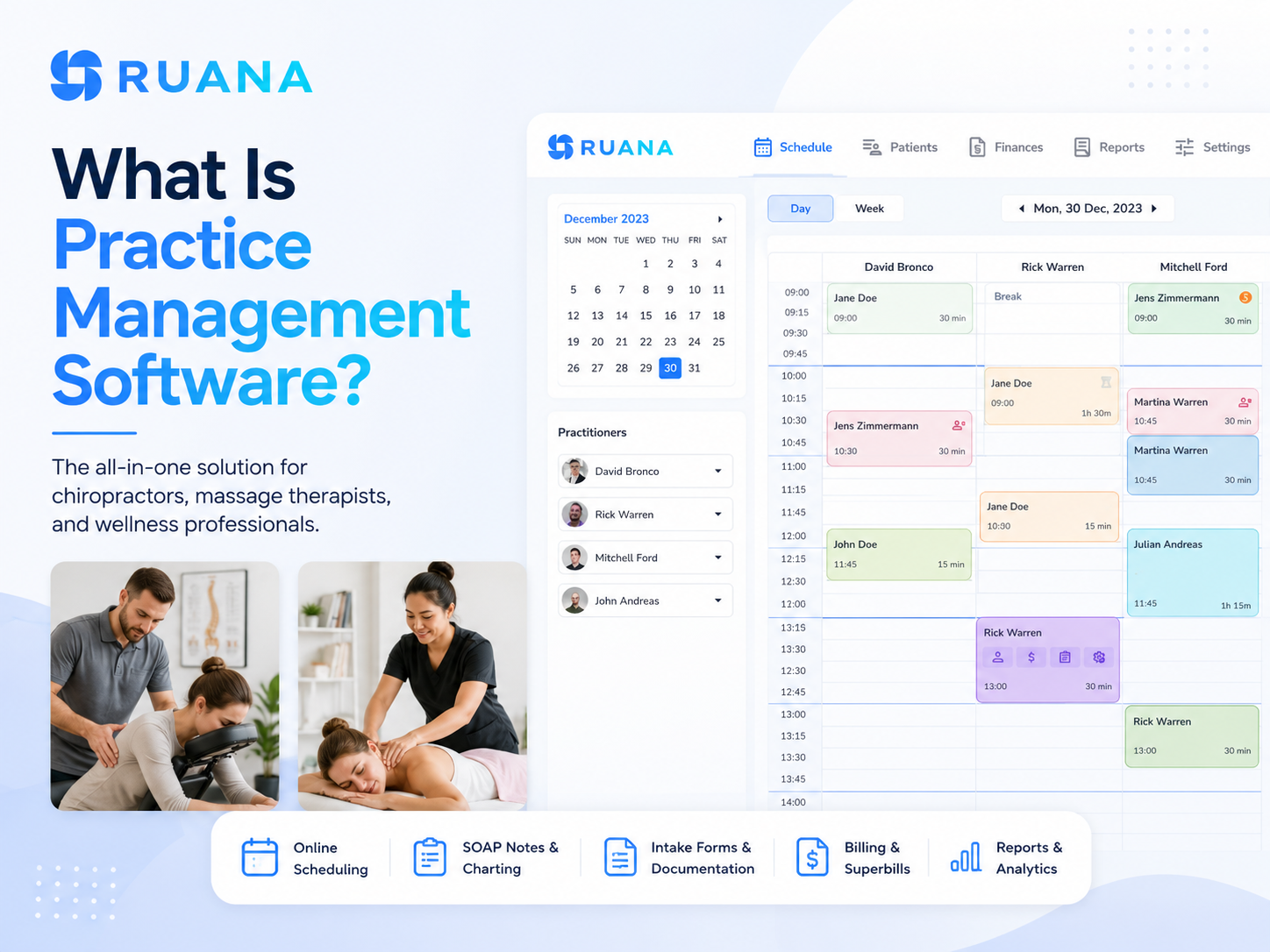
Practice management software helps clinics organize scheduling, patient information, documentation, billing, and communication in one connected system.
How many tools does it take to run one practice?
For many clinics, the answer is more than it should be. Appointments live in one system, patient forms in another, notes somewhere else, and billing in yet another place. Practice management software brings these daily tasks together so practitioners and staff can manage the full patient journey from one platform.
In this guide, we will answer the main question “What is practice management software?”, and help you choose the right system for your practice.
In practical terms, practice management software is the central workspace where you keep and manage all your appointments, patient records, intake forms, reminders, bills, etc.
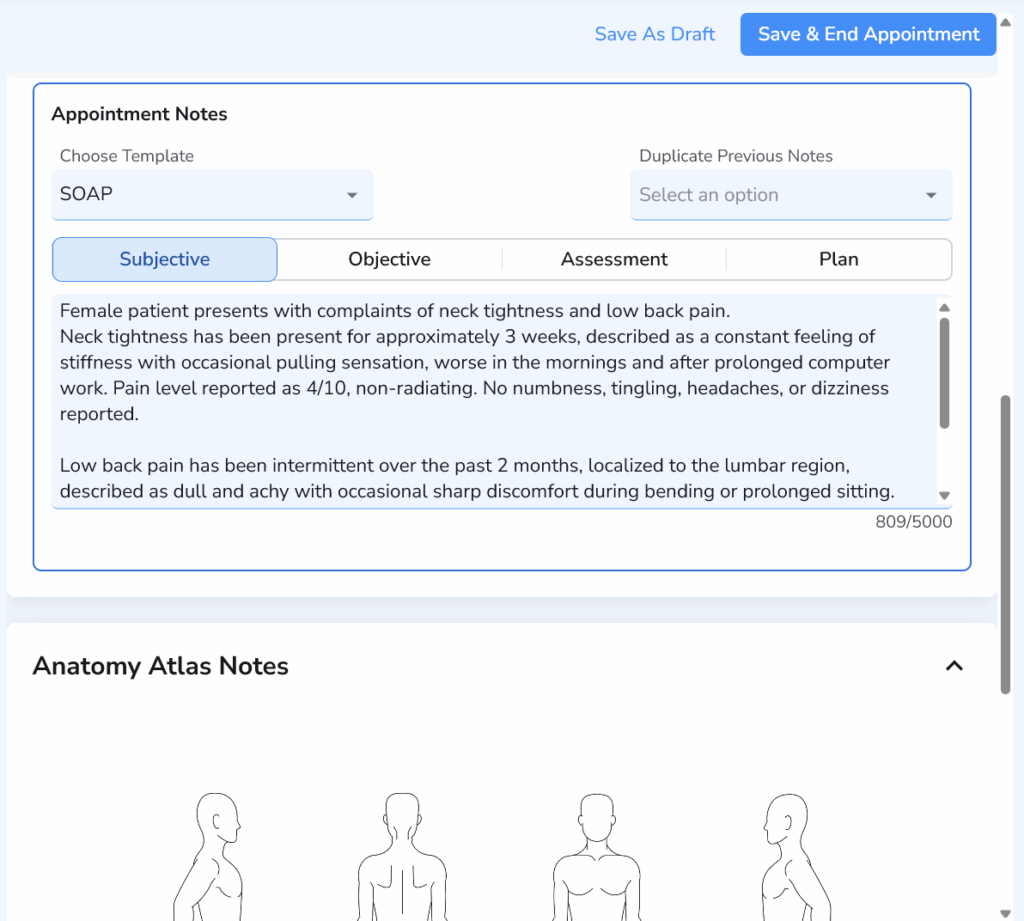
Front-desk staff can manage bookings, check-ins, cancellations, and patient information, while practitioners can complete SOAP notes and track treatment history. It’s an all-encompassing source of insights about your daily operations.
You may also see the terms practice management software or EMR used to describe the same type of software. In smaller clinics, practice management software often overlaps with EMR functionality because patient records and clinical notes are included in the same platform.
The main purpose is simple: keep the information and tasks involved in running a practice connected. A single system for all your appointments, forms, notes, and billing details gives the entire team a clearer view of what is happening before, during, and after each patient visit.
How Does Practice Management Software Work?
Following each patient’s journey, your practice management software connects the administrative and clinical work around each visit. Instead of treating your everyday duties as separate tasks, the system keeps them linked to the same patient and appointment.
The exact workflow varies by platform, yet most systems support the same core stages.
1. The Patient Books an Appointment
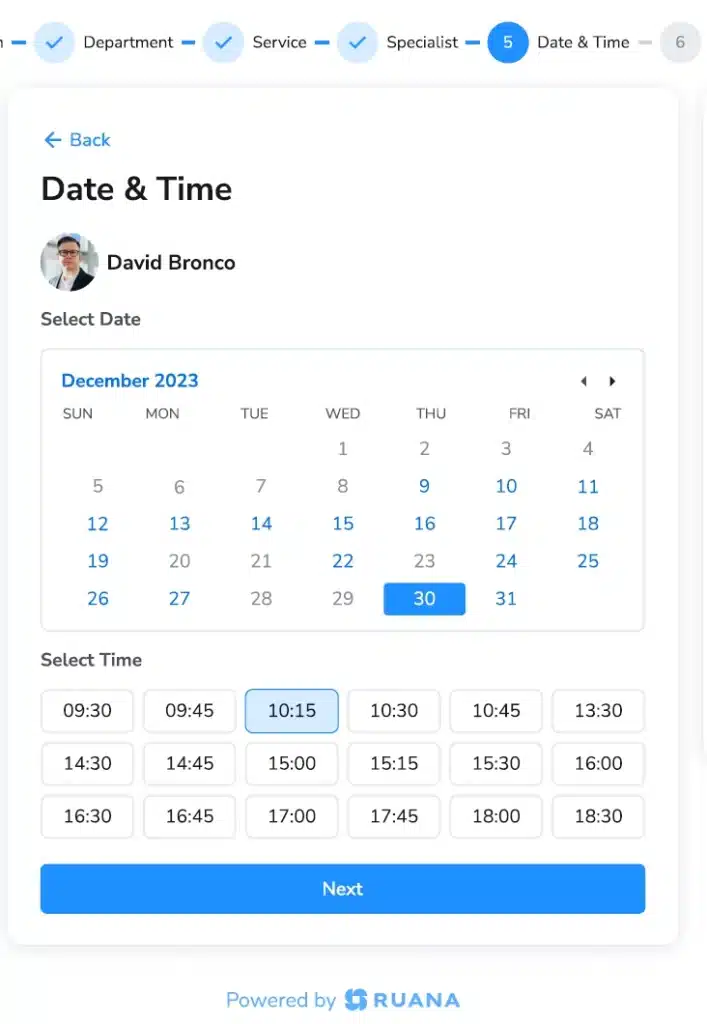
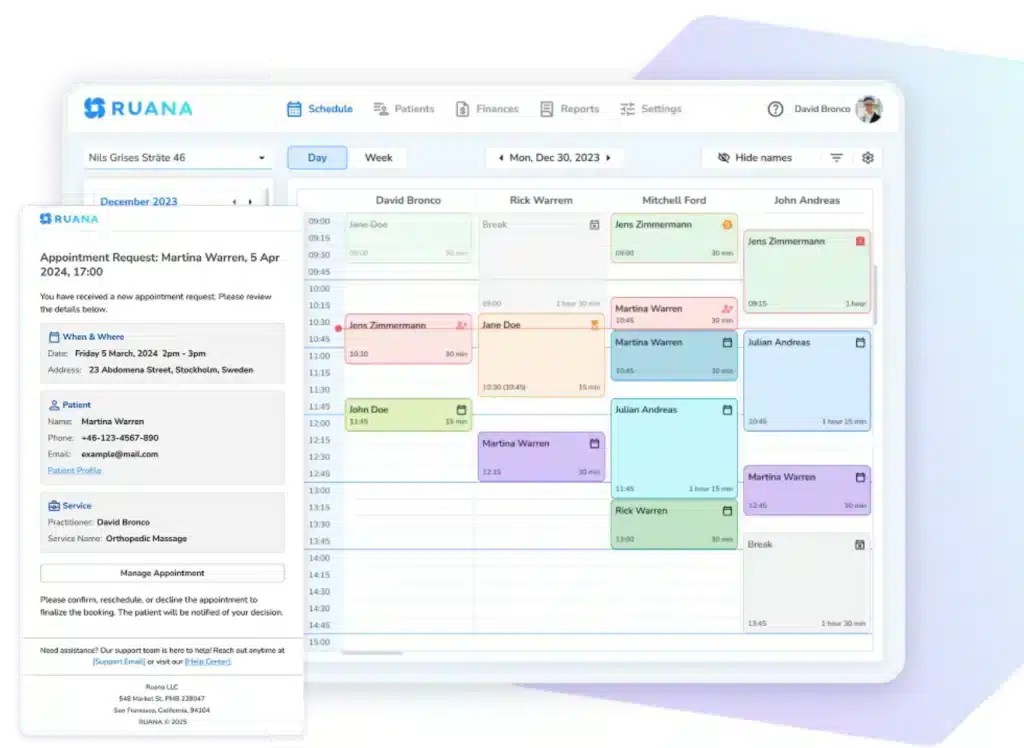
The process usually begins with online booking or an appointment request. The patient chooses a service, practitioner, location, and available time based on the schedule configured by the practice.
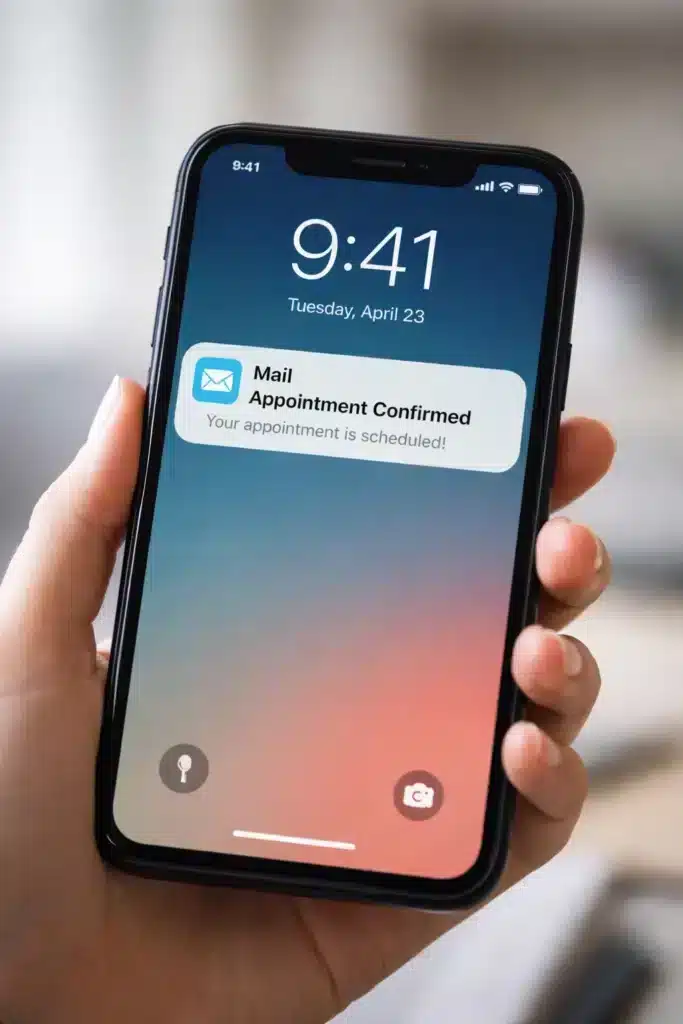
Once confirmed, the booking appears on your calendar, and the patient receives an automatic confirmation by email or text message (depending on the software).
A connected booking system helps reduce common scheduling problems, including:
Double bookings
Incorrect appointment lengths
Confusion about practitioner availability
Appointments assigned to the wrong service or location
It also gives the practice a more accurate view of the day ahead. Staff can see which appointments are confirmed, which still need attention, and where open time remains.
2. The Practice Collects Patient Information
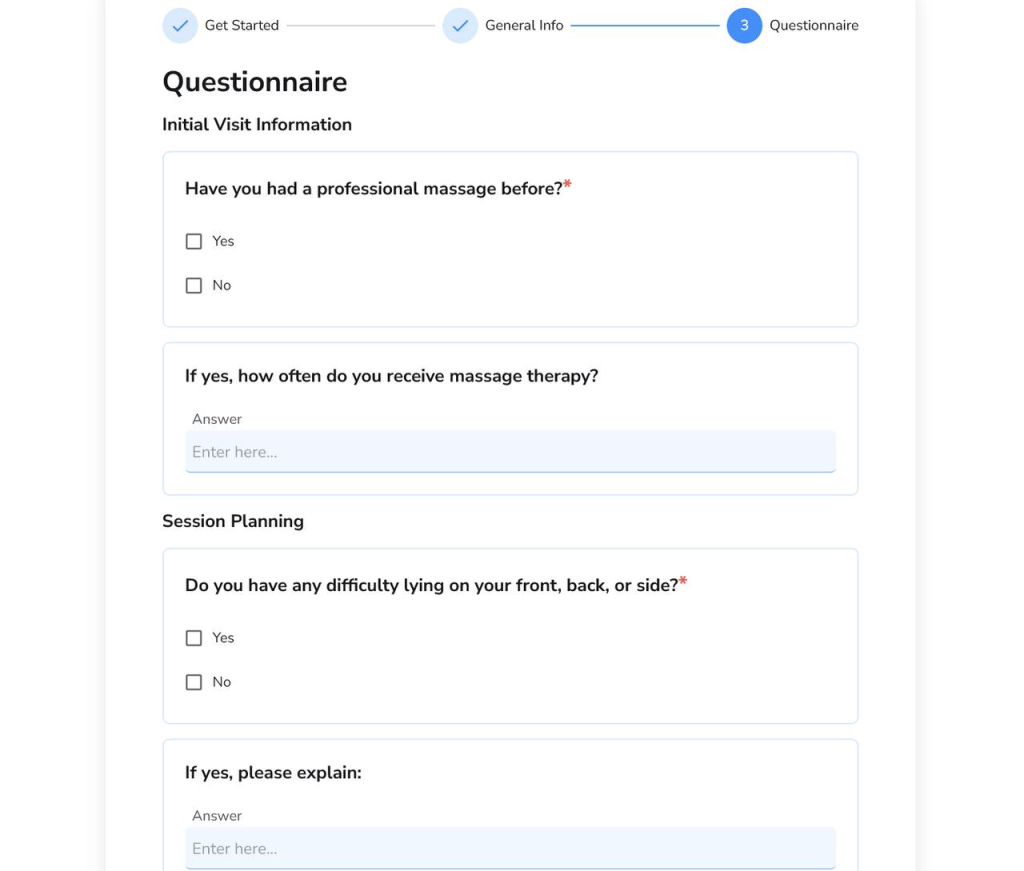
If your practice management software supports digital intake forms, you can choose to send them to your patients with the appointment confirmation email. This allows the practice to collect information such as:
Contact details
Health history
Current symptoms or concerns
Insurance or billing information
Consent and policy acknowledgements
The completed forms are saved to the patient record, so staff and practitioners can review them without sorting through paper documents or searching across email attachments.
Collecting patient information online is another way of reducing repeated data entry. Once submitted, the details live in the system and naturally flow across future appointments, documentation, and the payment billing process. Staff still need to check the information for accuracy, although they no longer have to retype every detail manually.
3. Staff Manage Check-In and the Daily Schedule
On the day of the appointment, the calendar becomes the main operational view for the front desk. Staff can see who is expected, who has arrived, which appointments are running late, and which patients have cancelled or failed to attend.
Many systems allow staff to update appointment statuses, such as:
Confirmed
Checked in
In treatment
Completed
Cancelled
No-show
Knowing all these with just a few simple clicks helps the whole team understand what is happening in real time. A practitioner can see that the next patient has arrived, while the front desk can identify which appointments are ready for checkout.
Some software solutions can also highlight missing forms, unpaid balances, special notes, or other details that require extra attention.
4. The Practitioner Reviews and Documents the Visit
Before the appointment begins, the practitioner can review the patient’s intake information, treatment history, previous notes, and other relevant records.
During or after the visit, the practitioner documents what happened. Depending on the platform, this may include:
SOAP notes
Treatment notes
Body charts
Clinical templates
Assessment findings
Services provided
Follow-up recommendations
Progress over time
While everything is linked to the appointment, the practitioner can see everything regarding the patient’s condition. This connection is particularly useful in ongoing care. A chiropractor or massage therapist may need to compare current symptoms with earlier visits, review previous treatment areas, or track whether the patient is responding to care.
5. The Practice Handles Checkout and Billing
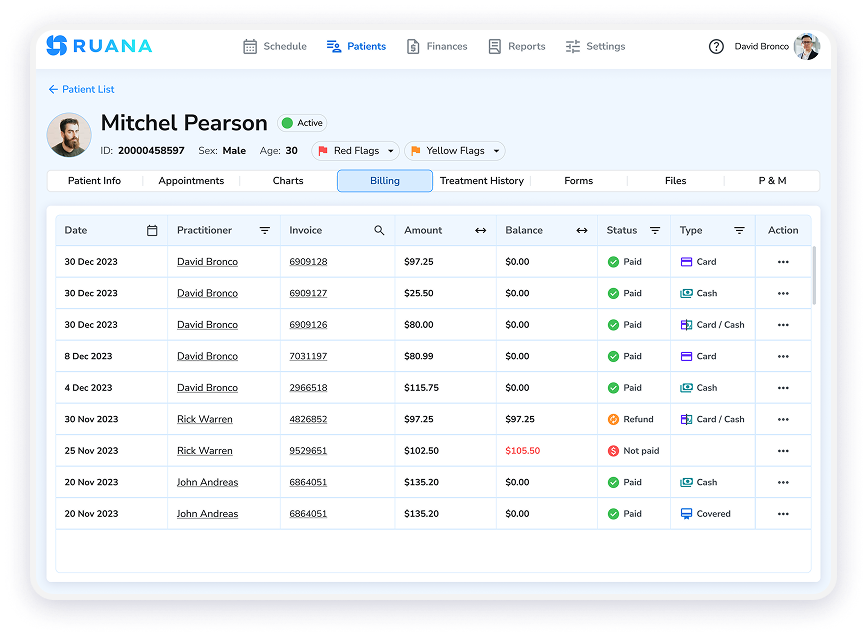
After the visit, staff can move from the completed appointment to checkout. Since the appointment already contains information about the patient, service, and practitioner, the billing process requires less manual searching.
Depending on the software, the practice may be able to:
Add or confirm services
Create an invoice
Record a payment
Apply billing or insurance codes
Issue a receipt
Generate a superbill
Track an outstanding balance
The level of billing support differs between platforms. Some systems handle basic invoices and receipts, while others include insurance claims, payment processing, or revenue cycle tools.
Practices should examine this distinction carefully. A system that lists “billing” as a feature may create invoices but may not submit insurance claims through a clearinghouse. The label is broad; the actual workflow matters more.
A connected checkout process also improves accuracy. Staff can compare the service provided, the treatment note, and the amount charged before the patient leaves.
6. The System Supports Follow-Up
Look for tools that support follow-up by sending reminders, recording future appointments, and helping staff identify patients who need to return.
Common follow-up functions include:
Appointment reminders
Rebooking prompts
Missed appointment follow-up
Recall messages
Treatment plan scheduling
Outstanding balance notifications
Post-visit communication
These tools reduce the number of follow-up tasks staff need to remember manually. Moreover, this way you create a more consistent patient experience because communication does not depend entirely on how busy the front desk happens to be that day.
Only with interconnected steps does the practice get a clearer record of the whole patient journey.
Core Features of Practice Management Software
Platforms vary in scope, but features that keep information connected and reduce the need to enter the same details in multiple systems are the most important ones.
Now, based on the flow described above, we can confidently list the following features:
Appointment scheduling and online booking are tools that allow patients to request or book appointments based on available services, practitioners, times, and locations.
Patient records appear as centralized profiles containing each patient’s details, appointment history, forms, documents, notes, and billing information.
Digital intake and consent forms help you collect and store completed responses directly in the patient record.
Clinical documentation and SOAP notes are the core of every reliable practice management software. Some systems include templates, body charts, treatment notes, previous visit records, and progress tracking that helps you document care with precision.
Billing, invoices, and insurance information management mean the software you choose can support service charges, invoices, receipts, billing codes, balances, payments, or superbills. Check the exact capabilities carefully to get the full value.
Patient communication and reminders help keep patients informed. Tools like appointment reminders, cancellation notices, and follow-up messages reduce the number of routine calls and messages your front desk needs to send manually.
Reports and analytics provide insights on revenue, cancellations, patient no-shows, and overall performance.
Security and compliance controls ensure you have features like role-based access, secure data storage, information backups, and activity records.
The strongest systems do more than offer these features individually. They connect them, so a booking can lead naturally to intake, documentation, billing, follow-up, and reporting without creating unnecessary gaps between each stage.
What Are the Benefits of Practice Management Software?
The value of practice management software becomes clearest in the small moments that repeat every day. The benefits depend on how well the system matches the clinic’s workflow. A long feature list means very little if the team still relies on spreadsheets, paper notes, and side conversations to keep the day moving.
Less Administrative Work Between Appointments
Practice management software reduces the number of manual steps required to move a patient through the clinic. Information collected during booking can flow into the patient record, intake process, appointment, documentation, and billing workflow.
This means staff are less likely to:
Re-enter the same patient details
Search through emails for completed forms
Copy appointment information into another system
Chase practitioners for missing service details
Send routine reminders manually
The time saved on each task may appear small. Across dozens of appointments, however, those minutes quickly add up.
A Clearer Workflow for the Whole Team
A connected system gives staff and practitioners a shared view of the patient journey. The front desk can see whether the patient has arrived, the practitioner can access the relevant history and forms, and checkout staff can confirm what happened during the visit.
This reduces dependence on handwritten notes, verbal updates, and individual memory. It also makes the practice less vulnerable when a team member is absent because important information remains visible to other authorized users.
The result is a more predictable workflow, especially during busy periods when small communication gaps tend to create larger delays.
More Consistent Patient Experiences
Patients notice when a practice feels organized. Booking is easier, forms arrive on time, reminders are clear, and staff already have the information they need when the patient arrives.
Practice management software supports this consistency by giving the team a repeatable process for each stage of care. Patients are less likely to be asked for the same information twice or left waiting while staff searches for documents.
This does not replace personal service. It gives the team more space to provide it.
Better Operational Decisions
When scheduling, billing, cancellations, and practitioner activity are recorded in one system, owners can make decisions based on actual practice data.
They may be able to identify:
Which days or hours have the highest cancellation rates
Which services are booked most often
Where appointment gaps regularly appear
Which practitioners are close to capacity
How frequently patients return
Whether revenue changes match appointment volume
These insights can guide staffing, opening hours, service planning, reminder policies, and growth decisions. Without connected reporting, many practices rely on impressions that may feel accurate without being supported by the numbers.
💡 Advice from a clinic already using practice management software
Do not try to change every process on the first day. Start with the workflow causing the most friction, such as booking, intake forms, or documentation, and make sure the whole team follows the same process.
After a few weeks, review where staff is still using paper, spreadsheets, or separate tools. Those workarounds usually reveal either a training gap or a feature that has not been configured properly.
The goal is not simply to install new software. It is to remove unnecessary steps from the working day.
How to Choose the Right Software for Your Practice
The best practice management software is not necessarily the platform with the longest feature list. It is the one that supports the way your team already works and removes the most common sources of delay, duplication, and confusion.
Start by mapping the patient journey from booking to follow-up. Then identify which functions are essential for daily operations and which would simply be useful to have later.
Must-Have Features
Nice-to-Have Features
Appointment scheduling and calendar management
AI-assisted documentation
Secure patient records
Advanced marketing automation
Digital intake and consent forms
Custom mobile apps
Documentation tools suited to your specialty
Extensive third-party integrations
Billing, invoices, receipts, or superbills
Inventory and product management
Appointment confirmations and reminders
Highly customized dashboards
Role-based staff access
Automated patient recall campaigns
Security and compliance controls
Advanced multi-location reporting
Clear pricing and reliable support
Website-building tools
Data export or migration options
Custom branding across every patient touchpoint
💡 Use the table as a filter, not a shopping list
A feature belongs in the must-have column only when your practice depends on it to complete a regular task. For example, SOAP note templates may be essential for a chiropractic clinic, while advanced inventory tools may offer little practical value.
Ask each team member which tasks create the most friction during a normal week. Those answers will usually reveal the real requirements more accurately than a software comparison page.
Once the priorities are clear, test the software using real scenarios. Book an appointment, complete an intake form, write a note, process checkout, and check a report. A polished demo can make almost any system look simple. A realistic workflow test shows whether it will remain simple on a busy Monday morning.
What Is Practice Management Software: Ruana’s Answer
The right practice management software solution keeps appointments, patient information, documentation, billing, communication, and reporting connected, so staff spend less time moving between tools and fixing preventable gaps.
We’ve built Ruana for chiropractors, massage therapists, and growing wellness practices that need a clear, practical way to manage daily operations. The software brings online booking, scheduling, digital intake forms, patient records, SOAP notes and charting, billing information, reminders, and reports into one platform.
With a full patient journey concentrated here, your front-desk team and practitioners can manage appointments and checkout more confidently.
See how Ruana can support your practice and start exploring the platform for free.
About the Authors
★★★★★4.9 · 329 Reviews
Rouzbeh NoroozyChiropractor & Co-Founder · Palmer West · UC Berkeley · 14 Years of ExperienceRouzbeh Noroozy is a chiropractor with 14 years of clinical experience and co-founder of Ruana practice management software. He completed his undergraduate studies at the University of California, Berkeley and graduated from the renowned Palmer College of Chiropractic West in California. As a practicing clinician and clinic owner, he understands firsthand the administrative challenges practices face — and which digital tools genuinely help streamline day-to-day operations.
Anastasiia NoroozyMedical Graduate & Co-Founder · 8 Years of ExperienceAnastasiia Noroozy is a medical graduate and co-founder of Ruana with 8 years of experience working directly with patients at the clinic in Cologne. She manages the day-to-day flow of the practice and knows every patient-facing process from the inside out — from intake and scheduling to follow-up care. Her hands-on clinical and operational experience directly shapes how Ruana is built to work in the real world.
Our team will review your inquiry and get back to you as soon as possible.
Privacy Settings
To provide the best experiences, we use technologies like cookies to store and/or access device information. Consenting to these technologies will allow us to process data such as browsing behavior or unique IDs on this site. Not consenting or withdrawing consent, may adversely affect certain features and functions.
Functional
Always active
The technical storage or access is strictly necessary for the legitimate purpose of enabling the use of a specific service explicitly requested by the subscriber or user, or for the sole purpose of carrying out the transmission of a communication over an electronic communications network.
Preferences
The technical storage or access is necessary for the legitimate purpose of storing preferences that are not requested by the subscriber or user.
Analytics
The technical storage or access that is used exclusively for statistical purposes.The technical storage or access that is used exclusively for anonymous statistical purposes. Without a subpoena, voluntary compliance on the part of your Internet Service Provider, or additional records from a third party, information stored or retrieved for this purpose alone cannot usually be used to identify you.
Marketing
The technical storage or access is required to create user profiles to send advertising, or to track the user on a website or across several websites for similar marketing purposes.
To provide the best experience for our practitioners, we use cookies to personalize content, analyze our traffic, and support our marketing efforts. By clicking 'Accept', you consent to our use of these technologies. You can manage your preferences at any time.
Functional
Always active
The technical storage or access is strictly necessary for the legitimate purpose of enabling the use of a specific service explicitly requested by the subscriber or user, or for the sole purpose of carrying out the transmission of a communication over an electronic communications network.
Preferences
The technical storage or access is necessary for the legitimate purpose of storing preferences that are not requested by the subscriber or user.
Analytics
The technical storage or access that is used exclusively for statistical purposes.The technical storage or access that is used exclusively for anonymous statistical purposes. Without a subpoena, voluntary compliance on the part of your Internet Service Provider, or additional records from a third party, information stored or retrieved for this purpose alone cannot usually be used to identify you.
Marketing
The technical storage or access is required to create user profiles to send advertising, or to track the user on a website or across several websites for similar marketing purposes.