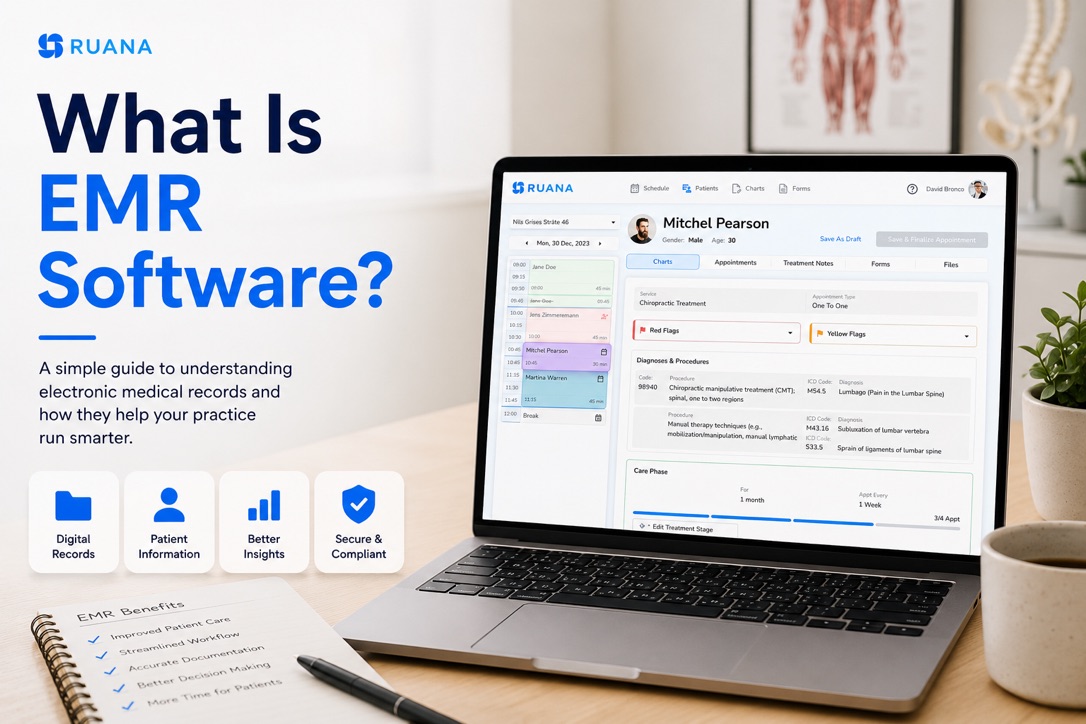
What Is EMR Software? A Simple Guide for Small Practices
11.06.26
EMR software helps small practices move from scattered patient information to a more organized digital workflow. For providers managing appointments, forms, notes, and billing details every day, it can make patient records easier to access and clinic operations easier to manage.
Most healthcare professionals did not get into practice because they enjoy paperwork.
Yet, every appointment involves a never-ending whirlwind of intake forms, SOAP notes, billing records, follow-up plans, etc. When that information is spread across paper files, spreadsheets, and multiple software tools, even simple tasks can take longer than they should.
This is where EMR software comes in.
Standing for Electronic Medical Record, EMR software helps healthcare and wellness practices keep patient records organized in a digital system. It can easily replace your paper charts and also support documentation, scheduling, and other day-to-day operations that keep a practice running smoothly.
In this guide, we’ll answer the frequent question “what is EMR software?”, explain how it works, and discuss which features matter most when choosing a system for a small practice.
Short for electronic medical record software, it’s a digital system for storing and managing patient records in a healthcare or wellness practice. Think of any patient-related information, like contact details, health history, visit notes, treatment plans, billing documents, and other records connected to care. Everything lives in a single place.
At its simplest, EMR software replaces the paper chart. In daily use, however, it often does more than that. Many EMR systems also help providers write SOAP notes faster, review previous visits, manage intake forms, schedule appointments, prepare billing records, and track what happened during each patient visit.
For small practices, this matters because patient records are not just “stored information.” They are part of the daily workflow.
Chiropractors need to check previous adjustment notes before a follow-up visit.
Massage therapists need to review the intake form before starting a session.
EMR software appears as a practical solution that keeps patient information organized, accessible, and connected to the work happening in the practice every day.
Who Uses EMR Software?
EMR software can be useful for:
Chiropractors who document adjustments, treatment plans, SOAP notes, and patient progress.
Massage therapists who need intake forms, session notes, contraindication details, and treatment history.
Physical therapy and rehab-style clinics that track exercises, progress, visit notes, and care plans.
Mental health providers who manage client notes, appointments, forms, and private records.
Wellness clinics that integrate scheduling, documentation, and patient management into a single workflow.
Small multi-provider practices that need staff members to access the right information without relying on paper files or scattered tools.
For small clinics, the best EMR software is usually the one that fits the actual workflow: booking appointments, collecting intake forms, seeing patients, writing notes, preparing billing records, and keeping everything easy to find later.
EMR vs EHR: What Is the Difference?
The terms EMR and EHR are often used as if they mean the same thing, while in fact, there are minor but crucial nuances. The electronic medical record is the digital version of a patient chart within one practice. It helps providers document visits, review patient history, and keep care records organized.
An EHR or electronic health record is much broader. It is designed to follow the patient across different healthcare settings and can support record sharing between providers, clinics, labs, hospitals, or other care teams. In simple terms, an EMR helps a practice manage its records, while an EHR is built for wider healthcare coordination.
Here’s how that looks side-by-side.
Category
EMR
EHR
Full meaning
Electronic Medical Record
Electronic Health Record
Main purpose
Manage patient records inside one practice
Share and manage patient health information across providers
Scope
More practice-specific
Broader and more connected
Common use
Visit notes, treatment history, SOAP notes, internal records
Care coordination, shared records, labs, prescriptions, referrals
Best fit
Small clinics, solo providers, wellness practices, internal documentation
Larger care networks, multi-provider medical systems, coordinated healthcare
A simple way to understand it
A digital chart for your practice
A wider health record that can move with the patient
What Does EMR Software Actually Do?
Although EMR software solutions are often described as a place to store patient records, in daily practice, they usually do much more than that.
A good system connects the main parts of patient care: the appointment, the intake form, the visit note, the treatment history, and the billing record. These are no longer separate tasks as the software links them for the provider and front desk to move through the day with less back-and-forth.
Stores Patient Records Digitally
All the contact details, health history, past appointments, notes, and other important information connected to the patient are kept in a digital format. This means that instead of searching through paper charts or separate files, the provider can open the patient profile and review the information in one place.
For small practices, this saves time in very practical ways. A chiropractor can check previous visit notes before starting a follow-up appointment. A massage therapist can review contraindications or intake details before the session. A front desk team can confirm patient information without digging through old paperwork.
Helps Providers Write SOAP Notes and Documentation
Creating and organizing SOAP notes, progress notes, treatment summaries, and other visit records is one of the biggest daily responsibilities in any care-based practice.
For small practices, faster documentation can make a noticeable difference. When notes are connected to the appointment and patient profile, providers do not have to start from zero every time. They can review the previous visit, document the current session, and keep the patient history consistent over time.
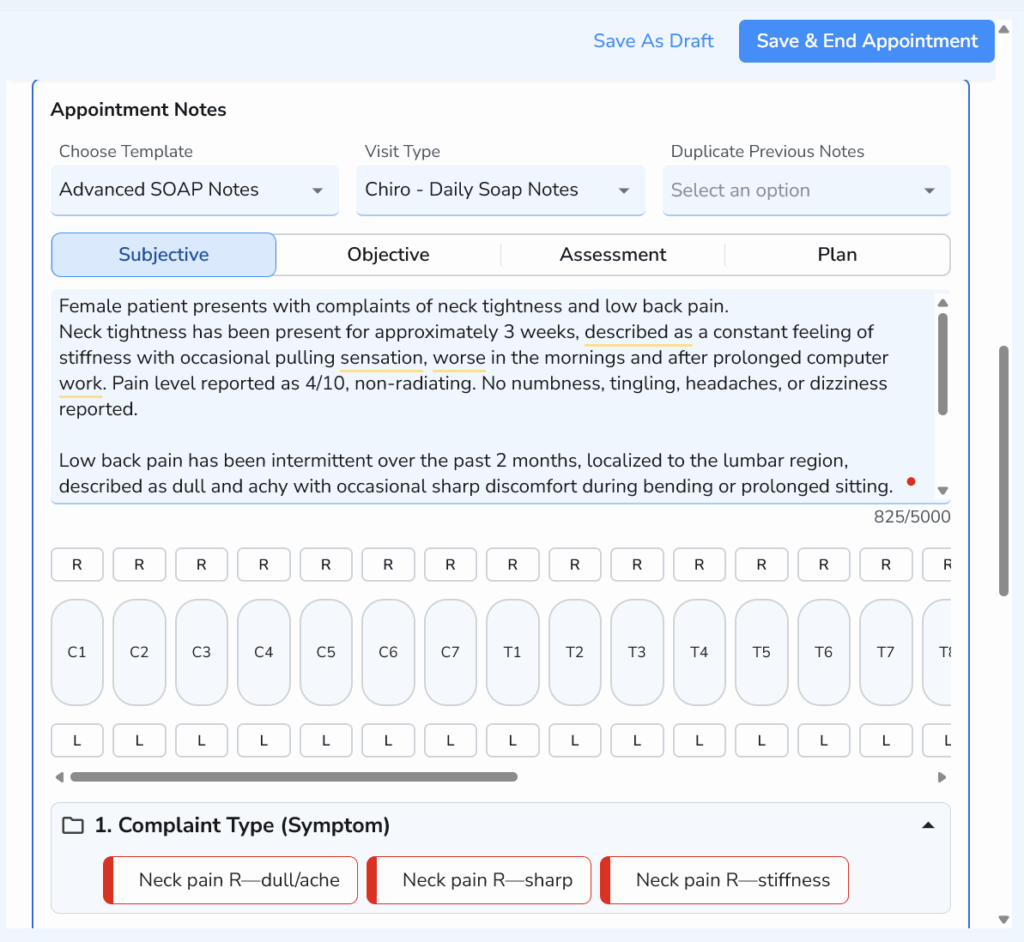
Some practice management systems also offer SOAP note templates or advanced charting tools, which can help providers complete notes faster without losing structure or clarity.
Document patient visits faster with structured Advanced SOAP Notes, including symptoms, spinal levels, and automated selections.
Connects Appointments With Patient History
When asking yourself, “What is EMR software?” the next question that follows is, “Will it help me manage patient history?”
In fact, the best EMR software can bring all the vital details together. When a patient is scheduled, the provider can see their history, previous appointments, notes, and relevant records before or during the visit. This makes each appointment easier to prepare for and easier to document afterward.
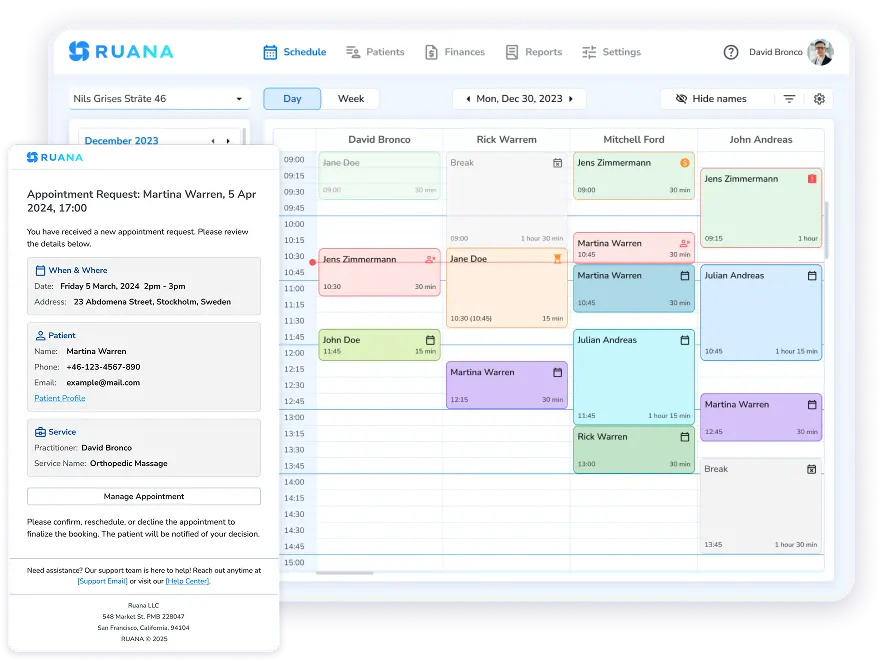
This is especially useful in small clinics where the same team may handle scheduling, check-in, documentation, checkout, and patient questions. When the calendar is connected to patient records, the workflow becomes cleaner. The front desk knows who is coming in, the provider knows what happened last time, and the visit can move forward with less friction.
Keeps Intake Forms Organized
Intake forms are often the first serious piece of information a practice collects from a patient, thus setting the tone for the whole workflow.
Before the appointment even starts, the provider may need to know things like:
Why is the patient coming?
What symptoms do they have?
Are there past injuries?
Do they take any medications?
Are there any contradictions to consider?
For the front desk, the same form may also include contact details, consent, insurance information, and other basic records needed to check the patient in properly.
When intake forms are handled on paper or through a separate tool, the process can get messy fast. Staff may need to print, scan, upload, retype, or manually attach the form to the patient profile. EMR software helps by keeping the intake forms connected to the patient record. Patients can complete digital forms before the visit, the provider can review the information before the session, and the form stays stored with the rest of the patient history.
Supports Billing, Superbills, or Service Records
EMR software may also support billing-related records, depending on the system and the type of practice.
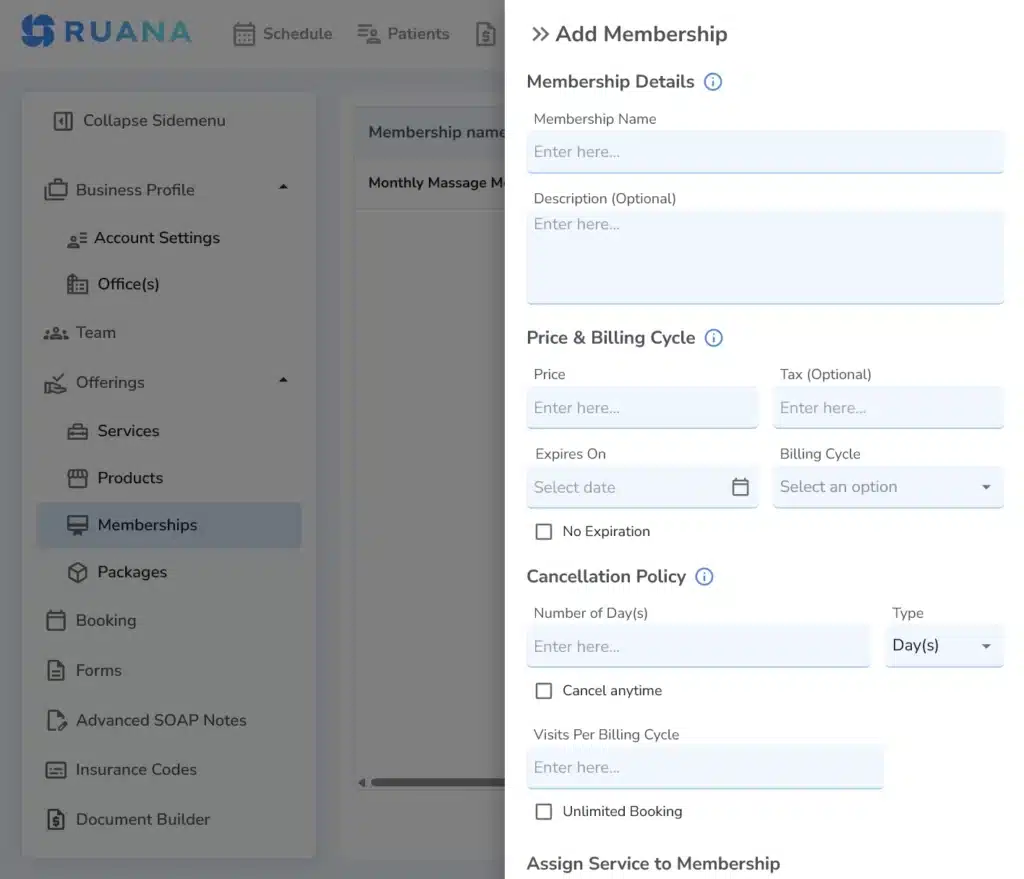
For some medical practices, this may include diagnosis codes, procedure codes, insurance claim details, and payment tracking. For many small wellness practices, the billing workflow may be simpler. They may need service records, invoices, receipts, memberships, product sales, or superbills that patients can submit to insurance themselves.
The important point is that billing works better when it is connected to the visit record. If the appointment, service, provider note, and patient details are already in the system, it becomes easier to prepare the correct billing document and answer patient questions later.
For example, a chiropractic office may need to create a superbill after a visit. A massage practice may need to keep a clear record of services provided. A wellness clinic may need to connect checkout with the patient’s appointment history. EMR-style software can help keep those steps organized, even when the practice is not using a full insurance billing system.
Beyond individual patient records, EMR software can also help practices understand what is happening across the business.
Reports may show appointment volume, no-shows, completed visits, provider activity, revenue, service trends, or other operational details. For a small practice owner, this can be more useful than it sounds. It is hard to improve a clinic workflow when the data is scattered across a calendar, a notebook, and someone’s memory.
Reporting helps answer practical questions:
How many appointments were completed this week?
Which services are booked most often?
Are no-shows becoming a pattern?
How busy is each provider?
Are patients returning after their first visit?
Which parts of the workflow are slowing the team down?
These details help owners make better decisions about scheduling, staffing, reminders, services, and patient follow-up. In other words, EMR software is not only about storing records. When used well, it can also show where the practice is running smoothly and where small problems are starting to pile up.
Key Features to Look for in EMR Software
Not every EMR system is built for the same type of practice. Some are designed for hospitals and large medical groups, while others are better suited for small clinics, solo providers, and wellness professionals.
Therefore, the best EMR software isn’t necessarily the one with the longest feature list. For a small practice, tools like booking the appointment, collecting patient information, writing notes, and handling billing details are things that make the daily workflow easier.
Here are the main features worth looking for.
Patient profiles: A clear place to store contact details, health history, forms, notes, appointment history, and billing-related records.
Clinical documentation: Tools for writing SOAP notes, progress notes, treatment plans, and other visit records.
Templates and charting tools: Reusable note formats that help providers document faster while keeping records consistent.
Online booking and scheduling: A calendar that helps manage appointments, providers, services, rooms, and appointment requests.
Digital intake forms: Forms patients can complete before the visit, with responses saved to the patient record.
Appointment reminders: Automated reminders that help reduce missed appointments and last-minute confusion.
Billing or superbill support: Tools for creating service records, invoices, receipts, or superbills when needed.
Reports and analytics: Basic reporting on appointments, revenue, no-shows, provider activity, and practice performance.
Role-based access: Different permission levels for owners, providers, front desk staff, and assistants.
Multi-location support: Useful for growing practices that operate from more than one clinic location.
Simple onboarding: Setup should be realistic for a small team, not a second job disguised as software.
How to Choose the Right EMR Software
Choosing EMR software should start with the way your practice actually works. A feature may look impressive during a demo, but if your team will not use it during a normal workday, it will not solve much.
Use this checklist before choosing a system that works best for you:
Question
Commentary
Is it built for your practice type?
A chiropractor, massage therapist, wellness clinic, and hospital do not need the same workflow.
Is it easy enough for daily use?
The software should help the team move faster, not make every task feel like solving a riddle in a basement.
Does it support SOAP notes or the documentation format you use?
Look for note templates, charting tools, previous note access, and easy patient history review.
Does it connect scheduling with patient records?
Appointments should not live separately from notes, forms, and visit history.
Can patients complete intake forms digitally?
This helps reduce manual entry and gives providers useful information before the visit starts.
Does it support your billing workflow?
Depending on your practice, this may mean invoices, receipts, service records, memberships, products, insurance details, or superbills.
Does it offer reminders to reduce no-shows?
Even one or two fewer missed appointments can make the software easier to justify financially.
Can it grow with your practice?
Check whether it supports multiple providers, staff roles, and more than one location, if growth is part of the plan.
What is missing?
No software has everything. Be clear about deal-breakers such as EDI billing, online payments, calendar sync, AI scribing, or specific integrations before you commit.
The right EMR software should not feel like a giant medical system forced onto a small practice. It should match the real clinic flow, reduce repeated admin work, and help the team keep patient records clean, accessible, and connected.
Final Thoughts
So, what is EMR software?
The answer is quite straightforward. It’s no longer just a digital filing cabinet for patient records. Its real value comes from connecting your everyday work, so you spend more time treating patients and less time handling the paperwork.
The right system should make that workflow easier, not heavier. If your team is switching between paper forms, spreadsheets, calendars, and separate documentation tools, EMR-style practice management software can help bring those pieces into one cleaner process.
Ruana is built around that same idea: giving chiropractors, massage therapists, and wellness practices one place to manage scheduling, intake forms, SOAP notes, billing records, reminders, and daily clinic flow without adding unnecessary complexity.
About the Authors
★★★★★4.9 · 329 Reviews
Rouzbeh NoroozyChiropractor & Co-Founder · Palmer West · UC Berkeley · 14 Years of ExperienceRouzbeh Noroozy is a chiropractor with 14 years of clinical experience and co-founder of Ruana practice management software. He completed his undergraduate studies at the University of California, Berkeley and graduated from the renowned Palmer College of Chiropractic West in California. As a practicing clinician and clinic owner, he understands firsthand the administrative challenges practices face — and which digital tools genuinely help streamline day-to-day operations.
Anastasiia NoroozyMedical Graduate & Co-Founder · 8 Years of ExperienceAnastasiia Noroozy is a medical graduate and co-founder of Ruana with 8 years of experience working directly with patients at the clinic in Cologne. She manages the day-to-day flow of the practice and knows every patient-facing process from the inside out — from intake and scheduling to follow-up care. Her hands-on clinical and operational experience directly shapes how Ruana is built to work in the real world.
Our team will review your inquiry and get back to you as soon as possible.
Privacy Settings
To provide the best experiences, we use technologies like cookies to store and/or access device information. Consenting to these technologies will allow us to process data such as browsing behavior or unique IDs on this site. Not consenting or withdrawing consent, may adversely affect certain features and functions.
Functional
Always active
The technical storage or access is strictly necessary for the legitimate purpose of enabling the use of a specific service explicitly requested by the subscriber or user, or for the sole purpose of carrying out the transmission of a communication over an electronic communications network.
Preferences
The technical storage or access is necessary for the legitimate purpose of storing preferences that are not requested by the subscriber or user.
Analytics
The technical storage or access that is used exclusively for statistical purposes.The technical storage or access that is used exclusively for anonymous statistical purposes. Without a subpoena, voluntary compliance on the part of your Internet Service Provider, or additional records from a third party, information stored or retrieved for this purpose alone cannot usually be used to identify you.
Marketing
The technical storage or access is required to create user profiles to send advertising, or to track the user on a website or across several websites for similar marketing purposes.
To provide the best experience for our practitioners, we use cookies to personalize content, analyze our traffic, and support our marketing efforts. By clicking 'Accept', you consent to our use of these technologies. You can manage your preferences at any time.
Functional
Always active
The technical storage or access is strictly necessary for the legitimate purpose of enabling the use of a specific service explicitly requested by the subscriber or user, or for the sole purpose of carrying out the transmission of a communication over an electronic communications network.
Preferences
The technical storage or access is necessary for the legitimate purpose of storing preferences that are not requested by the subscriber or user.
Analytics
The technical storage or access that is used exclusively for statistical purposes.The technical storage or access that is used exclusively for anonymous statistical purposes. Without a subpoena, voluntary compliance on the part of your Internet Service Provider, or additional records from a third party, information stored or retrieved for this purpose alone cannot usually be used to identify you.
Marketing
The technical storage or access is required to create user profiles to send advertising, or to track the user on a website or across several websites for similar marketing purposes.