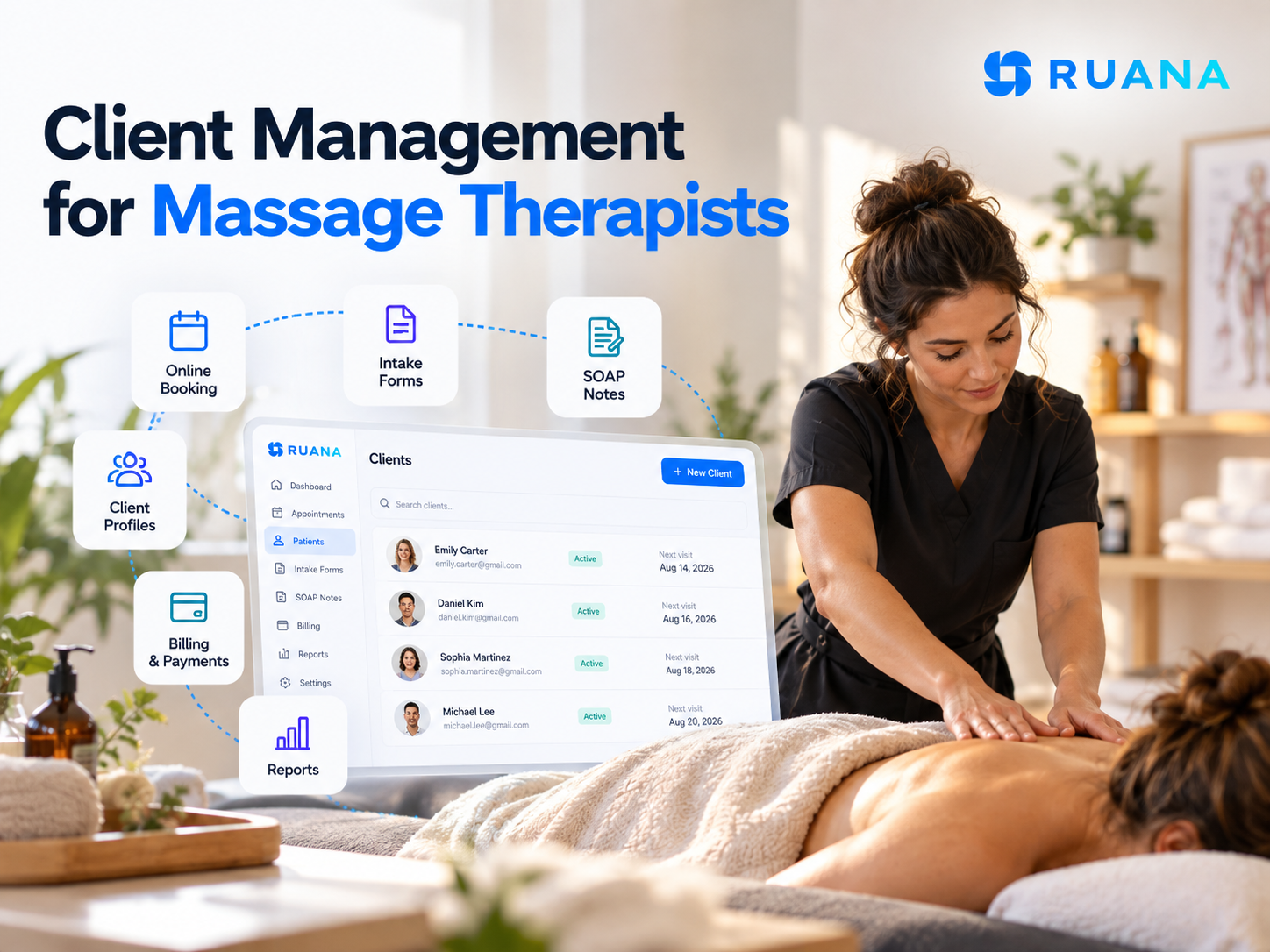
Client Management for Massage Therapists: Digital Solutions That Transform Your Practice
06.10.26
Discover how modern client management software streamlines your massage therapy practice. Learn about essential digital solutions for scheduling, SOAP notes, online booking, automated reminders, and billing that boost efficiency and client satisfaction.
A client books a 60-minute deep tissue session for Thursday. She came in eight months ago, mentioned a shoulder injury, and asked for lighter pressure on the left side. On Thursday morning, can you see any of that before she walks in?
That question is the whole subject. Client management for massage therapists is not about owning a digital address book. It is about whether the booking, the intake form, the last session’s notes and the payment history arrive together, at the moment you need them.
Browse a software directory and you will find that almost every platform in the massage category claims client management. On GetApp, as of October 2026, over 112 of 122 massage therapy products list it as a feature. Having it is not the differentiator. What the record actually connects to is.
What Is Client Management Software for Massage Therapists?
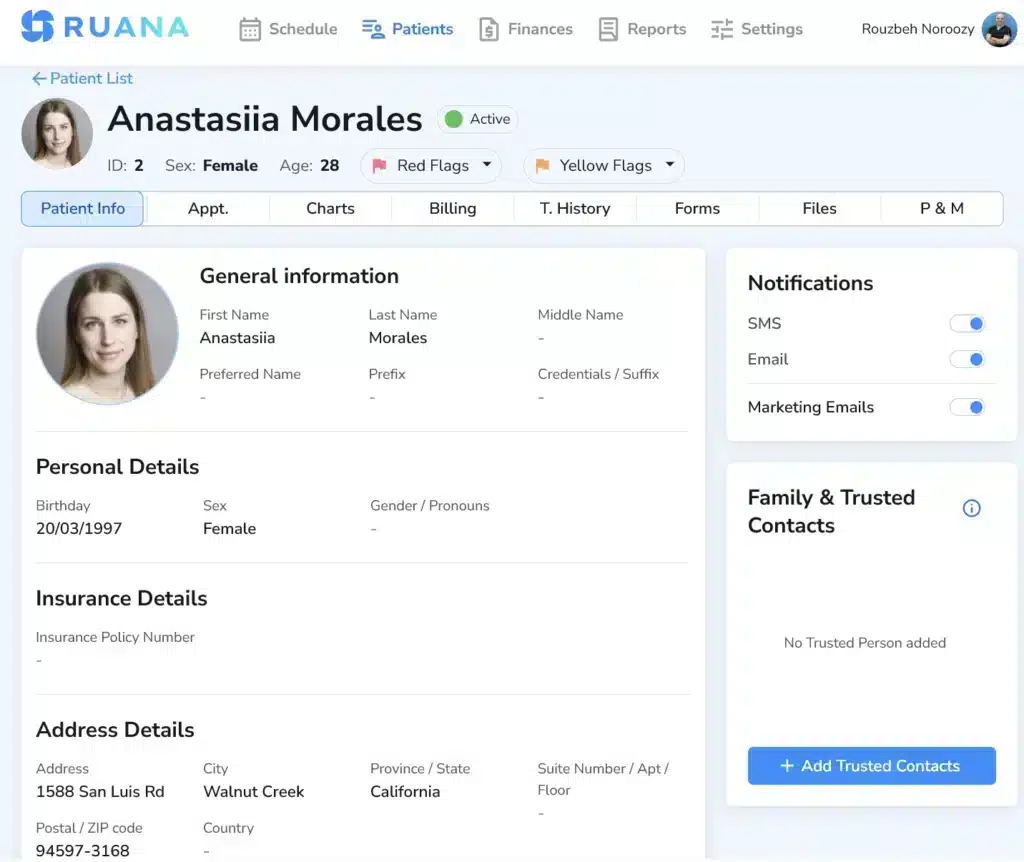
Client management software creates one connected client record. Every interaction a client has with your practice, from the first booking through intake, treatment, documentation, payment and rebooking, writes back to the same file.
The difference matters in practice. A contact list tells you a phone number. A connected record tells you that this client has used four of her six package sessions, filled in her health history in February, flagged a latex allergy, and last saw you for upper trapezius work with notes you can read in two seconds.
That connection is what client management for massage therapists actually means, and it is also where most tools quietly fall short. Plenty of platforms store all six categories of information. Far fewer make them reachable from one screen at the moment a client is standing in front of you.
Is client management software the same as a CRM?
The terms overlap, and plenty of vendors use massage therapy CRM and client management interchangeably. A CRM in the general business sense tracks leads, pipelines, and marketing contacts. Client management in a massage practice goes further into territory a sales CRM never touches:
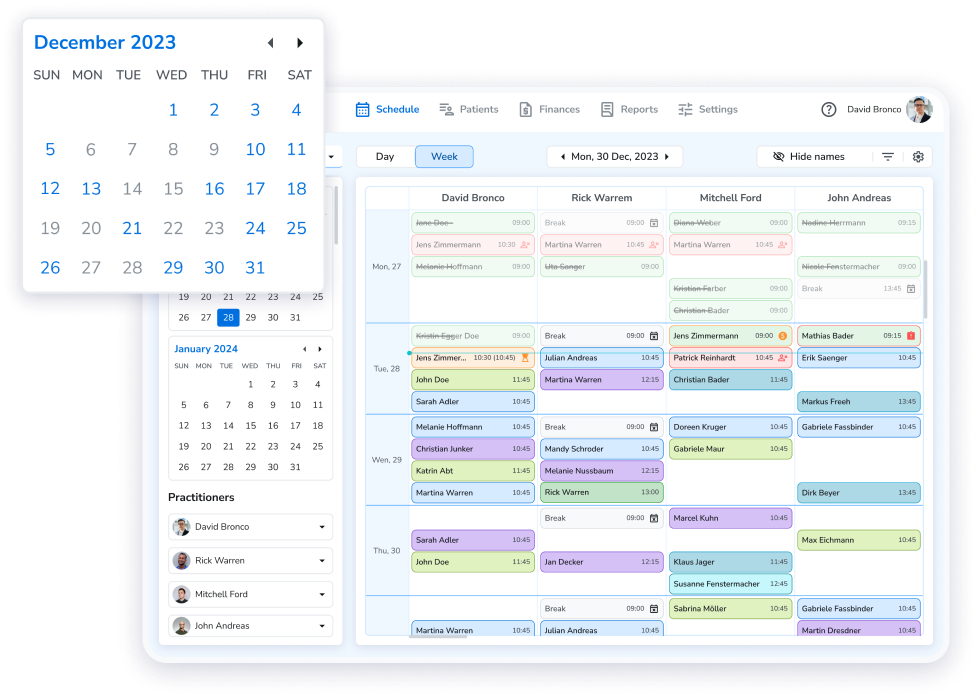
Online booking tied to your actual availability
Intake and consent forms
SOAP notes
Treatment history, packages and billing
If you are comparing platforms rather than workflows, our buyer’s guide to massage therapy software covers which tools do what. This article is about what the workflow should look like regardless of the logo on it.
What Should Be in a Massage Therapy Client Record?
Six things belong in a complete record. Any massage client records software worth paying for holds all six in one place rather than scattering them across a calendar app, a form service and a filing cabinet.
Go through the list below against whatever you use now, and note which items live somewhere other than the client’s file.
Contact and personal details
The baseline: name, phone, email, date of birth, emergency contact, and how they prefer to be contacted. Worth adding is how they found you, because that single field answers questions about referrals and marketing that most practices guess at.
Intake information and health history
Health history is clinical information, not paperwork. Current medications, previous injuries, surgeries, pregnancy, skin conditions, allergies and contraindications all change what you can safely do on the table.
The system should send the intake form automatically when a new client books, so it arrives completed rather than being filled in on a clipboard while you wait. It should also let you attach different forms to different services, since a first consultation needs more than a follow-up. Signed consent and liability waivers belong in the same record.
Our guide to massage therapy intake forms and health history templates covers what to ask.
Every past and upcoming appointment, with the service booked, the duration, who treated them, and what happened. Cancellations and no-shows belong here too, logged automatically rather than remembered. A client who has cancelled three times in two months is a conversation you want to have from a position of knowing.
SOAP notes and treatment documentation
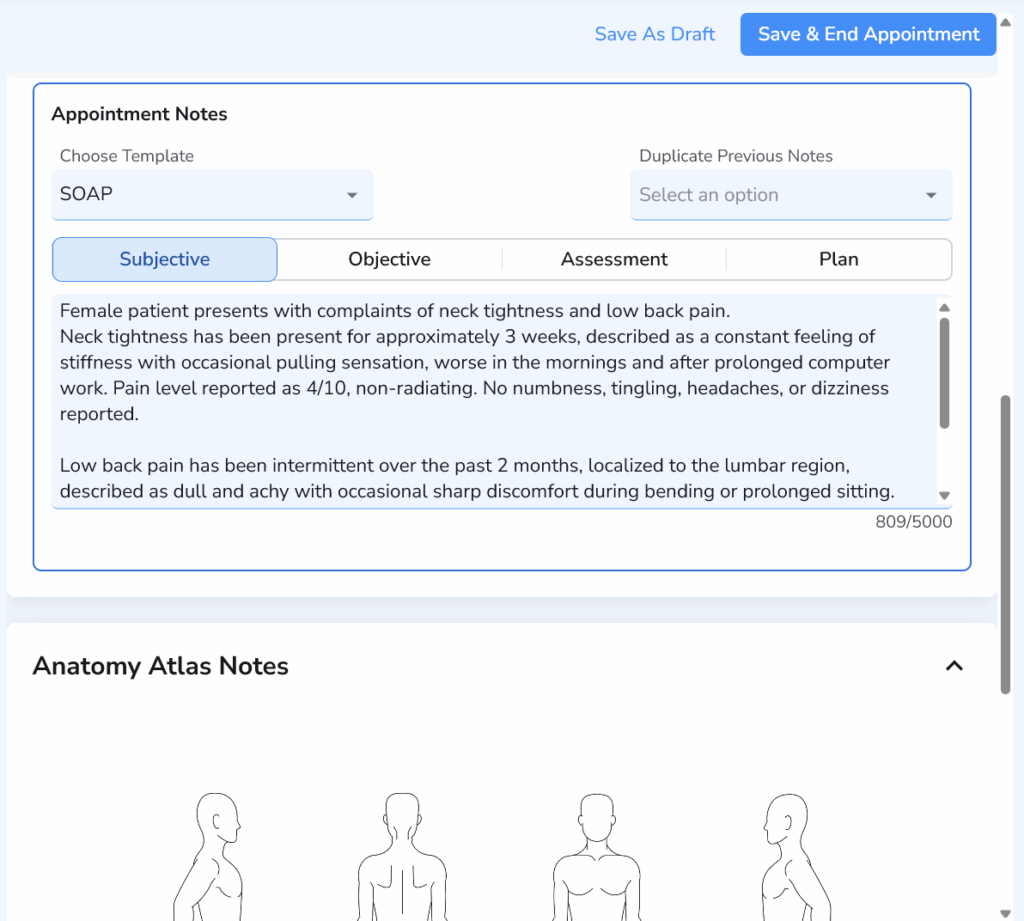
Clinical SOAP notes tied to the specific visit that produced them. For massage specifically, body charts matter more than they do in most disciplines, because the useful information is spatial. Where the restriction was, which side, how deep.
Good documentation software lets you mark the area on an anatomical diagram and carries those markers forward to the next session, so you can see at a glance whether the left shoulder is the same problem it was in March. Notes should be fast enough to finish between clients rather than at 9 PM.
Preferences and recurring treatment details
This is the section that separates a clinical file from a client relationship, and it is the one most systems leave out. Preferred pressure. Music or quiet. Room temperature. Areas to avoid. The fact that she always books the last slot on Thursday because she goes straight to her son’s football practice.
None of it is clinical. All of it is why she stays with you instead of trying the place that opened two streets over.
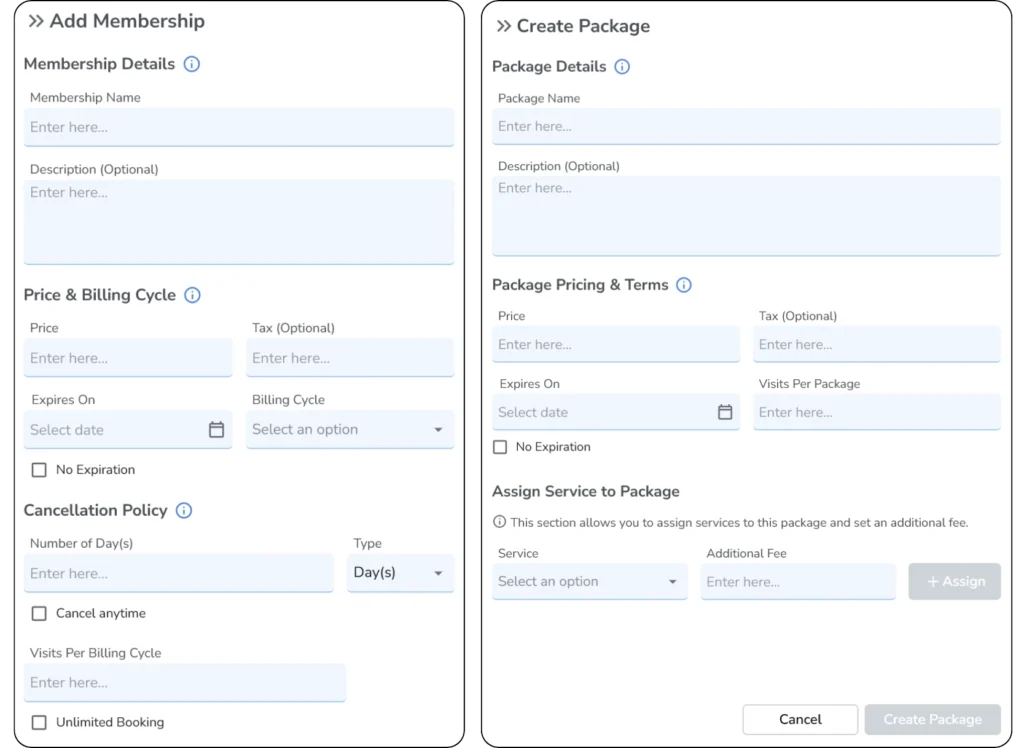
Packages, memberships and payment history
Which package she bought, how many sessions remain, when it expires, what she has paid and what is outstanding. A client who does not know whether she has one session left or three will ask at the desk, and the answer should take a second rather than a search through a spreadsheet.
What Client Management Looks Like Across One Massage Appointment
The clearest way to judge any system is to walk one appointment through it end to end and ask what the software does at each point. Here is the sequence, and what should happen without anyone doing it manually.
Step
What the client does
What the system should do
Booking
Picks a service and time online, without creating an account
Checks real availability, blocks the slot, applies buffer time, sends confirmation
Intake
Completes the form on their phone before arriving
Sends the right form for that service automatically, files the answers to the client record
Preparation
Arrives
Shows you the record: health history, contraindications, last session’s notes, pressure preference
Session
On the table
Stays out of the way
Documentation
Leaves the room
Opens a note tied to this visit, with body chart markers carried over from last time
Checkout
Pays
Pulls the service and price, applies a package session if one exists, records payment, issues the receipt
Rebooking
Books the next session
Writes it to the same record, so the history stays continuous
Reminder
Gets a reminder the day before
Sends it automatically, logs it, tracks the no-show if it happens
Read down the right-hand column. Every row is a place where something either carries forward on its own or has to be re-entered by a person, and the number of rows where a human retypes something that already exists is the real measure of a system.
This is also the honest test of client management for massage therapists as a category. Two platforms can list identical features and behave completely differently across these eight steps, because the features exist but the handoffs between them do not. Intake that does not file itself to the record, a note that is not tied to the visit, a checkout that does not know about the package: each one is a small manual step that happens every time, for every client, forever.
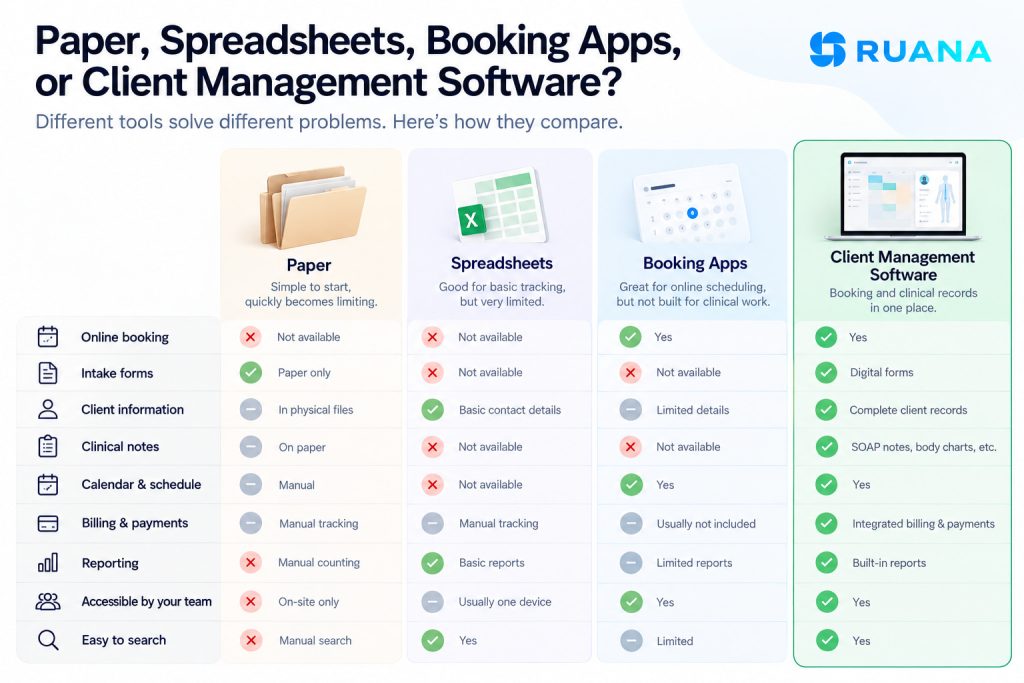
Paper, Spreadsheets, Booking Apps, or Client Management Software?
Most practices arrive at dedicated software after trying the other three, usually in that order.
Paper works until it does not. Intake forms in a filing cabinet are secure in one sense and completely unsearchable in another. You cannot see a client’s history before they arrive unless you physically pull the folder. Moreover, you cannot answer a question about last month’s revenue without counting, and a flood or a move takes the lot.
Spreadsheets fix the searching and break everything else. A spreadsheet holds contact details and some session history, but it has no connection to your calendar, no place for clinical notes, no intake forms and no concept of who booked what. It also tends to live on one laptop, which becomes a problem the moment a second therapist joins.
Booking apps are the trap, because they solve the visible problem. Clients can book online, the calendar fills, and the practice feels modern. What a general booking app does not have is the clinical half: health history, contraindications, SOAP notes, body charts, treatment progress. The booking sits in one tool and the client’s actual file sits somewhere else, which means the moment before a session is still a memory exercise.
Massage therapist client management software closes the loop by making booking and the clinical record the same system. The appointment is not an event in a calendar, it is an entry in that client’s file.
How Ruana Handles Massage Therapy Client Management
Ruana is built around the connected record rather than the address book.
Every client profile holds contact information, full appointment history with session details, SOAP records linked to each visit, intake history, custom tags for filtering, package and membership tracking, financial records, and personal preferences including things like preferred pressure and allergies.
The connections are the point.
Intake forms go out automatically the moment a new client books and file themselves to the record.
SOAP notes attach to the visit that produced them, with anatomical diagrams you can draw on and markers that carry forward to the next session.
Checkout records the payment and applies a package session if one is running.
Cancellations and no-shows log to the client profile on their own.
Clients book as guests with no account or password, and can reschedule in one click from their confirmation email. Growing clinics on the Professional plan get multiple practitioners, multi-location support, packages and memberships, and team roles covering admin, practitioner and front desk.
Our pricing starts at $35.99 a month for solo therapists and $55.99 plus $19.99 per practitioner for multi-therapist practices. See the client database feature or massage therapy pricing.
Conclusion
Client management for massage therapists comes down to a test you can run on any system in five minutes. Open a returning client’s record and count how many places you have to look to answer three questions: what is in their health history, what did we do last time, and what have they paid for.
If the answer is one place, the software is doing its job. If the answer is three tabs and a filing cabinet, the practice is carrying the cost of that every single day, in the minutes before every session.
Frequently Asked Questions
Q: How long does it take to set up a digital client management system? A: Most massage therapists can be up and running within a few hours. Ruana offers free data import and dedicated onboarding to ensure a smooth transition.
Q: Is my client data secure in cloud-based systems? A: Yes, when you choose a platform like Ruana that supports HIPAA and GDPR compliance. Your data is encrypted, automatically backed up, and stored in secure AWS data centers with enterprise-grade security.
Q: Can clients still call to book appointments? A: Absolutely. Digital systems complement traditional booking methods rather than replacing them. Clients can book online, call, or use appointment request features based on their preferences.
Q: Will digital management work for my multi-therapist clinic? A: Modern systems are designed to scale from solo practices to large clinics. Features like multi-provider scheduling, resource management, and team analytics support practices of all sizes.
About the Authors
★★★★★4.9 · 329 Reviews
Rouzbeh NoroozyChiropractor & Co-Founder · Palmer West · UC Berkeley · 14 Years of ExperienceRouzbeh Noroozy is a chiropractor with 14 years of clinical experience and co-founder of Ruana practice management software. He completed his undergraduate studies at the University of California, Berkeley and graduated from the renowned Palmer College of Chiropractic West in California. As a practicing clinician and clinic owner, he understands firsthand the administrative challenges practices face — and which digital tools genuinely help streamline day-to-day operations.
Anastasiia NoroozyMedical Graduate & Co-Founder · 8 Years of ExperienceAnastasiia Noroozy is a medical graduate and co-founder of Ruana with 8 years of experience working directly with patients at the clinic in Cologne. She manages the day-to-day flow of the practice and knows every patient-facing process from the inside out — from intake and scheduling to follow-up care. Her hands-on clinical and operational experience directly shapes how Ruana is built to work in the real world.
Our team will review your inquiry and get back to you as soon as possible.
Privacy Settings
To provide the best experiences, we use technologies like cookies to store and/or access device information. Consenting to these technologies will allow us to process data such as browsing behavior or unique IDs on this site. Not consenting or withdrawing consent, may adversely affect certain features and functions.
Functional
Always active
The technical storage or access is strictly necessary for the legitimate purpose of enabling the use of a specific service explicitly requested by the subscriber or user, or for the sole purpose of carrying out the transmission of a communication over an electronic communications network.
Preferences
The technical storage or access is necessary for the legitimate purpose of storing preferences that are not requested by the subscriber or user.
Analytics
The technical storage or access that is used exclusively for statistical purposes.The technical storage or access that is used exclusively for anonymous statistical purposes. Without a subpoena, voluntary compliance on the part of your Internet Service Provider, or additional records from a third party, information stored or retrieved for this purpose alone cannot usually be used to identify you.
Marketing
The technical storage or access is required to create user profiles to send advertising, or to track the user on a website or across several websites for similar marketing purposes.
To provide the best experience for our practitioners, we use cookies to personalize content, analyze our traffic, and support our marketing efforts. By clicking 'Accept', you consent to our use of these technologies. You can manage your preferences at any time.
Functional
Always active
The technical storage or access is strictly necessary for the legitimate purpose of enabling the use of a specific service explicitly requested by the subscriber or user, or for the sole purpose of carrying out the transmission of a communication over an electronic communications network.
Preferences
The technical storage or access is necessary for the legitimate purpose of storing preferences that are not requested by the subscriber or user.
Analytics
The technical storage or access that is used exclusively for statistical purposes.The technical storage or access that is used exclusively for anonymous statistical purposes. Without a subpoena, voluntary compliance on the part of your Internet Service Provider, or additional records from a third party, information stored or retrieved for this purpose alone cannot usually be used to identify you.
Marketing
The technical storage or access is required to create user profiles to send advertising, or to track the user on a website or across several websites for similar marketing purposes.