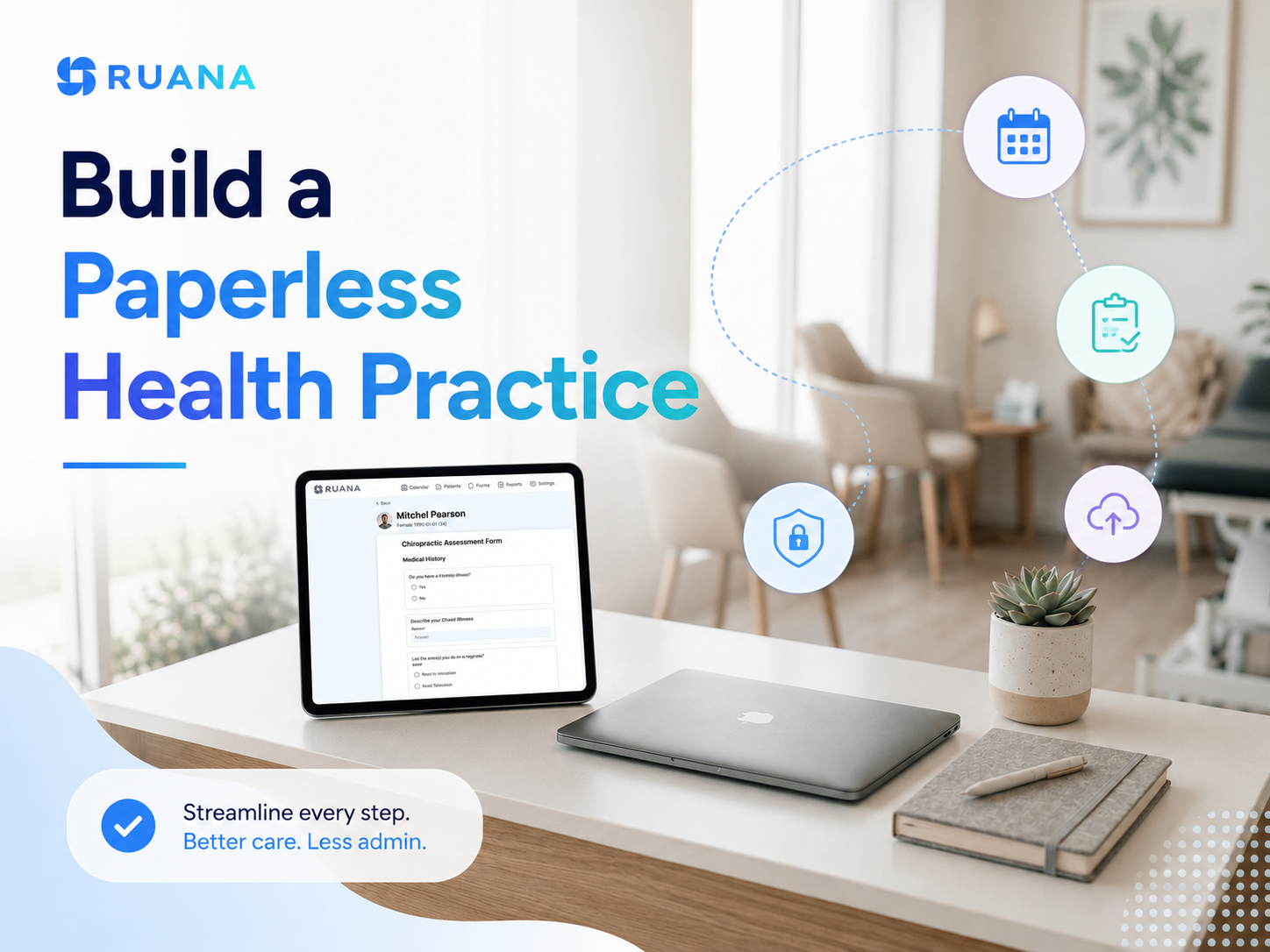
How to Build a Paperless Health Practice (Without Disrupting Your Workflow)
23.06.26
Going paperless in your health practice saves time, reduces admin errors, and improves the patient experience from day one. This step-by-step guide walks chiropractors, massage therapists, mental health practitioners, and other wellness professionals through digitizing intake forms, clinical notes, scheduling, reminders, and billing - without disrupting your practice while it runs.
Last updated June 2026
Running a practice shouldn’t mean spending hours chasing paperwork.
Yet many wellness clinics still rely on printed intake forms, handwritten notes, filing cabinets, and manual administrative tasks that slow down both staff and patients. Administrative work alone consumes an estimated 2-3 hours for every hour of direct patient care, making workflow efficiency one of healthcare’s biggest challenges and a major contributor to practitioner burnout.
The good news is that paperless health practice doesn’t mean transforming your entire practice overnight or buying dozens of new tools. The biggest improvements often come from digitizing just a few everyday workflows first, such as appointment scheduling, patient intake, clinical documentation, and billing.
Whether you’re a chiropractor, massage therapist, or another wellness professional, we have prepared this practical guide to help you spend less time on paperwork and more time on delivering care.
A paperless health practice is a clinic that manages patient information, documentation, scheduling, billing, and everyday administrative tasks digitally instead of relying on paper forms, handwritten notes, and physical filing systems.
For most wellness practices, this means replacing the processes that consume the most time with digital workflows that are faster, easier to manage, and more secure.
For instance:
Instead of asking patients to fill out paperwork in the waiting room, they can complete digital intake forms before their appointment.
Rather than storing handwritten SOAP notes in filing cabinets, practitioners can document visits electronically and access records in seconds.
Appointment reminders, invoices, consent forms, and patient communication can all be managed from the same system instead of being spread across paper files and multiple apps.
Paperless workflow is ultimately about improving the way your clinic operates.
What Can Be Digitized in a Health Practice?
Many practitioners assume that going paperless means scanning old patient charts and getting rid of filing cabinets. In reality, the biggest benefits come from digitizing the everyday tasks your team performs dozens of times each day.
Here’s what most wellness practices can successfully manage digitally:
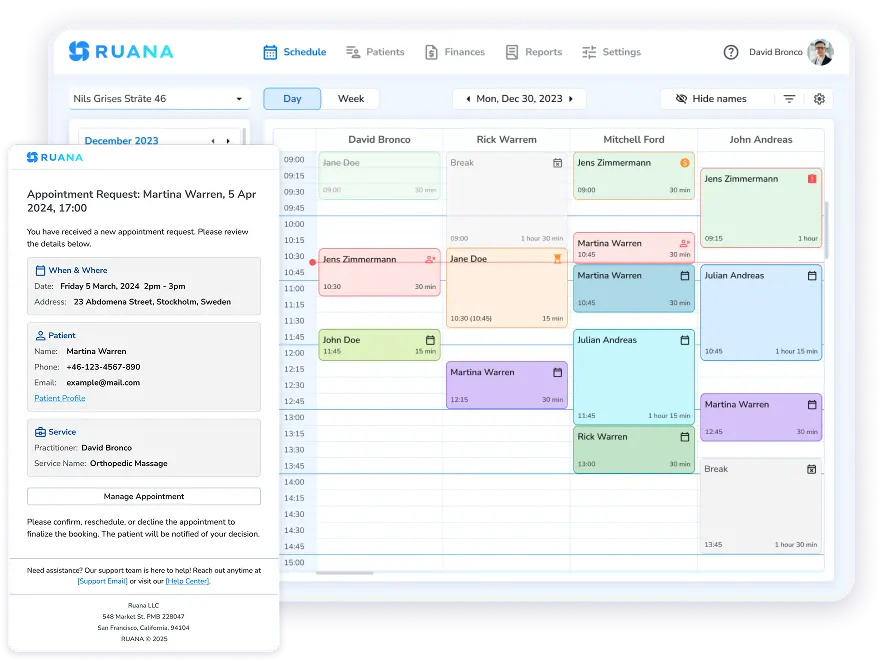
Online appointment booking and scheduling
Digital patient intake forms
Consent and medical history forms
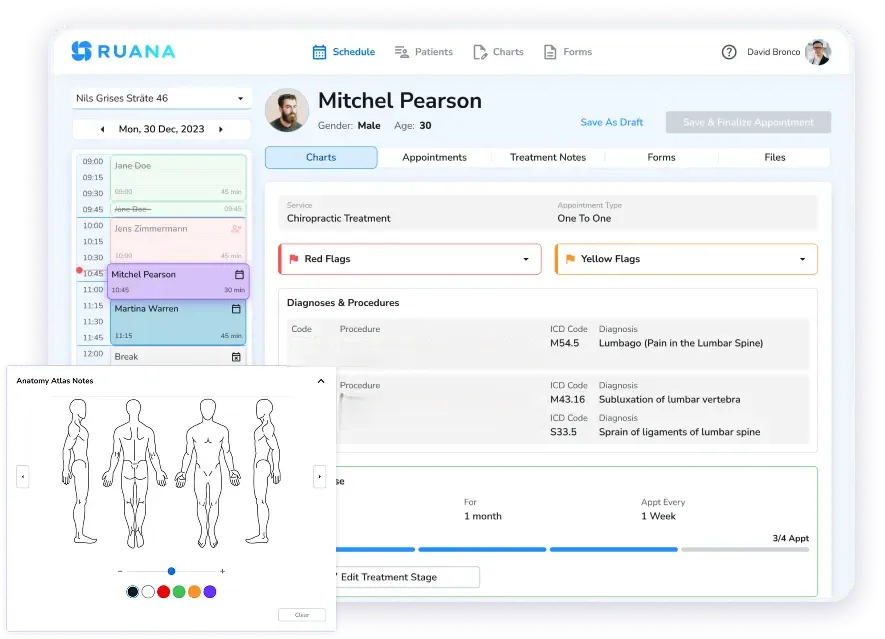
SOAP notes and clinical documentation
Patient records and treatment plans
Billing, invoices, and superbills
Appointment reminders and confirmations
Patient communication and follow-ups
Internal documents and clinic policies
Reports and practice analytics
While it’s possible to digitize each of these processes using separate tools, many practices find that managing multiple systems creates duplicate work and unnecessary complexity. Using a single practice management software that connects scheduling, intake forms, patient records, SOAP notes, reminders, and billing allows information to move through the patient journey automatically, reducing manual data entry and helping the entire team stay organized.
Signs Your Practice Is Ready to Go Paperless
Reality check: You don’t have to wait until they expand their team or open another location before moving away from paper.
In fact, the opposite is often true. Paper-based workflows become more difficult to manage as your practice grows, making the transition more disruptive later.
The decision to switch to a paperless health practice isn’t about the number of practitioners in your clinic or the number of patients you see each day. Instead, it’s more about the time your team spends on repetitive administrative work that could be automated or simplified. If paperwork is slowing down appointments, creating duplicate work, or making it harder to find information when you need it, your practice is probably ready.
💡Use the checklist below to evaluate your current workflow. The more boxes you can tick, the more likely your practice is to benefit from moving to digital processes.
◻️ Patients spend valuable appointment time filling out paperwork.
◻️ Staff enter the same information into multiple systems.
◻️ Finding patient records takes longer than it should.
◻️ Filing cabinets, folders, or paper charts take up valuable office space.
◻️ Handwritten notes are difficult to read or locate.
◻️ Appointment reminders are sent manually or not at all.
◻️ Billing and insurance paperwork require repetitive manual work.
◻️ Consent forms and intake documents frequently go missing or need to be completed again.
◻️ Your team switches between several disconnected apps throughout the day.
◻️ Administrative tasks leave less time for patient care.
Our professional suggestion is not to try to digitize everything at once. The most successful transitions usually begin with a few high-impact workflows, such as scheduling, intake forms, clinical documentation, etc.
How to Transition to a Paperless Practice
Choose a single direction and start changing the workflow step-by-step.
Start with the processes your team uses every day, build confidence with the new workflow, and then gradually replace the remaining paper-based tasks. This minimizes disruption while allowing staff and patients to adapt naturally.
We’ve built a practical roadmap below for moving to a paperless practice based on our own clinical experience. This will help you simplify the transition and build a workflow that saves time long after the implementation is complete.
Step 1. Review Your Current Workflow
Before introducing any changes to your daily routine, take a step back and evaluate how your practice currently operates. Try to identify which processes consume the most time and create the most friction for your team and patients.
Walk through a typical patient journey, from booking an appointment to check-out, and note where paper or manual tasks are involved.
Pay particular attention to:
Patient intake and medical history forms
Consent and liability forms
Appointment scheduling and calendar management
SOAP notes, progress notes, and treatment plans
Billing, invoices, and superbills
Appointment reminders and patient communication
Internal staff notes and administrative paperwork
Patient records and document storage
As you review each workflow, ask a few simple questions:
Does this task require duplicate data entry?
How much staff time does it take each day?
Does it delay patient care or create bottlenecks?
Can patients complete this digitally before arriving?
Is information easy to find when it’s needed?
By the end of this exercise, you should have a clear picture of where your practice loses the most time.
Step 2. Prioritize High-Impact Documents
While trying to digitize everything at once may seem efficient, it often creates unnecessary adoption delays and hassle for the team.
Our best practices show that starting with the workflows that have the greatest impact on the daily operations is the best way out. For most wellness practices, these include appointment scheduling, patient intake forms, SOAP notes, clinical documentation, and billing. Handling each process constantly repeats throughout the day and directly affects the patient experience.
Therefore, improving them first typically delivers the biggest return in saved time and reduced administrative work.
Step 3. Choose Practice Management Software
The software you choose will determine how easy or frustrating your transition to a paperless practice becomes. While it’s possible to piece together separate tools for scheduling, forms, documentation, reminders, and billing, switching between multiple systems often creates duplicate work and increases the chance of errors.
Instead, look for software that supports your entire patient workflow. At a minimum, it should include online scheduling, digital intake forms, patient records, clinical documentation, billing, and automated appointment reminders. Having these features connected means information entered once can be reused throughout the patient’s journey, reducing manual data entry and helping your team work more efficiently.
Ease of use is just as important as functionality. A system with every feature imaginable won’t save time if your staff struggles to learn it. Look for software with an intuitive interface, straightforward onboarding, and workflows that fit the way your practice already operates.
The goal is to simplify daily operations, not replace one type of complexity with another.
Step 4. Digitize Existing Patient Records
One of the biggest concerns practitioners have is what to do with years of paper charts. Fortunately, you don’t need to scan every document before you can start working digitally. In fact, delaying the transition until every file has been digitized often prevents practices from getting started at all.
A phased approach is usually the most practical. Here is a strategy that works for most practices:
Active patients first. Prioritize digitizing records for patients you are currently treating. These are the files you access most often.
New patients forward. From your go-live date, all new patient records are created digitally. No exceptions.
Returning patients on arrival. When a previously paper-based patient books an appointment, digitize their record before or during that visit.
Archive old records securely. Inactive patient records can remain in physical storage. Check your local regulations for minimum retention periods. Store them in a locked, organized system and note their location digitally so you can retrieve them if needed.
The most important milestone isn’t scanning every historical record, but reaching the point where your practice no longer creates new paper files. Once that happens, the remaining archive becomes a manageable project rather than an obstacle to going paperless.
Step 5. Train Your Staff
Going digital succeeds only when everyone on the team follows the same new workflows consistently. Without proper training, staff may continue using paper out of habit, leading to duplicate work and inconsistent records.
If you’re a solo practitioner, the transition is relatively straightforward. Set a clear go-live date and commit to handling all new appointments, documentation, and patient communication digitally from that point forward. The first week or two may feel slower as you adjust, but most practitioners quickly find that digital workflows become faster than paper once they become routine.
If you have receptionists, assistants, or multiple practitioners, involve them early in the process. Ask which paper-based tasks cause the most frustration and let them help shape the new workflow. People are more likely to embrace change when they understand the reason behind it and have contributed to the solution.
Step 6. Introduce Patients Gradually
Your patients are also part of the transition, but for most, the change is easier than you might expect. Many people already expect to book appointments online, complete forms on their phone, and receive appointment reminders by email or text.
The smoothest option is introducing digital tools in stages. A typical progression looks like this:
Patients book appointments online.
Intake and consent forms are completed before the visit.
Appointment confirmations and reminders are sent automatically.
Clinical documentation is completed digitally after the appointment.
Invoices, receipts, or superbills are generated electronically where appropriate.
Some patients, particularly older adults or those who are less comfortable with technology, may still prefer paper. Rather than forcing an immediate change, explain the benefits, provide clear instructions, and be ready to assist them during their first few visits. Most people adapt quickly once they experience the convenience.
How an All-in-One Platform Simplifies a Paperless Workflow
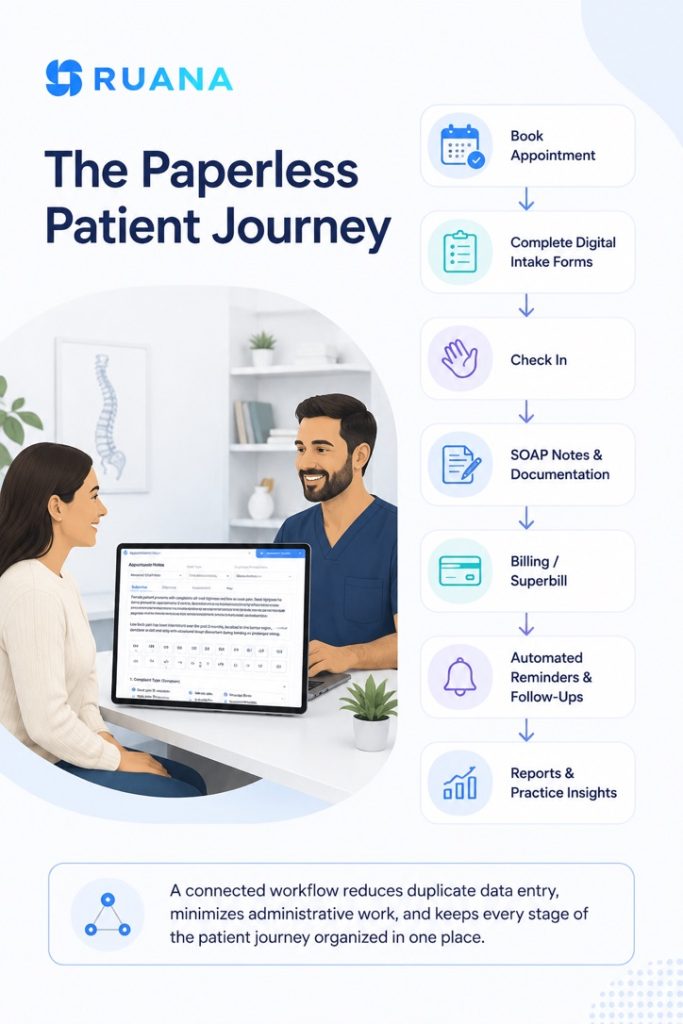
The real efficiency of a paperless health practice comes from connecting every step of the patient journey so information flows automatically.
In many practices, booking software, patient forms, clinical notes, billing, and reminders all live in separate systems. That means staff spend valuable time switching between applications, copying information, and correcting mistakes.
An all-in-one practice management platform brings these workflows together into a single process. Once patient information is entered, it moves with the patient throughout their visit, reducing duplicate work and creating a smoother experience for both staff and patients.
Typical Paperless Workflow
This connected approach is how modern practice management platforms, including Ruana, help wellness practices reduce administrative work without adding more software. Instead of treating scheduling, documentation, billing, and communication as separate tasks, they become parts of one continuous workflow, allowing practitioners and front desk staff to spend less time managing paperwork and more time focusing on patient care.
Bottom Lines
Going paperless is less about eliminating paper and more about building a practice that runs more efficiently every day. By introducing digital workflows gradually and focusing on the areas with the greatest impact, you can create a more organized practice without disrupting daily operations.
If you’re looking for software to support that transition, choose a platform designed around the way wellness practices actually work. Ruana was built by practitioners who understand the demands of a busy clinic, with the goal of helping teams spend less time navigating software and more time caring for patients.
Frequently Asked Questions About Going Paperless in a Health Practice
How do I go paperless in a small health practice?
Start by digitizing your intake forms and consent documents, then move to digital patient records and clinical notes such as SOAP notes. From there, switch to online scheduling and digital reminders, then move your billing and invoicing into a digital system. A single all-in-one platform – like Ruana – can handle all of these steps in one place, which simplifies the transition significantly.
Is a paperless health practice HIPAA compliant?
Going paperless can support HIPAA compliance when you use software that includes enterprise-grade encryption, access controls, and secure cloud storage. Always verify that your software provider’s security practices align with HIPAA requirements, and ensure you have a signed Business Associate Agreement in place. Ruana is built on secure AWS cloud infrastructure with enterprise-grade encryption designed to support HIPAA-conscious workflows.
What is the fastest way to go paperless in a clinic?
The fastest approach is to adopt an all-in-one practice management platform that covers digital intake forms, online booking, clinical notes, and billing – so you are not stitching together separate tools. Starting with digital intake forms produces the most immediate, visible results. Ruana is designed for exactly this kind of quick setup, with most solo practitioners up and running within one to two hours.
Do I need to scan all my old patient records when going paperless?
No, you do not need to scan every historical record before transitioning. A practical approach is to digitize records for active patients first and create all new patient records digitally from your go-live date. Inactive records can remain in physical storage, be archived securely, and scanned on demand when a patient returns. With Ruana, new patient records — including digital intake forms and clinical notes – are created and stored in the cloud from day one.
What documents should a health practice digitize first?
Prioritize patient intake forms and consent documents first, as these affect every new patient and are easy to digitize quickly. Clinical notes and scheduling follow naturally. Billing can be transitioned in parallel or slightly later, once the clinical workflows are running smoothly.
How long does it take to go paperless in a health practice?
Most solo practitioners can complete the core transition – intake forms, digital notes, online booking, and invoicing – within two to four weeks when using an all-in-one platform. The full transition, including backfilling older records, may take one to three months, depending on your patient volume and the size of your existing paper archive. Ruana’s setup typically takes one to two hours, and the 14-day free trial gives you time to build your forms and workflows before committing.
Can I go paperless if I am not technically confident?
Yes. Modern practice management platforms are designed for practitioners, not IT professionals. Ruana includes video tutorials and setup resources that walk you through the process step by step – no technical background required. The initial setup for a solo practice typically takes one to two hours, and most practitioners feel comfortable with the day-to-day workflows within a week or two.
About the Authors
★★★★★4.9 · 329 Reviews
Rouzbeh NoroozyChiropractor & Co-Founder · Palmer West · UC Berkeley · 14 Years of ExperienceRouzbeh Noroozy is a chiropractor with 14 years of clinical experience and co-founder of Ruana practice management software. He completed his undergraduate studies at the University of California, Berkeley and graduated from the renowned Palmer College of Chiropractic West in California. As a practicing clinician and clinic owner, he understands firsthand the administrative challenges practices face — and which digital tools genuinely help streamline day-to-day operations.
Anastasiia NoroozyMedical Graduate & Co-Founder · 8 Years of ExperienceAnastasiia Noroozy is a medical graduate and co-founder of Ruana with 8 years of experience working directly with patients at the clinic in Cologne. She manages the day-to-day flow of the practice and knows every patient-facing process from the inside out — from intake and scheduling to follow-up care. Her hands-on clinical and operational experience directly shapes how Ruana is built to work in the real world.
Our team will review your inquiry and get back to you as soon as possible.
Privacy Settings
To provide the best experiences, we use technologies like cookies to store and/or access device information. Consenting to these technologies will allow us to process data such as browsing behavior or unique IDs on this site. Not consenting or withdrawing consent, may adversely affect certain features and functions.
Functional
Always active
The technical storage or access is strictly necessary for the legitimate purpose of enabling the use of a specific service explicitly requested by the subscriber or user, or for the sole purpose of carrying out the transmission of a communication over an electronic communications network.
Preferences
The technical storage or access is necessary for the legitimate purpose of storing preferences that are not requested by the subscriber or user.
Analytics
The technical storage or access that is used exclusively for statistical purposes.The technical storage or access that is used exclusively for anonymous statistical purposes. Without a subpoena, voluntary compliance on the part of your Internet Service Provider, or additional records from a third party, information stored or retrieved for this purpose alone cannot usually be used to identify you.
Marketing
The technical storage or access is required to create user profiles to send advertising, or to track the user on a website or across several websites for similar marketing purposes.
To provide the best experience for our practitioners, we use cookies to personalize content, analyze our traffic, and support our marketing efforts. By clicking 'Accept', you consent to our use of these technologies. You can manage your preferences at any time.
Functional
Always active
The technical storage or access is strictly necessary for the legitimate purpose of enabling the use of a specific service explicitly requested by the subscriber or user, or for the sole purpose of carrying out the transmission of a communication over an electronic communications network.
Preferences
The technical storage or access is necessary for the legitimate purpose of storing preferences that are not requested by the subscriber or user.
Analytics
The technical storage or access that is used exclusively for statistical purposes.The technical storage or access that is used exclusively for anonymous statistical purposes. Without a subpoena, voluntary compliance on the part of your Internet Service Provider, or additional records from a third party, information stored or retrieved for this purpose alone cannot usually be used to identify you.
Marketing
The technical storage or access is required to create user profiles to send advertising, or to track the user on a website or across several websites for similar marketing purposes.