9 Osteopathy Practice Management Software Tools Compared by Practitioners
07.07.26
Running an osteopathic practice means balancing hands-on patient care with endless administrative demands.
Choosing osteopathy practice management software is not just about finding a calendar, a notes tool, or a billing system. It is about finding something that can keep up with the real pace of a clinic.
Because in daily practice, the admin does not manage one task at a time.
A patient needs to reschedule.
Someone has not completed their intake form.
SOAP notes are waiting.
Billing needs to be handled before the patient leaves.
The front desk is answering calls while trying to keep the schedule clean.
Beautiful chaos, minus the beautiful part.
This comparison looks at the key features of osteopathy clinic software: scheduling, digital intake forms, SOAP notes, billing, reminders, patient flow, and ease of use. We’ll see what each platform is best for, what type of clinic it fits, and where osteopaths should pay closer attention before choosing.
Not every practice management software is built for the same type of clinic.
Some tools are better for solo osteopaths, while others make more sense for growing teams, multi-location clinics, or practices that need stronger billing and reporting features.
For this comparison, we looked at each platform through the lens of real osteopathic clinic workflows, including how well it supports the full patient journey from booking to follow-up.
We considered:
Online booking and scheduling: Patients should be able to book easily, while the clinic keeps control over availability, services, and practitioner schedules.
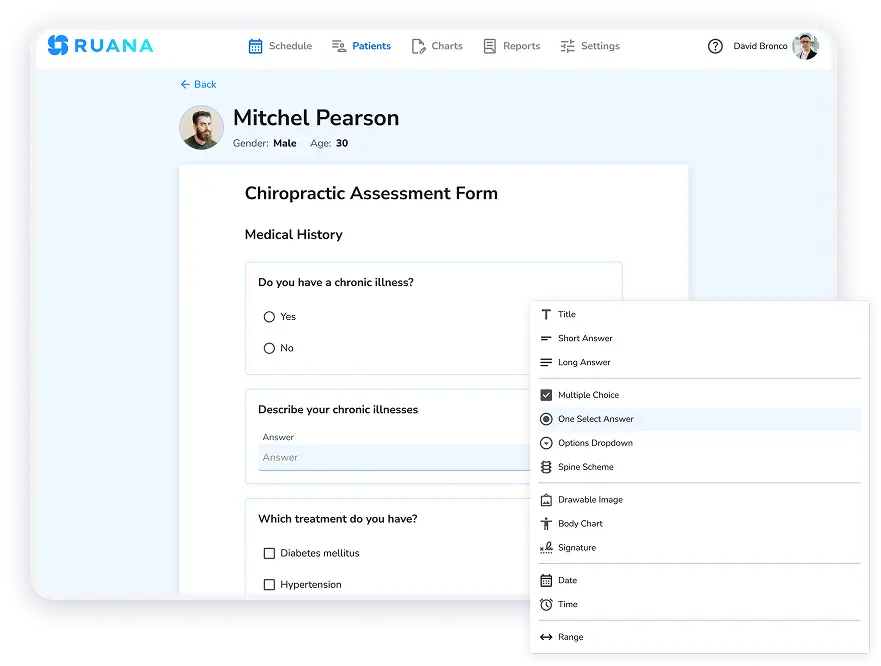
Digital intake forms: The paper version is no longer practical for busy clinics, so good osteopathy clinic software should handle this accordingly.
SOAP notes and documentation: Osteopaths need fast, clear, and customizable notes that support hands-on treatment workflows and ongoing care plans.
Billing and payment workflow: The software should make it easier to create invoices, superbills, receipts, or payment records without slowing down checkout.
Appointment reminders: Automated reminders help reduce no-shows and keep patients informed without extra front desk work.
Ease of use: If the software feels heavy, staff will avoid it. The best tools should be practical for both practitioners and front desk teams.
In other words, we did not compare these tools only by how many features they list. We looked at whether those features actually support the daily work of an osteopathy clinic.
Quick Comparison: Osteopathy Practice Management Software
Before choosing osteopathic practice management software, it helps to see how the main options compare at a glance. Some tools are built for simple scheduling and notes, while others focus on larger clinic operations, billing, marketing, or region-specific workflows.
Software
Best For
Key Strength
Good Fit For
Ruana
Small and growing osteopathy clinics
Connected scheduling, intake forms, SOAP notes, billing, reminders, and reports
Osteopaths who want one clean workflow instead of multiple disconnected tools
Noterro
Solo and small allied health clinics
Scheduling, charting, reminders, and patient management
Osteopaths who want simple daily practice management with documentation tools
Pabau
Larger clinics and multi-service practices
Booking, billing, patient retention, marketing, and clinic growth tools
Osteopathy clinics that also need stronger business and marketing features
MyOsteopathy
UK-based osteopaths
Osteopathy-specific practice management features
Solo or small osteopathy clinics looking for a dedicated osteopath software option
Nookal
Multi-location allied health clinics
Team scheduling, reporting, clinical notes, and admin control
Larger practices with several practitioners, services, or locations
ClinicSense
Manual therapy and wellness practices
Simple scheduling, SOAP notes, reminders, and client records
Smaller clinics that want a straightforward tool without a heavy setup
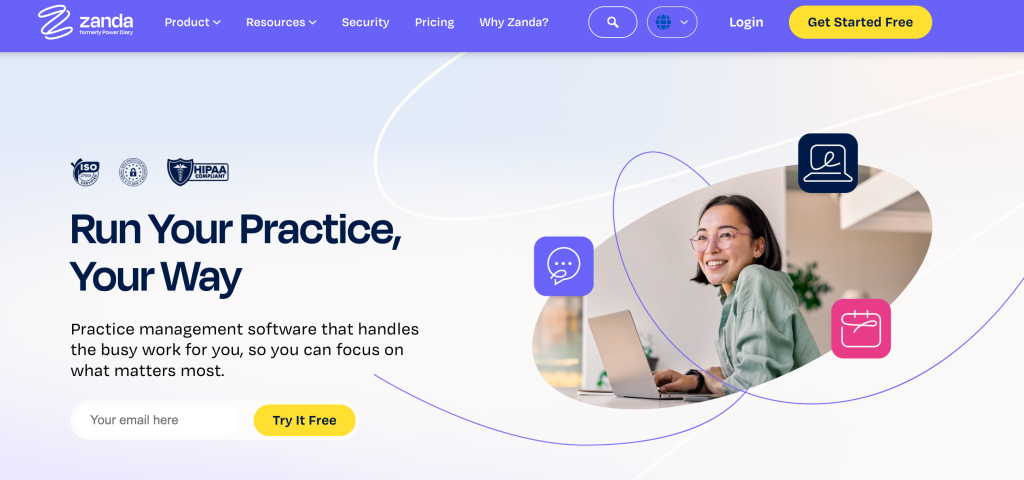
Zanda Health
Allied health clinics with structured admin needs
Forms, notes, communication, scheduling, and security features
Clinics that need stronger control over patient records and internal workflows
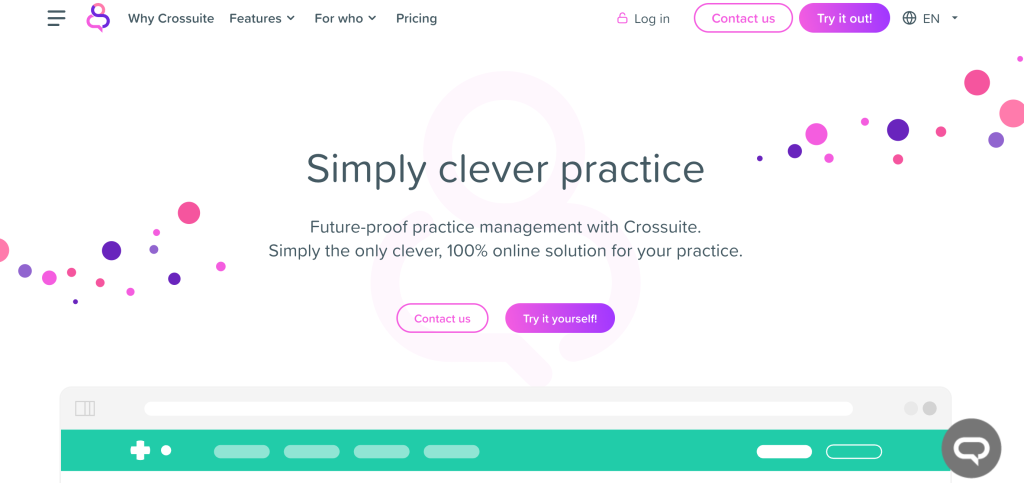
Crossuite
European multidisciplinary practices
Flexible clinic management for different services and locations
Mixed therapy clinics managing several practitioners or treatment types
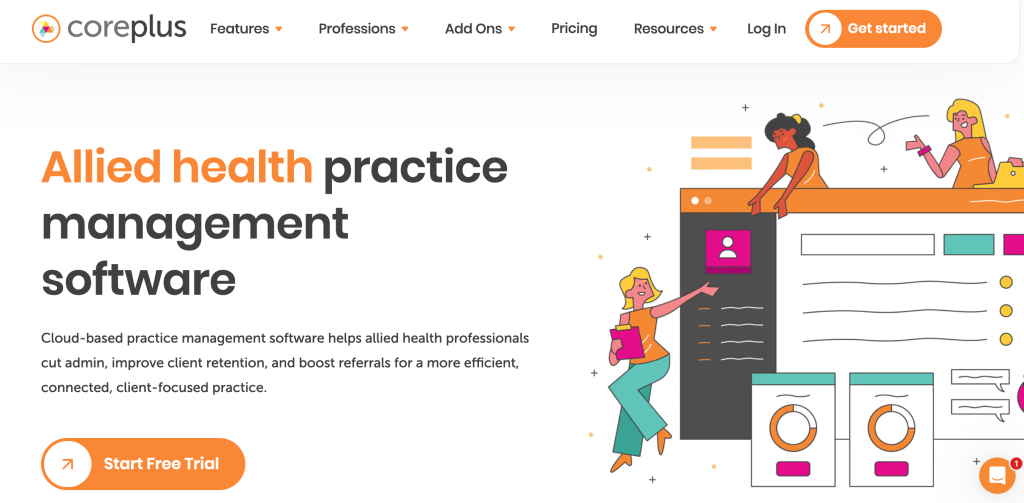
Coreplus
Australian allied health clinics
Allied health workflows, claiming support, and practice admin tools
Australia-based osteopathy clinics that need local billing and practice features
Best Software for Osteopathic Practice Management
Each platform below can help osteopaths manage part of the clinic workflow, but they differ in focus. Some are stronger for documentation, some for scheduling, some for larger teams, and some for region-specific billing needs.
The goal here is not to crown the loudest software in the room, but to help you see which option fits the way your practice actually runs.
Ruana
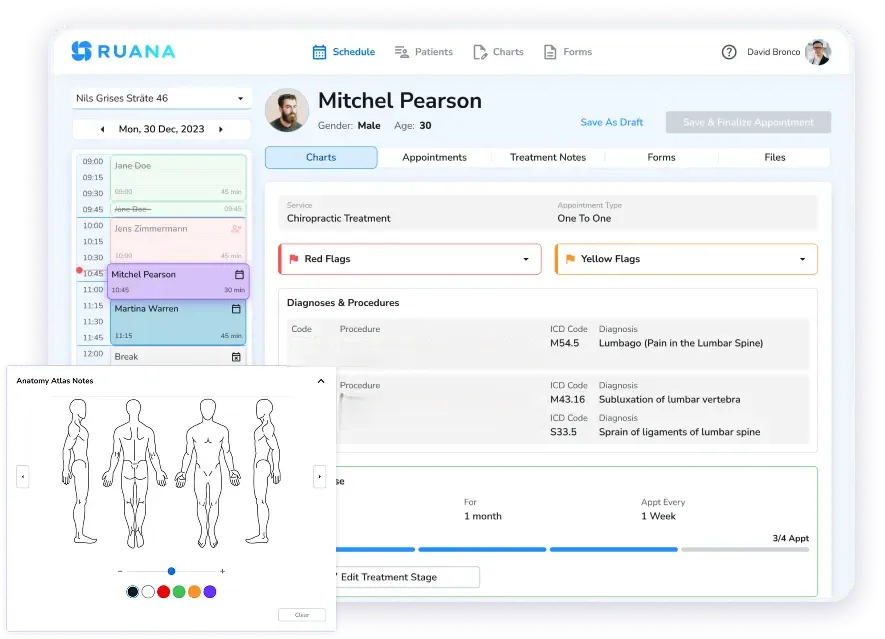
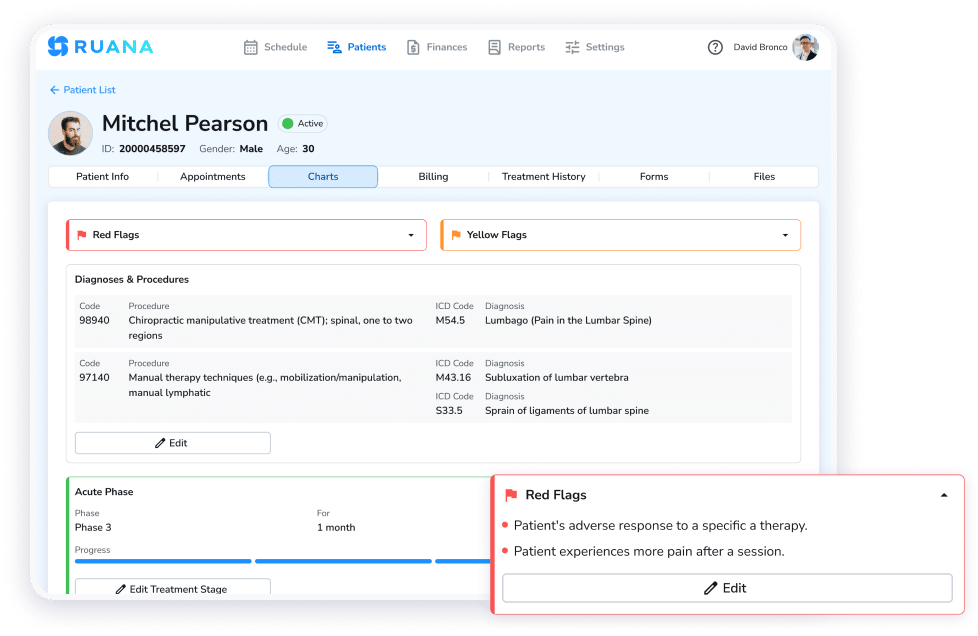
Practitioner mode screen with patient profile, diagnoses, and clinical charting.
Best for: Small and growing osteopathy clinics that want scheduling, intake forms, SOAP notes, billing, reminders, and patient records in one connected workflow.
Ruana is a strong fit for osteopaths who want their clinic software to feel practical, not bloated. It brings together the main parts of daily practice management:
Online booking
Appointment scheduling
Digital intake forms
SOAP notes
Billing
Email reminders
Patient records
Packages and memberships
Reporting
Ruana is also built with small clinic operations in mind. It is not trying to feel like a hospital system in a nice outfit. The interface is clean, the workflow is browser-based, and the platform is designed to help both practitioners and front desk staff move faster with the notes during the day.
The product was built from real clinic experience, including the pressure of managing high patient volume, documentation, invoices, reminders, and staff workflows without juggling several systems at once.
Pricing
Solo Plan at $35.99 per month
Professional Plan at $55.99 per month
14-day free trial
Limitations
Currently does not offer clearinghouse/EDI insurance claim connections
Lacks AI scribing
Noterro
Best for: Solo and small allied health clinics that want simple scheduling, charting, billing, reminders, and patient management.
Noterro’s strengths sit around everyday clinic management: online booking, scheduling, charting, forms, billing, payments, and practice management tools. It also offers AI-related features, including Noterro Scribe and Form Summary credits, which may appeal to clinics that want extra help with documentation and form review.
For osteopaths who want a mature system with broad allied health use cases, Noterro is worth comparing.
Pricing
Max plan at $33 per month, with $13.20 per month per additional practitioner.
Limitations
Depending on the plan, some advanced features, AI usage, or additional practitioner access may increase the total monthly cost.
If you are looking for osteopathy-specific templates or region-specific billing workflows, compare carefully before choosing.
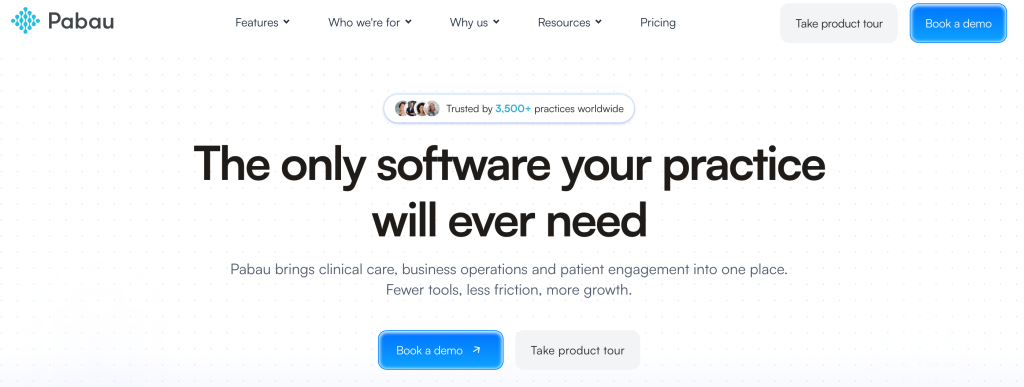
Pabau
Best for: Larger clinics, multi-service practices, and teams that want practice management plus marketing, retention, payments, and reporting tools.
Pabau is a broader all-in-one clinic management platform with built-in tools for marketing, reporting, and business operations. That said, Pabau may feel like more software than a solo osteopath needs. It is a good option to consider if your clinic wants a larger operational system, but smaller practices should ask whether they will actually use the extra layers or just pay for features that look impressive during the demo.
Pricing
Starts at $65 per month for one user
Limitations
May be more than necessary for smaller osteopathy clinics.
Also check add-ons, payment processing, marketing costs, and location-based pricing before committing.
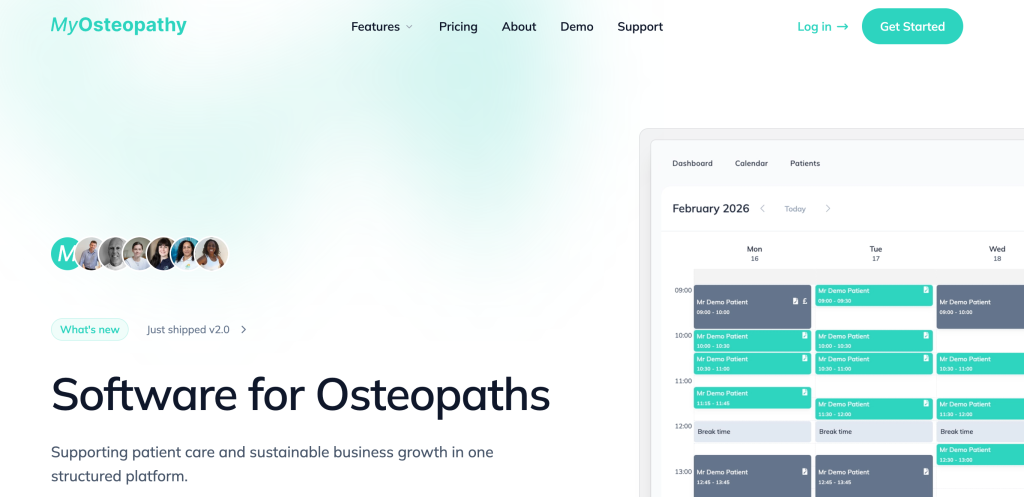
MyOsteopathy
Best for: UK-based osteopaths who want software designed specifically around osteopathy workflows.
MyOsteopathy is one of the more niche options in this category because it is built specifically for osteopaths. That gives it a clear advantage for clinics that do not want to adapt generic practice management software to osteopathic work.
For solo osteopaths or smaller UK practices, this kind of purpose-built setup can reduce the friction that often comes with broader allied health platforms.
Pricing
Practice plan at £30 per month.
Limitations
May be less suitable for clinics outside the UK or practices that need broader multidisciplinary workflows.
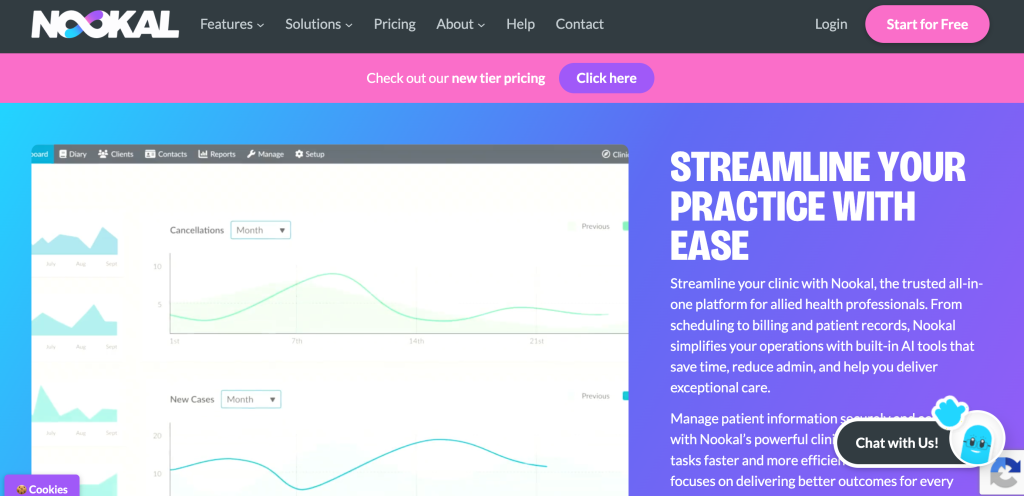
Nookal
Best for: Multi-practitioner and multi-location allied health clinics that need stronger scheduling, reporting, patient records, and team management.
Nookal is a practice management platform built for allied health clinics, which makes it a relevant option for osteopaths working in larger teams or multidisciplinary practices. It has all the tools necessary for billing, scheduling, and clinic communication.
For osteopathy clinics, Nookal’s main advantage is operational depth. It can support multiple practitioners, locations, admin staff, and reporting needs without forcing everything into a very basic calendar-and-notes setup.
Pricing
Starting at $49 AUD per practitioner per month
Limitations
May be too much for a solo osteopath.
Also, check the final cost of SMS, add-ons, integrations, and regional billing features before choosing it.
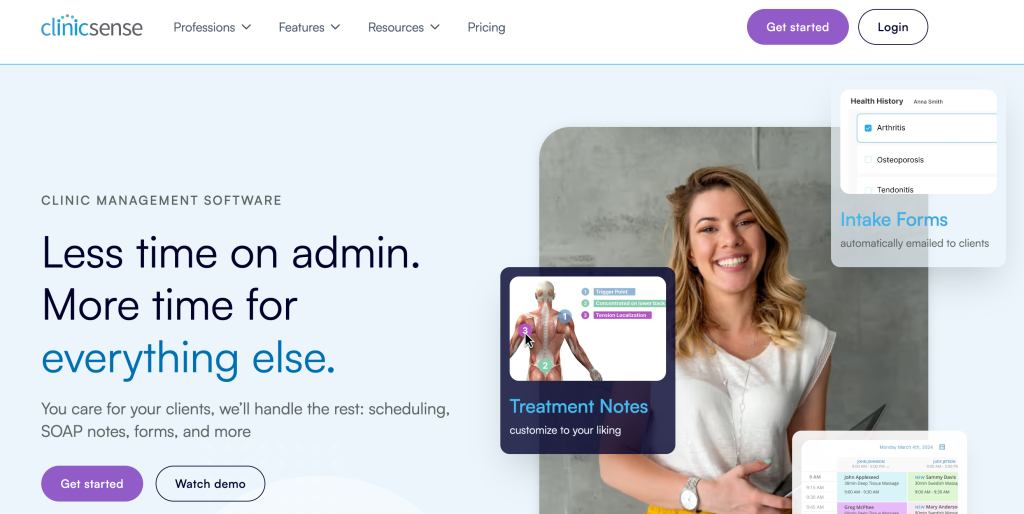
ClinicSense
Best for: Small manual therapy and wellness clinics that want simple scheduling, SOAP notes, reminders, and client management.
ClinicSense is commonly used by massage therapists and manual therapy practitioners, but it can also work for osteopaths who want a straightforward tool without a heavy setup. It may seem approachable because it keeps the system focused on everyday practice tasks.
Tools like appointment scheduling, SOAP notes, client records, reminders, etc, turn it into something easy to adapt to.
Pricing
Light at $39 per month
Standard at $69 per month
Premium at $99 per month
Limitations
May be too limited for clinics that need deeper reporting and more advanced documentation.
Growing teams should check if it can support their long-term workflow.
Zanda Health
Beat for: Allied health clinics that need structured patient management, forms, notes, communication, reporting, and admin control.
For osteopaths, Zanda may be a good fit when the practice needs a more robust operational system rather than a lightweight scheduling tool. It can support clinics with multiple practitioners, more formal admin processes, telehealth add-ons, SMS communication, and stronger patient record management.
This makes it better suited for clinics that already have a defined team workflow and want software to support it more tightly.
Pricing
Starts at $9.50 per month
Optional add-ons include Telehealth Pro at $9 per month per practitioner and additional SMS at $0.09 per message
Limitations
May be more complex than necessary for small osteopathy clinics
Pricing and features can vary by region and clinic setup.
Crossuite
Best for: European osteopathy and multidisciplinary clinics that want flexible practice management across appointments, records, communication, and finance.
Crossuite is an online practice management platform designed to manage appointments, electronic patient records, communication, and finance. It can be used across devices and is positioned as a flexible system for different types of practices.
Crossuite can be a solid option for practices that want a more personalized setup, especially if they manage several practitioners, treatment types, or locations.
Pricing
Basic at €13 per month
Smart at €26 per month
Clever at €36 per month
Limitations
Requires a direct sales contact before a clinic can understand the final price.
Clinics outside Europe should also check whether their support, billing workflows, and compliance setup match their region.
Copreplus
Best for: Australia-based allied health and osteopathy clinics that need local practice management, Medicare/DVA claiming, client records, reminders, and admin tools.
Coreplus is an Australian practice management platform for allied health professionals. For osteopaths in Australia, its biggest advantage is local fit. The platform includes client records, invoicing, and other tools, with Medicare and DVA claiming available on higher plans.
Pricing
Core at $35 AUD per user per month
Plus at $49 AUD per user per month
Group pricing by request for 8+ users
Limitations
Most relevant for Australian clinics, so it may not be the best fit for osteopaths in the US, UK, or Europe
Key Features to Look for in Osteopathic Practice Management Software
Once you have compared the main options, it is worth looking closer at the features that actually affect daily clinic work.
The right osteopathy practice management software should help you move patients through booking, intake, treatment, documentation, billing, and follow-up without adding more admin weight.
Essential Feature #1: Intelligent Online Booking
Your patients lead busy lives. Forcing them to call during office hours to book an appointment creates unnecessary friction and can cost you new patient opportunities.
Modern online booking should work 24/7, allowing patients to schedule appointments from their phone, tablet, or computer whenever it’s convenient for them. Look for software that offers:
Real-time availability that syncs instantly with your calendar
Customizable appointment types for initial consultations, follow-up treatments, and specific modalities
Embedded booking pages you can add directly to your website
Appointment request options if you prefer to manually approve bookings
Your schedule changes constantly. Last-minute cancellations, urgent cases, and patients running late require flexibility that paper calendars or clunky software simply can’t provide.
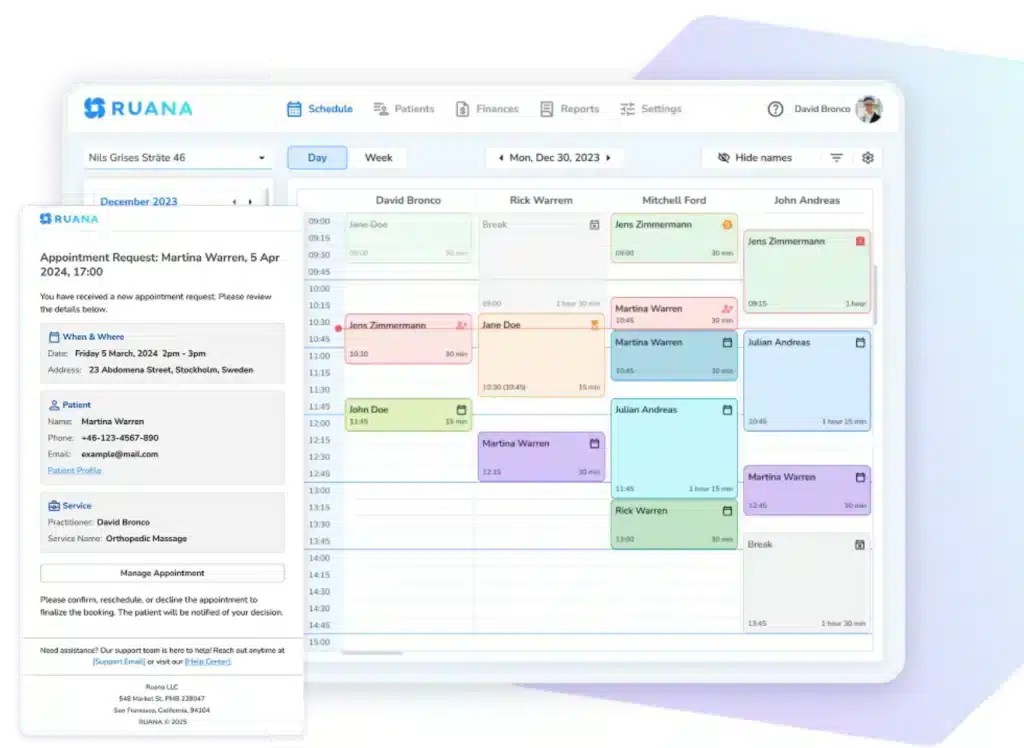
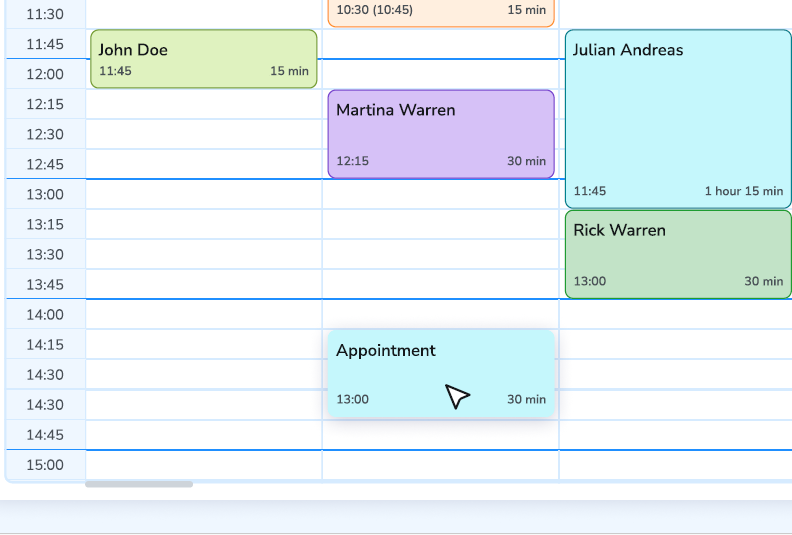
A color-coded, drag-and-drop calendar makes schedule management effortless. You should be able to:
View multiple practitioners if you run a multi-osteopath practice
Reschedule appointments with a simple click-and-drag
Color-code by appointment type to quickly scan your day
Block off time for breaks, administrative tasks, or personal appointments
Switch between day, week, and month views for different planning needs
Documentation is the backbone of quality care and regulatory compliance. But generic medical charting systems force osteopaths into templates designed for conventional medicine, not manual therapy.
Your practice management software should offer:
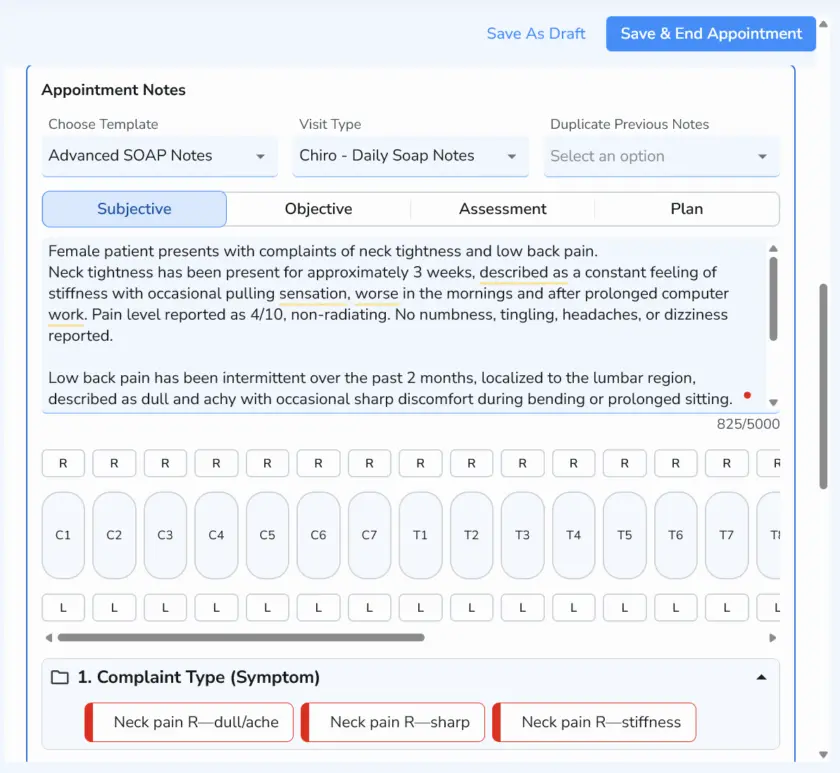
Flexible SOAP note templates you can customize for osteopathic assessments
Automatic Notes functionality that inserts pre-programmed findings with one click
Treatment plan tracking that follows patients through their care journey
Structural assessment tools for documenting palpatory findings and mobility restrictions
Secure, searchable patient records accessible from any device
Essential Feature #4: Professional Billing & Invoicing
Financial administration shouldn’t consume hours of your week. The right software makes invoicing and payment tracking smooth for both you and your patients.
Look for capabilities including:
Professional invoice generation with your branding
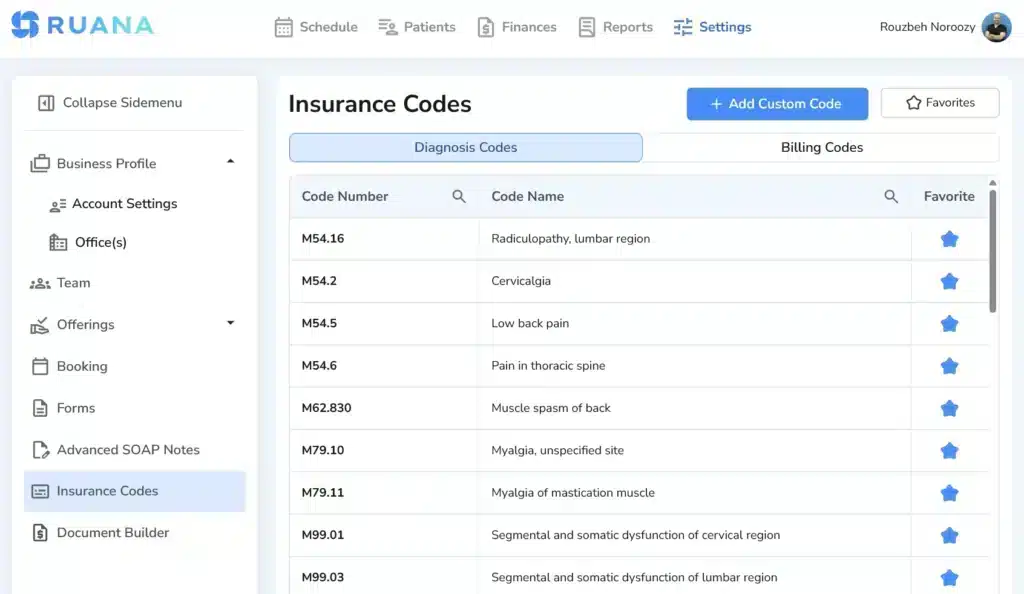
ICD-10 code support for accurate billing
Automated receipt emails that go out immediately after payment
Payment tracking to monitor outstanding balances at a glance
Multiple payment method recording including card, cash, and check
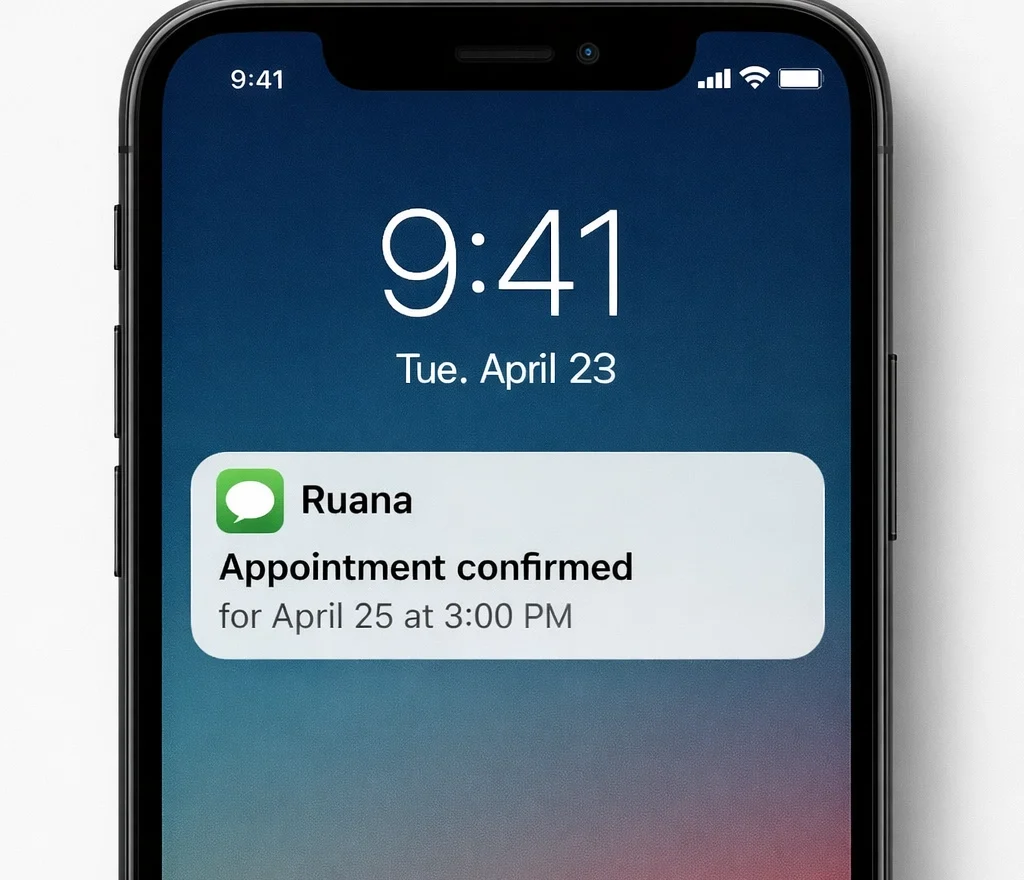
No-shows and last-minute cancellations hurt your practice financially and prevent other patients from accessing care. Automated reminders sent via both email and SMS dramatically reduce missed appointments.
Your software should send:
Automated appointment confirmations immediately after booking via email and SMS
Reminder messages at customizable intervals before appointments through both channels
Follow-up communications for treatment plan check-ins
Professional messaging that reinforces your brand across all touchpoints
These touchpoints keep patients engaged through their preferred communication channel while running completely on autopilot, so you never forget to send a reminder again. The combination of email and SMS ensures your messages reach patients wherever they are most responsive.
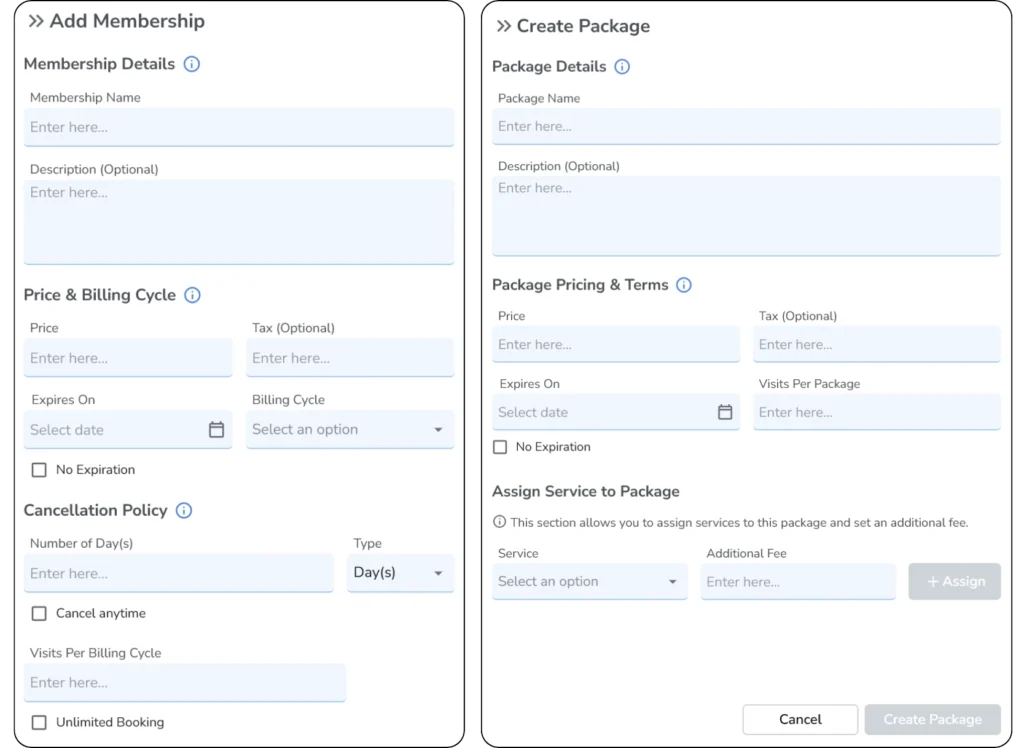
Essential Feature #7: Packages & Memberships
Many osteopathic patients need ongoing care rather than one-off treatments. Offering treatment packages or membership plans creates predictable revenue while making it easier for patients to commit to their healing journey.
Quality software should let you:
Create multi-session packages at discounted rates
Set up recurring memberships with automatic billing
Track credits and balances automatically
Set expiration dates and usage rules to protect your business
This feature transforms how you structure care plans, encouraging patient commitment while improving your cash flow.
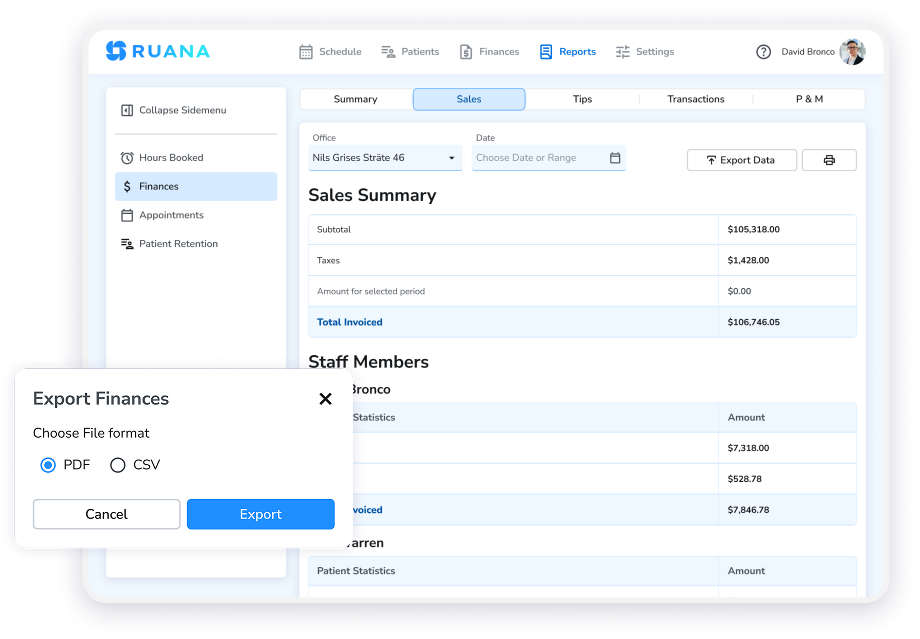
Essential Feature #8: Analytics & Reports
You can’t improve what you don’t measure. Practice analytics help you understand:
Which services are most popular
When your busiest times occur
Revenue trends over time
Patient retention rates
Booking source effectiveness
Data-driven insights let you make smarter business decisions about staffing, marketing, and service offerings.
Essential Feature #9: Cloud-Based Access
Your practice doesn’t stop when you leave the office. Cloud-based software means you can:
Access patient information from anywhere on any device
Make schedule changes remotely when needed
Never worry about software updates (they happen automatically)
Eliminate server hardware costs and IT maintenance
Ensure automatic backups protect your data
This flexibility is especially valuable for osteopaths who teach, attend conferences, or work across multiple locations.
Essential Feature #10: Security & Compliance
Patient data protection isn’t optional. Your software must include:
Encryption for all data transmission and storage
HIPAA compliance (for US practices) and GDPR compliance (for European practices)
Secure cloud hosting with automatic backups
Role-based access controls if you have staff
Audit logging capabilities to track data access
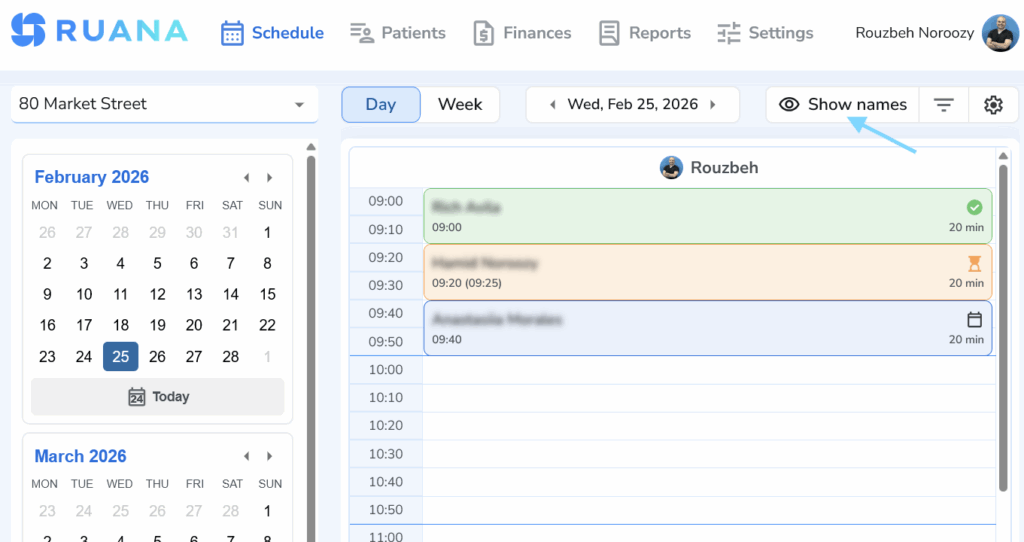
Ruana hosts data on secure AWS servers with enterprise-grade encryption, ensuring compliance with applicable data protection regulations, including HIPAA for US practices and GDPR for European practices. You can also choose to show/hide patient names in your schedule, thus ensuring no personal information gets leaked accidently.
Conclusion
The best osteopathy practice management software is the one that fits how your clinic actually works.
Before choosing, look beyond the feature list. Ask whether the software will make daily work easier: fewer missed forms, faster SOAP notes, cleaner scheduling, simpler checkout, and less time spent jumping between tools.
For osteopathy clinics that want a connected workflow without unnecessary complexity, Ruana is worth considering. It brings scheduling, digital intake forms, SOAP notes, billing, reminders, patient records, and reports into one intuitive system, helping small and growing practices spend less time managing software and more time caring for patients.
About the Authors
★★★★★4.9 · 329 Reviews
Rouzbeh NoroozyChiropractor & Co-Founder · Palmer West · UC Berkeley · 14 Years of ExperienceRouzbeh Noroozy is a chiropractor with 14 years of clinical experience and co-founder of Ruana practice management software. He completed his undergraduate studies at the University of California, Berkeley and graduated from the renowned Palmer College of Chiropractic West in California. As a practicing clinician and clinic owner, he understands firsthand the administrative challenges practices face — and which digital tools genuinely help streamline day-to-day operations.
Anastasiia NoroozyMedical Graduate & Co-Founder · 8 Years of ExperienceAnastasiia Noroozy is a medical graduate and co-founder of Ruana with 8 years of experience working directly with patients at the clinic in Cologne. She manages the day-to-day flow of the practice and knows every patient-facing process from the inside out — from intake and scheduling to follow-up care. Her hands-on clinical and operational experience directly shapes how Ruana is built to work in the real world.
Our team will review your inquiry and get back to you as soon as possible.
Privacy Settings
To provide the best experiences, we use technologies like cookies to store and/or access device information. Consenting to these technologies will allow us to process data such as browsing behavior or unique IDs on this site. Not consenting or withdrawing consent, may adversely affect certain features and functions.
Functional
Always active
The technical storage or access is strictly necessary for the legitimate purpose of enabling the use of a specific service explicitly requested by the subscriber or user, or for the sole purpose of carrying out the transmission of a communication over an electronic communications network.
Preferences
The technical storage or access is necessary for the legitimate purpose of storing preferences that are not requested by the subscriber or user.
Analytics
The technical storage or access that is used exclusively for statistical purposes.The technical storage or access that is used exclusively for anonymous statistical purposes. Without a subpoena, voluntary compliance on the part of your Internet Service Provider, or additional records from a third party, information stored or retrieved for this purpose alone cannot usually be used to identify you.
Marketing
The technical storage or access is required to create user profiles to send advertising, or to track the user on a website or across several websites for similar marketing purposes.
To provide the best experience for our practitioners, we use cookies to personalize content, analyze our traffic, and support our marketing efforts. By clicking 'Accept', you consent to our use of these technologies. You can manage your preferences at any time.
Functional
Always active
The technical storage or access is strictly necessary for the legitimate purpose of enabling the use of a specific service explicitly requested by the subscriber or user, or for the sole purpose of carrying out the transmission of a communication over an electronic communications network.
Preferences
The technical storage or access is necessary for the legitimate purpose of storing preferences that are not requested by the subscriber or user.
Analytics
The technical storage or access that is used exclusively for statistical purposes.The technical storage or access that is used exclusively for anonymous statistical purposes. Without a subpoena, voluntary compliance on the part of your Internet Service Provider, or additional records from a third party, information stored or retrieved for this purpose alone cannot usually be used to identify you.
Marketing
The technical storage or access is required to create user profiles to send advertising, or to track the user on a website or across several websites for similar marketing purposes.