

Step 12: How to Turn On and Use CPT Codes
CPT codes can be used in Ruana for services, billing, and superbills. Because CPT codes are copyrighted by the American Medical Association (AMA), they must be enabled separately before they can be used.
Important: Ruana does not charge for CPT codes. CPT codes are owned and copyrighted by the American Medical Association (AMA). The AMA requires users to complete a yearly CPT license agreement, which is approximately $20 USD per year.
To turn on CPT codes in Ruana, your clinic needs:
- An active Ruana subscription
- A Solo Plan or Professional Plan
- Agreement to the AMA CPT license requirement
- Click your name in the top-right corner of Ruana.
- Click Billing from the dropdown menu.
- You will be taken to the Billing area.
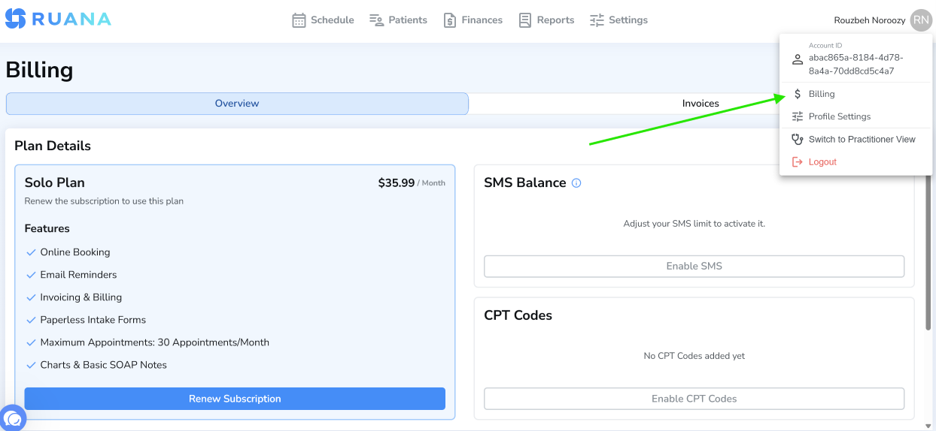
On the Billing page, make sure your subscription is active. CPT codes can only be enabled when your clinic has an active Solo or Professional subscription.
If your subscription is not active, click Renew Subscription first. Once your subscription is active, you can continue to the CPT Codes section.
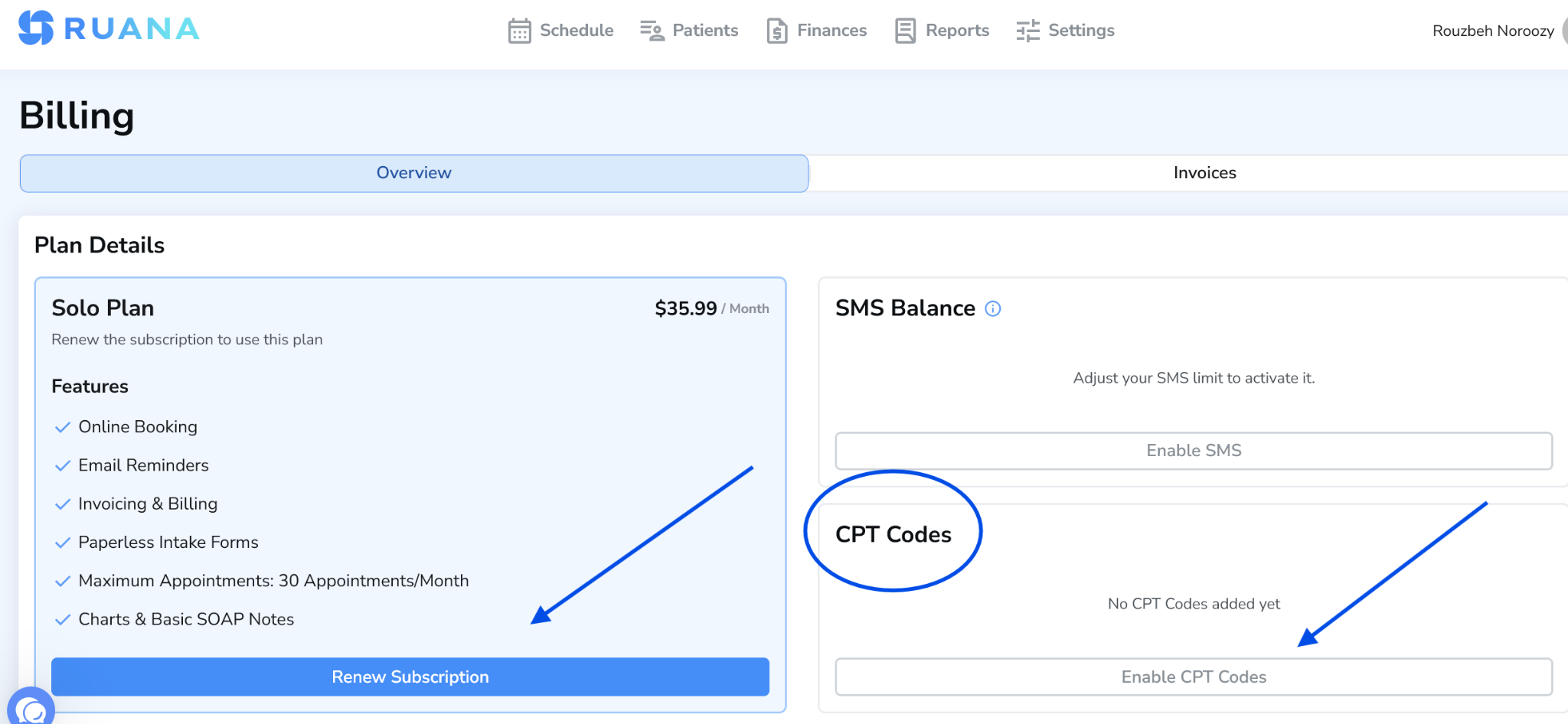
- Go to the CPT Codes section on the Billing page.
- Click Enable CPT Codes.
- Review the AMA CPT licensing requirement.
- Agree to the required terms.
- Once completed, CPT codes will become available inside Ruana.
Once CPT codes are enabled, you can start using them in Ruana for:
- Adding CPT codes to services
- Billing workflows
- Invoices and superbills
- Insurance-related documentation