


Every vendor leads with its lowest number, and every lowest number carries conditions: an appointment cap, a missing feature, a per-practitioner fee that only appears once you add someone.
So the honest number about practice management software pricing is not a single figure. It depends on how many people are on your team, which workflows you actually run, and how much of your usage is metered.
This guide is built to help you calculate that number for your own practice rather than accept an advertised one.
All prices were verified against vendor pricing pages in August 2026.
Table of Contents
- Quick Answer: How Much Does Practice Management Software Cost?
- What Are You Actually Paying for With Practice Management Software?
- The 4 Most Common Practice Management Software Pricing Models
- Practice Management Software Pricing Comparison: What Popular Platforms Charge
- What Can Make Practice Management Software More Expensive Than It Looks?
- Calculate the True Annual Cost Before You Choose Software
- How to Compare Practice Management Software Pricing Before You Buy
- Keep Your Practice Management Costs Predictable With Ruana

Quick Answer: How Much Does Practice Management Software Cost?
Most practice management platforms for chiropractic, massage, and small wellness practices start between $33 and $54 per month for a single practitioner, and land between $55 and $99 per month once you include the features most clinics use daily.
That range is useful as a starting point and misleading as a comparison. Two platforms advertising $39 can produce very different bills at the end of the year.
Three variables explain most of the difference:
- Number of practitioners or users. Per-seat fees range from around $13 to $74 per additional practitioner per month across common platforms.
- Features included in the plan. Some platforms include intake forms, SMS reminders, and memberships on the entry plan. Others place them two tiers up.
- Additional usage or service fees. SMS credits, insurance claims, storage, AI tools, and payment processing are frequently billed separately from the subscription.
Typical Budget at a Glance
| Practice size | Entry-level plans | Full-featured plans |
|---|---|---|
| Solo practitioner | $33 to $54/month | $56 to $99/month |
| 2 to 3 practitioners | $70 to $130/month | $96 to $247/month |
| 4 to 6 practitioners | $110 to $200/month | $136 to $395/month |
| One-time costs | Usually $0 | Migration and setup vary by vendor |
The spread inside each row is the point. At three practitioners, the difference between the low and high end is roughly $1,800 a year for software that does broadly similar work.
What Are You Actually Paying for With Practice Management Software?
Comparing two monthly prices without comparing functionality is how clinics end up paying twice. If the cheaper subscription does not include intake forms, and you then subscribe to a separate forms tool, you have not saved anything. You have added a login, a second bill, and a manual handoff between two systems.
A practice management system is really a bundle of workflows a small wellness practice would otherwise run separately:
- Online booking and scheduling: availability rules, calendar management, rescheduling
- Digital intake forms: sent before the visit, stored in the patient record
- SOAP notes and charting: clinical documentation and history
- Appointment reminders: email and SMS confirmations
- Patient records: contact details, visit history, notes, financials in one place
- Invoicing and billing: receipts, superbills, payment tracking
- Reports and analytics: revenue, transactions, appointment volume
- Staff and multi-location management: permissions, per-practitioner availability
Priced individually, most of these are $10 to $30 a month each. A platform that genuinely covers all eight for $56 is doing more than a platform that covers four for $39.
💡The takeaway: calculate the price of the workflow you need, not simply the cheapest subscription advertised.
The 4 Most Common Practice Management Software Pricing Models
Understanding which model a vendor uses tells you how your bill will behave as the practice changes.
Per-Practitioner Pricing
The most common model in this category. You pay a base subscription that includes one practitioner, then a fee for each additional one. Administrative and front-desk staff are often free, but confirm this rather than assume it.
Using a base of $55.99 and an additional-practitioner fee of $19.99:
- 1 practitioner: $55.99/month
- 3 practitioners: $95.97/month
- 5 practitioners: $135.95/month
Now run the same three scenarios with a $79 base and a $49 per-practitioner fee:
- 1 practitioner: $79/month
- 3 practitioners: $177/month
- 5 practitioners: $275/month
The gap at one practitioner is $23. At five, it is $139 a month, or roughly $1,670 a year. For a growing clinic, the per-seat fee matters far more than the headline price, because it is the number that scales with you.
Tiered Pricing
Starter, Professional, Premium.
Each tier unlocks more functionality, and the entry tier exists largely to advertise a low number.
The question is not what the entry plan costs but whether it is usable.
Some of the common gating patterns worth checking include:
- Appointment caps. Some entry plans limit you to 20 appointments per month, which a part-time solo practitioner passes in a fortnight.
- SMS reminders. Frequently absent from entry plans, even where email reminders are included.
- Intake forms and memberships. Often placed a tier or two above entry, despite being daily-use features.
If the features you use every day sit on the middle tier, the middle tier is your real price. Compare platforms at the tier you would actually buy, not the one on the billboard.
Usage-Based Pricing
Some costs are metered rather than fixed. The usual candidates are:
- SMS messages beyond an included allowance
- Insurance claims submitted, priced per claim
- File storage above a limit
- AI charting credits or minutes
- Payment processing, charged as a percentage of every transaction
For a low-volume practice, these are rounding errors. A busy clinic sending several hundred reminders a month, or submitting claims daily, can watch them grow to rival the subscription itself. Model any high-volume part of your workflow separately with your own numbers, rather than trusting the included allowance to cover you.
Flat-Rate or Practice-Based Pricing
A single price for the practice, regardless of headcount, or a per-seat model that caps out after a certain number of users.
The advantage is predictability. Adding a practitioner does not change the bill, which makes budgeting straightforward and removes any hesitation about hiring. The limitation is that solo practitioners subsidise larger ones. If you are one person paying a price designed for a team of six, a per-practitioner model will almost always be cheaper.
Flat-rate tends to win above roughly four or five practitioners. Below that, per-seat usually wins.
Practice Management Software Pricing Comparison: What Popular Platforms Charge
Here is how five commonly compared platforms price in 2026.
| Software | Starting price | Pricing model | Additional practitioner | Key features included | Potential extra costs |
|---|---|---|---|---|---|
| Ruana | $35.99/mo | Per practitioner | $19.99/mo | Online booking, email reminders, intake forms, SOAP notes, invoicing; memberships and packages on Professional ($55.99) | Optional SMS |
| Jane App | CAD $54/mo (20 appts) | Per practitioner | Different pricing for part-time and full-time practitioners depending on the tier | Booking, intake, charting, 1:1 telehealth, unlimited SMS on CAD $79+ plans | Insurance billing, AI Scribe, group telehealth, Jane Payrolls, etc. |
| Noterro | $33/mo | Per practitioner | $13.20 to $27.50 by tier | Charts, forms, scheduling, billing, branded app; SMS reminders on Plus | Insurance module, storage, AI credits |
| SimplePractice | Starting from $49/mo (currently $24.50/mo) | Flat solo, per practitioner for groups | Starting from $74/mo for Plus tier | Telehealth, booking, notes, claims filing; reporting and calendar sync | Per-claim fees, Note Taker, ePrescribe |
| ClinicSense | $39/mo (20 appts) | Per practitioner | $20/mo available for Standard tier | Booking, SOAP notes, intake forms, marketing toolkit; SMS on Standard | Square processing fees, appointment caps below Premium |
Pricing verified August 2026 from each vendor’s public pricing page. Plans and prices change, so confirm before purchasing.
We are deliberately not naming a cheapest option, because there is not one.
- Noterro has the lowest entry price, though SMS reminders only arrive on its second tier.
- The lowest per-practitioner fee belongs to Ruana, which matters enormously to a growing team and not at all to someone working alone.
- SimplePractice looks expensive right up until you need real insurance claims filing, at which point it becomes competitive.
- And marketing automation, which none of the others bundle, comes standard with ClinicSense.
The cheapest choice depends entirely on your headcount and which of those eight workflows you actually run.
What Can Make Practice Management Software More Expensive Than It Looks?
We’ve faced these exact reasons when choosing a software solution for our own clinic. The following six line items account for most of the gap between advertised price and actual bill.
Additional Practitioner or Staff Seats
The single biggest variable. A $20 difference in per-seat pricing is invisible for a solo practitioner and worth over $1,000 a year at five practitioners.
Check three things: what the per-seat fee actually is, whether part-time practitioners cost less, and whether administrative and front-desk staff are free. Several platforms include unlimited admin users, and several do not.
Appointment Reminders and SMS Usage
Email reminders are almost always included. SMS rarely is.
Reminders are typically handled one of the following ways:
- Bundled and unlimited on higher tiers,
- Included up to an allowance with per-message overage,
- Sold as a separate credit pack.
Availability also varies by country. Estimate your monthly send volume, appointments plus confirmations plus rescheduling, and price it against each model. For a clinic running 400 appointments a month, the difference between unlimited and metered SMS is not trivial.
Billing and Insurance Features
This is where prices diverge most sharply, and where many practices overbuy.
Superbills and diagnosis codes are usually included, which is all a cash-pay or out-of-network practice needs. Electronic claims are a different product: they arrive as a paid module, a per-claim fee, a separate clearinghouse account, or all three.
Before paying for claims infrastructure, confirm you will use it. It is the most expensive idle feature in this category.
Payment Processing Fees
Subscription cost and transaction cost are separate, and only one of them appears on the pricing page.
Typical rates run around 2.6% to 3.15% plus a fixed amount per transaction. On $20,000 of monthly card volume, a 0.5% difference is $100 a month, which is more than most subscriptions. Also check whether processing is native or routed through a third party such as Square or Stripe, since that affects both the rate and how many systems you reconcile.
Onboarding, Training, and Data Migration
Mostly relevant if you are switching from an existing system.
Some vendors include migration and setup at no charge. Others quote it, and quotes for full data migration can reach several hundred dollars.
The larger cost is usually time: staff training hours, a slower first fortnight, and the risk of dual-running two systems during changeover. Ask directly what is included, what is billed, and how long implementation takes.
Integrations and Add-Ons
Every workflow your platform does not cover becomes another subscription.
A forms tool here, a telehealth account there, an email marketing platform, a bookkeeping integration. Each runs $15 to $40 a month, and every one adds another login plus another manual handoff between systems. When comparing platforms, add the cost of whatever you would need to buy alongside them. That total is the real comparison.
Calculate the True Annual Cost Before You Choose Software
Use this formula rather than the pricing page:

Fill it in for each platform on your shortlist:
| Cost | Monthly/One-Time | Your Estimate |
|---|---|---|
| Base subscription | Monthly | $ |
| Additional practitioners | Monthly | $ |
| Reminders/SMS | Monthly | $ |
| Billing/claims tools | Monthly | $ |
| Other add-ons | Monthly | $ |
| Migration/setup | One-time | $ |
| Estimated first-year cost | $ |
Run this for two or three platforms, and the ranking usually changes from what the pricing pages suggested. Do it before the trial rather than after, so you know what you are testing.
How to Compare Practice Management Software Pricing Before You Buy
A checklist worth taking into any demo or trial:
- What does the plan cost at my number of practitioners, not one?
- Are administrative and front-desk staff free, or billed as seats?
- Is there an appointment, client, or storage cap on the plan I am considering?
- Are intake forms, SMS reminders, and memberships included, or gated to a higher tier?
- What is the SMS allowance, and what is the overage rate?
- What are the payment processing rates, and is processing native or third-party?
- Are there per-claim or per-transaction fees on top of the subscription?
- Does the vendor include data migration, or is it quoted separately?
- Is there a free trial, and does it require a credit card?
- Does the contract run monthly or annually, and how does cancellation work?
- What would I still need to buy separately to run my full workflow?
The last question is the one most people skip and the one that changes the answer most often.
Keep Your Practice Management Costs Predictable With Ruana
The reason software pricing is so hard to compare is that most platforms are priced in pieces. Base plan, seats, forms module, SMS credits, claims fees, processing, migration. Every piece is defensible on its own, and together they make the annual number very difficult to see in advance.
Ruana is built to be legible instead. Solo is $35.99 a month with no appointment cap. Professional is $55.99, and additional practitioners are $19.99 each, which is roughly half the per-seat cost of several platforms in this comparison. The trial is 14 days, full access, no credit card.
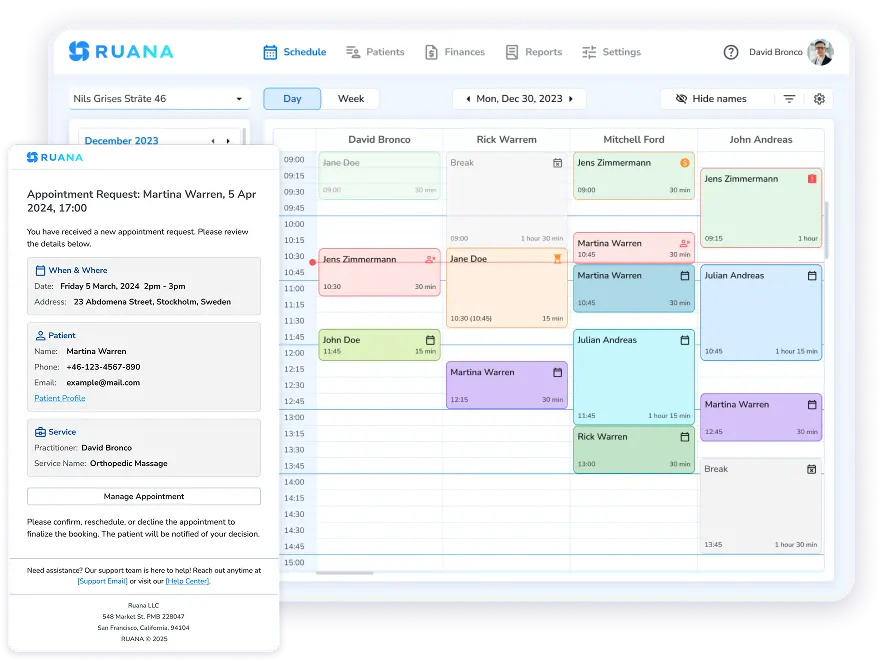
More to the point, it consolidates the workflow rather than selling it in parts. Online booking, digital intake forms, SOAP notes with anatomical diagrams and auto-complete, appointment reminders, invoicing with ICD-10 codes and superbills, packages and memberships, and financial reporting all sit in one system for chiropractors, massage therapists, and mental health practitioners.
Ruana does not do EDI or clearinghouse claim submission, and two-way calendar sync is still on the roadmap. Clinics submitting claims electronically every day should price a platform built for that work.
This brings the pricing question back to where it belongs. The useful measure is not what a subscription costs each month, but how much administrative work and how many separate tools that subscription removes. Practitioners on Ruana report saving five to eight hours of admin a week, and most clinics are set up in 30 to 90 minutes.