How to Choose Chiropractic Software for Cash Practice
16.08.26
Choosing software for a cash-based chiropractic practice requires a different set of priorities than choosing a system built around insurance billing.
Dropping insurance removes a lot of work from a chiropractic office. No claim scrubbing, no clearinghouse rejections, no ERA posting, no thirty-day wait to find out a code was wrong.
What it does not remove is everything else. Patients still need to book, fill out intake paperwork, be seen, be documented, pay, and come back. Records still need to be defensible. The administrative load does not disappear when insurance does. It just shifts.
That changes the software question. For an insurance-based clinic, it is “how powerful is the billing system?” while for a cash practice, it is:
How efficiently does this system move a patient from booking to documentation, payment, and follow-up?
A cash-based chiropractic practice collects payment directly from the patient at the time of service rather than billing insurance on their behalf. Patients pay per visit, or through a membership, and the clinic is not contracted with the payers whose plans those patients carry.
The name is misleading sometimes. Plenty of cash practices take cards, HSA and FSA funds, and financing. What defines them is the absence of a third-party payer in the transaction. Some are fully cash, while many are hybrid: out-of-network, providing superbills so patients can seek their own reimbursement, while operating day-to-day as a cash office.
The appeal is control.
Fees are set by the practice, not a fee schedule.
Visit length is a clinical decision rather than a billing one.
Revenue arrives at the visit instead of forty-five days later.
The trade-off is that the practice owns patient acquisition and retention entirely, with no network referrals filling the schedule.
An EHR is the clinical record: what you found, what you did, what the plan is, in a form that holds up to an audit or an attorney’s request.
Practice management software is the operational layer: who is coming in, what they owe, what they paid, what happens next.
Most modern chiropractic platforms combine both, but they lean one way. Insurance-heavy products lean EHR and billing, because claims live or die on documentation. Cash practices generally need the practice-management side to be excellent, and the clinical side solid rather than exhaustive. Good notes still matter for care and liability, but they are no longer feeding a claims process.
Why Cash Practices Need Different Chiropractic Software
The common assumption is that a cash practice needs less software. What it actually needs is software weighted differently.
Less Insurance Administration, More Patient-Facing Administration
In an insurance practice, much of the admin happens after the patient leaves and never touches them: coding, claim submission, denials, resubmission, posting. That work usually has a dedicated owner and its own software requirements.
Remove it, and the remaining admin is almost entirely patient-facing. The process involves getting people booked, forms completed before they arrive, and collecting payment at the visit. You will also need to handle selling and tracking care packages, as well as following up when someone drifts off their plan.
This work is less specialised but far more frequent, and it falls on the front desk or the chiropractor directly. It is also where cash practices leak revenue with unfilled slots, no-shows without a deposit, packages nobody tracked, and so on. Insurance-oriented software rarely optimises for any of it.
One insurance-adjacent feature cash practices do still need is superbills. Out-of-network patients seeking their own reimbursement need an itemised receipt with diagnosis and service codes, which requires ICD-10 support and clean receipt generation, but not a clearinghouse, EDI, or CMS-1500 submission.
What the Cash-Practice Workflow Actually Looks Like
Stripped of claims, the cash-practice cycle is short and linear:
Seven steps. Every one touches the patient, and every one either happens inside your software or on paper, in a separate app, or in someone’s head.
The value of a system is how few seams sit between those steps.
When booking and intake are connected, forms go out automatically and arrive completed.
With intake and charting working together, history populates the note instead of being retyped.
When charting and invoicing are connected, checkout is a click rather than a re-entry.
And finally, when invoicing and follow-up are connected, the next visit gets booked before the patient reaches the door.
Every seam is a manual handoff a few seconds, several times a day, multiplied across a year. That is the real cost of software that was designed around a claims process you no longer run.
Your Chiropractic Software for a Cash Practice Should Be Able to…
Six capabilities matter more than everything else on a feature list.
Make Scheduling and Online Booking Easy
Cash practices depend on filling their own schedule, so booking friction is revenue friction. Patients should be able to book 24/7 without calling, seeing only the availability you have defined.
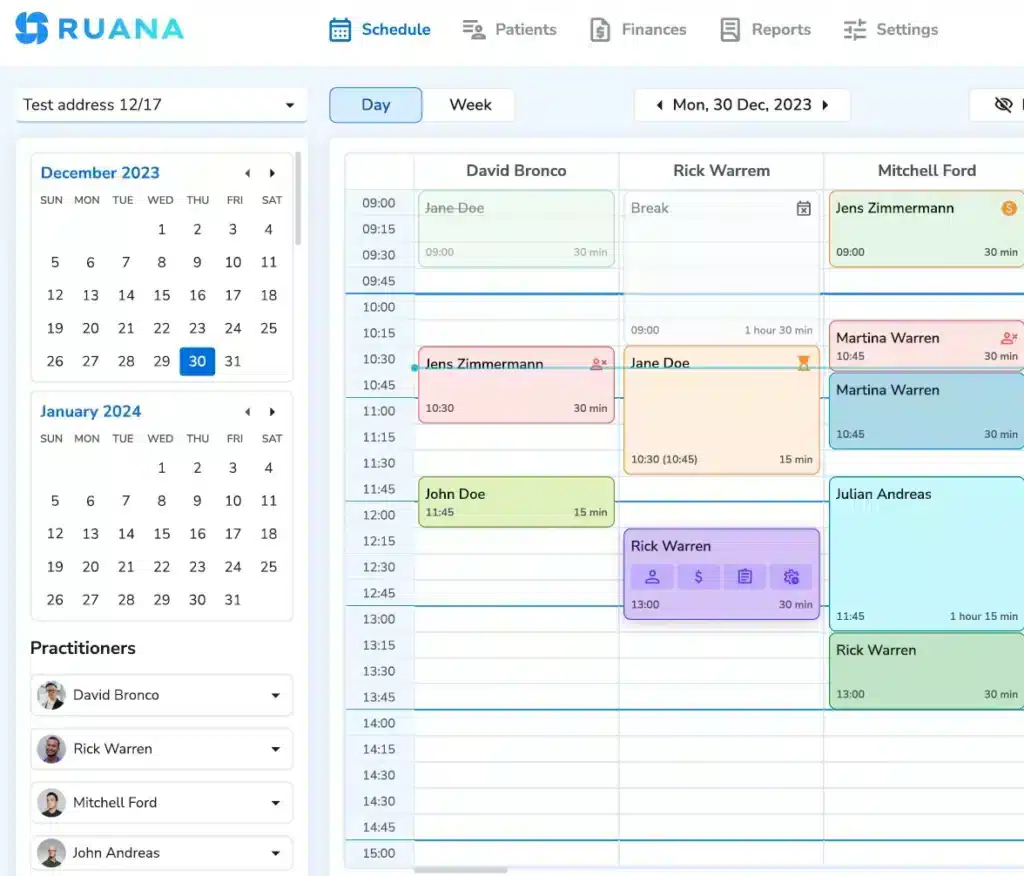
The calendar itself needs to be fast to work with drag-and-drop rescheduling, colour-coding by visit type, and visible appointment status so the front desk can see who has arrived at a glance. Look for real availability control too: caps on daily appointment numbers, limits on working hours, and blocked time for documentation and breaks. Without those, online booking will happily fill every gap you have, including the ones keeping your day from collapsing.
If you run multiple practitioners or locations, check that filtering and per-practitioner availability genuinely work rather than being one shared calendar with names attached.
Collect Patient Information Before the Appointment
Intake completed in the waiting room costs clinic time and produces worse information due to rushed handwriting, skipped fields, a health history written on a clipboard while someone is in pain.
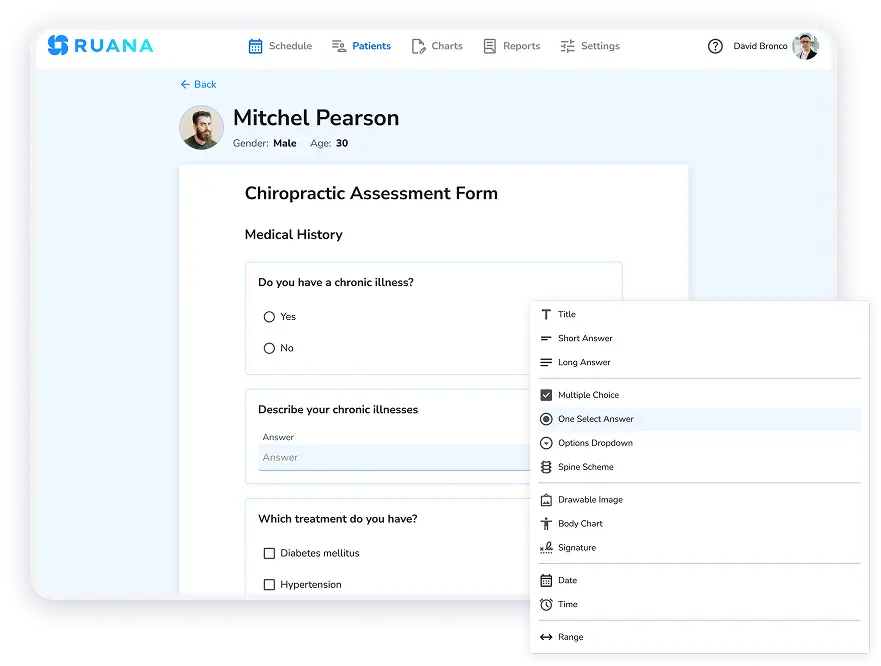
Digital intake sent automatically at booking fixes both. Forms should be customisable, since a chiropractic history needs different fields than a general wellness questionnaire, and they should carry consent and policy acknowledgements, particularly your cancellation policy, which is far easier to enforce when the patient has already agreed to it in writing.
The important part is what happens next. Completed intake should land in the patient record and feed the clinical note rather than sitting in a separate inbox waiting to be transcribed. If your staff is retyping intake answers into a chart, the form saved you nothing.
Documentation is where chiropractors lose the most time, and cash practice does not lower the standard. Notes still need to support clinical decisions, satisfy liability requirements, and stand up if records are requested.
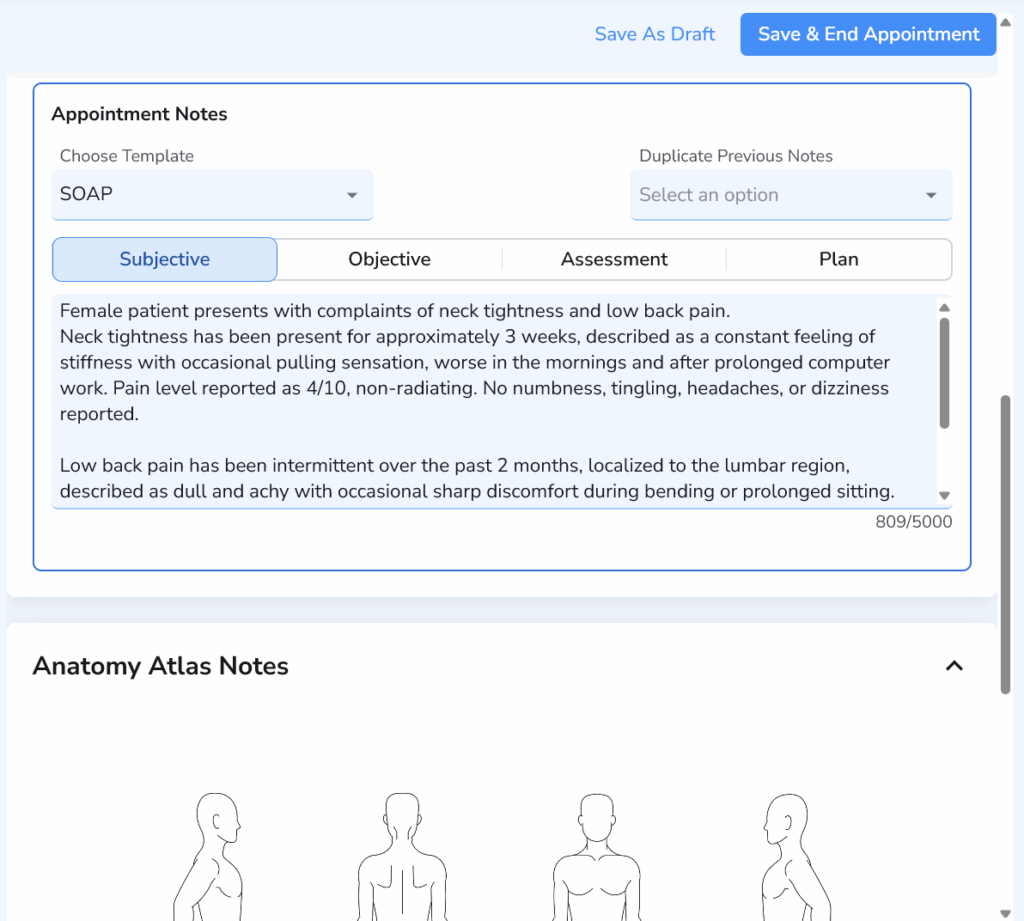
What changes is the purpose. Your notes are no longer justifying a claim, so the priority shifts from coding completeness to speed and clinical clarity. Look for chiropractic-specific templates, anatomical diagrams you can mark rather than describe, auto-complete shortcuts for phrases you write daily, and the ability to carry a previous note forward and edit the delta on repeat visits.
A practical test during any trial: time yourself writing a routine follow-up note. If it takes more than about a minute or two, you will be doing paperwork after hours for as long as you use that system.
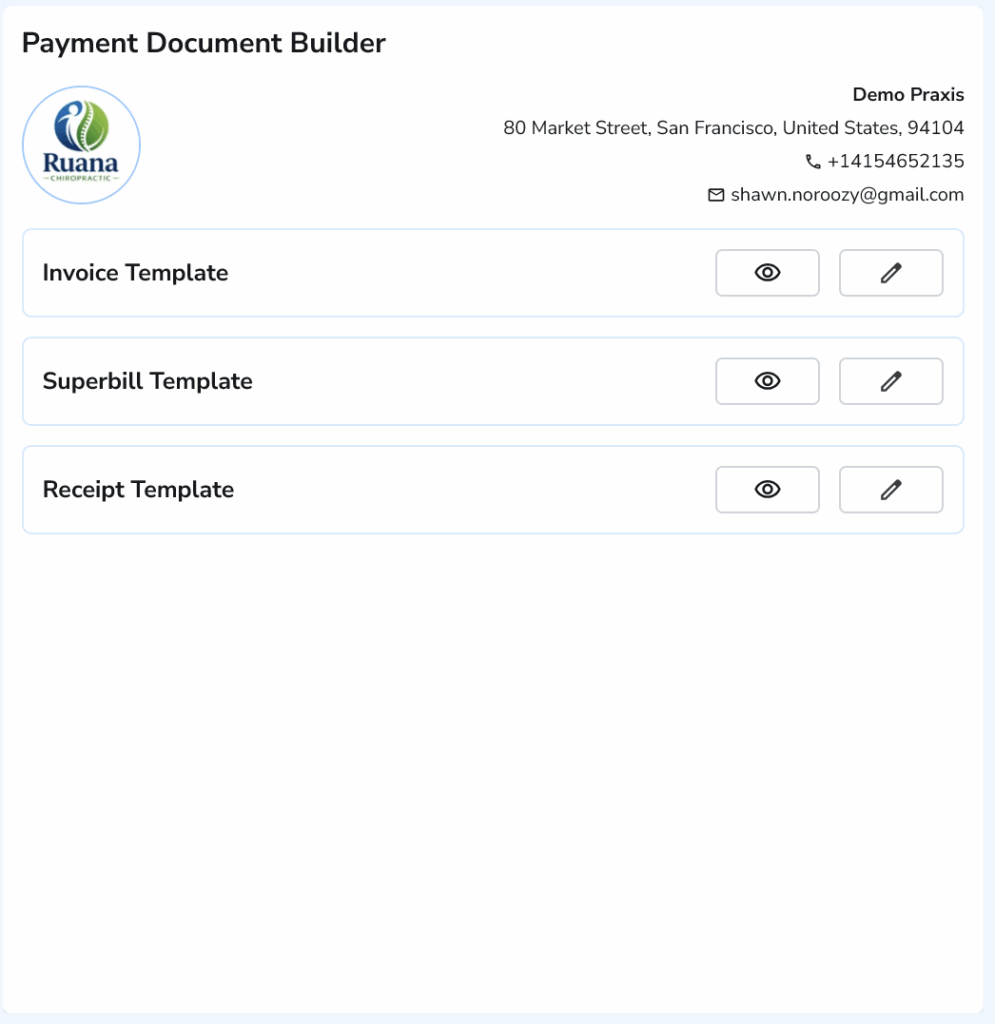
Keep Invoices, Receipts, and Superbills Connected to the Visit
In a cash practice, payment happens at the visit, which means checkout is part of the clinical workflow, not a separate accounting task.
The invoice should generate from the appointment, with services already attached, so nobody re-enters what was just done. Receipts should be immediate. Superbills should be one click for out-of-network patients, with ICD-10 codes and everything an insurer needs for the patient to file themselves.
Financial reporting is the other half. Because there is no explanation of benefits arriving to reconcile against, your software is the only record of what the practice earned. You need to see revenue, transactions, tips, and appointment volume across any date range, and export it cleanly for your accountant. A system that handles scheduling beautifully but reports badly leaves you guessing about your own business.
Support Packages, Memberships, and Ongoing Care
This is the capability most cash practices underestimate at purchase and most regret skipping.
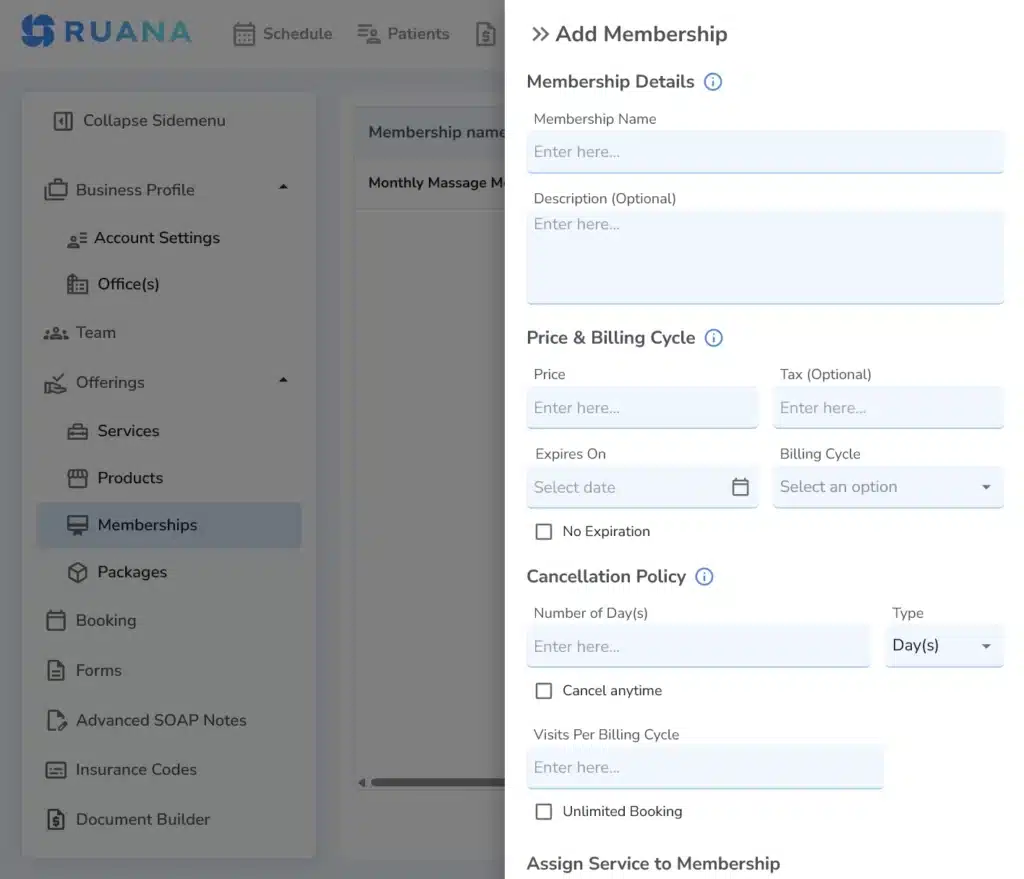
Chiropractic care is rarely a single visit. Cash practices convert that into predictable revenue through visit packages, care plans, and recurring memberships, which is exactly how a cash office replaces the steady payer income it gave up.
The software has to carry the whole lifecycle:
Sell the package
Track sessions remaining
Apply visits automatically at checkout
Flag when a plan is running out
Handle recurring billing without someone charging cards manually each month
When this is missing, practices track packages in spreadsheets and lose sessions in both directions.
Worth checking: on several chiropractic platforms, memberships and recurring payments sit on a mid or upper tier rather than the entry plan. For a cash practice, this is not an optional extra, so price the plan that actually includes it.
Reduce No-Shows and Manual Follow-Up
An empty slot in a cash practice is a total loss. There is no claim to submit, no partial payment, nothing.
Automated email and SMS reminders are the baseline. Beyond that, the useful mechanisms are financial and structural: deposits or prepayment taken at online booking, a cancellation policy the patient accepted at intake, and rebooking prompted at checkout while the patient is still in front of you.
Follow-up matters just as much. Retention is the entire growth engine of a cash practice, and it is the thing most likely to be done inconsistently because it depends on someone remembering. Look for whatever your software can automate: reminders, recall prompts, package-expiry alerts, because anything left to memory happens on the good weeks and stops on the busy ones.
3 Chiropractic Software Options for Cash Practices
We’ve done our little research to help you find a solid and investment-worthy software solution in case you were looking for one. Below are three practice management software platforms compared side-by-side based on the critical features we’ve discussed earlier.
ChiroTouch markets directly at this segment. Its Core product is positioned as software for cash-based chiropractors, with customisable care plans, visit tracking, and automated recurring payments. The depth is real, particularly for larger clinics. The friction is demo-gated pricing: no published figures, no stated trial, and a sales call before you can evaluate anything.
ChiroSpring is chiropractic-specific and strongest on documentation, providing 50+ SOAP templates, hundreds of macros, and charting built for audit defensibility. Its memberships product is explicitly pitched at cash care. The catch is tier placement: memberships, intake forms, and online booking all sit above the $149 entry plan, so the realistic starting point is $249/month.
Ruana comes at it from the other direction. Built for smaller chiropractic, massage, and mental health practices that want the workflow without the claims infrastructure.
Online booking, intake forms, SOAP notes with anatomical diagrams, invoicing with ICD-10 codes and superbills, and packages and memberships are all included from the $35.99 entry plan, with additional practitioners at $19.99.
It does not do EDI or CMS-1500, which may be a limitation for insurance clinics, but is largely a non-issue for cash ones. The 14-day trial needs no credit card, making it the only one of the three you can evaluate without talking to sales.
Run a Leaner Cash Practice With the Right Software
The most common mistake cash practices make when buying software is paying for insurance infrastructure they will never switch on. Clearinghouse integrations, claim scrubbers, ERA posting, EDI powerful features, priced accordingly, and completely idle in a cash office. They also bring configuration complexity and workflows built around a process you deliberately left behind.
The better test is the seven-step cycle: booking, intake, check-in, note, invoice, superbill, follow-up. Count the manual handoffs. Time a routine note. Check whether packages and memberships are included or sold as an upgrade. Ask what happens automatically and what depends on someone remembering.
About the Authors
★★★★★4.9 · 329 Reviews
Rouzbeh NoroozyChiropractor & Co-Founder · Palmer West · UC Berkeley · 14 Years of ExperienceRouzbeh Noroozy is a chiropractor with 14 years of clinical experience and co-founder of Ruana practice management software. He completed his undergraduate studies at the University of California, Berkeley and graduated from the renowned Palmer College of Chiropractic West in California. As a practicing clinician and clinic owner, he understands firsthand the administrative challenges practices face — and which digital tools genuinely help streamline day-to-day operations.
Anastasiia NoroozyMedical Graduate & Co-Founder · 8 Years of ExperienceAnastasiia Noroozy is a medical graduate and co-founder of Ruana with 8 years of experience working directly with patients at the clinic in Cologne. She manages the day-to-day flow of the practice and knows every patient-facing process from the inside out — from intake and scheduling to follow-up care. Her hands-on clinical and operational experience directly shapes how Ruana is built to work in the real world.
Our team will review your inquiry and get back to you as soon as possible.
Privacy Settings
To provide the best experiences, we use technologies like cookies to store and/or access device information. Consenting to these technologies will allow us to process data such as browsing behavior or unique IDs on this site. Not consenting or withdrawing consent, may adversely affect certain features and functions.
Functional
Always active
The technical storage or access is strictly necessary for the legitimate purpose of enabling the use of a specific service explicitly requested by the subscriber or user, or for the sole purpose of carrying out the transmission of a communication over an electronic communications network.
Preferences
The technical storage or access is necessary for the legitimate purpose of storing preferences that are not requested by the subscriber or user.
Analytics
The technical storage or access that is used exclusively for statistical purposes.The technical storage or access that is used exclusively for anonymous statistical purposes. Without a subpoena, voluntary compliance on the part of your Internet Service Provider, or additional records from a third party, information stored or retrieved for this purpose alone cannot usually be used to identify you.
Marketing
The technical storage or access is required to create user profiles to send advertising, or to track the user on a website or across several websites for similar marketing purposes.
To provide the best experience for our practitioners, we use cookies to personalize content, analyze our traffic, and support our marketing efforts. By clicking 'Accept', you consent to our use of these technologies. You can manage your preferences at any time.
Functional
Always active
The technical storage or access is strictly necessary for the legitimate purpose of enabling the use of a specific service explicitly requested by the subscriber or user, or for the sole purpose of carrying out the transmission of a communication over an electronic communications network.
Preferences
The technical storage or access is necessary for the legitimate purpose of storing preferences that are not requested by the subscriber or user.
Analytics
The technical storage or access that is used exclusively for statistical purposes.The technical storage or access that is used exclusively for anonymous statistical purposes. Without a subpoena, voluntary compliance on the part of your Internet Service Provider, or additional records from a third party, information stored or retrieved for this purpose alone cannot usually be used to identify you.
Marketing
The technical storage or access is required to create user profiles to send advertising, or to track the user on a website or across several websites for similar marketing purposes.