SOAP Charting: How Practitioners Document Better Patient Care
08.05.26
SOAP charting helps practitioners document each visit in a clear, structured way without turning notes into extra after-hours work. This guide breaks down the SOAP format, practical examples, ready-to-copy templates, and how digital charting can make daily documentation faster.
SOAP charting gives practitioners a simple way to document each visit without turning notes into an after-hours burden.
Every appointment creates details that need to be recorded: what the client reported, what the practitioner observed, how the client responded, and what should happen next. The SOAP format keeps those details organized under four clear sections: Subjective, Objective, Assessment, and Plan.
For busy chiropractors, massage therapists, and wellness providers, this structure helps with:
Writing notes faster
Tracking progress across visits
Keeping records consistent
Supporting clearer follow-up and practice documentation
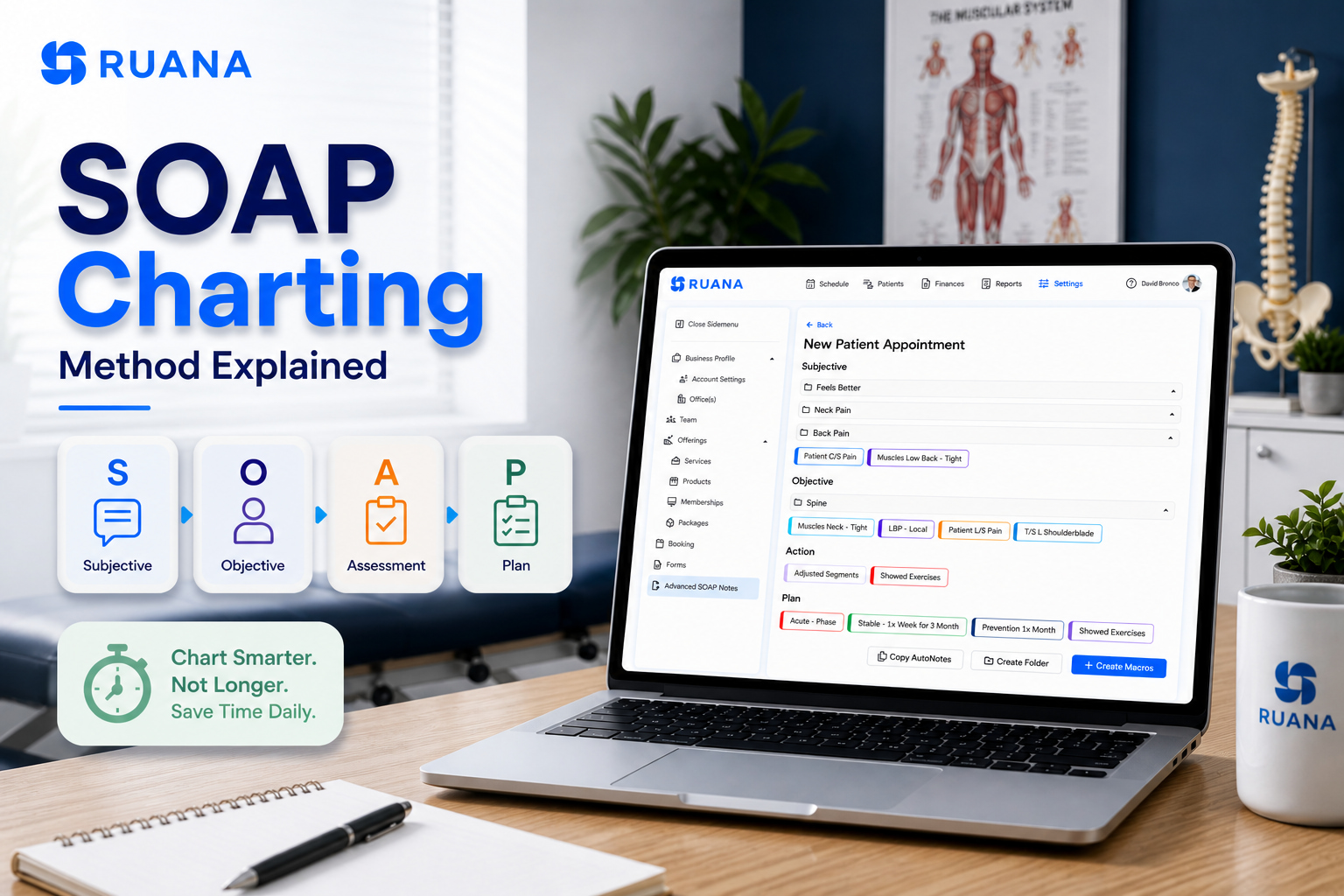
In simple words, SOAP charting is a structured method used to document patient or client visits using four sections: Subjective, Objective, Assessment, and Plan.
Each section has a clear role and goal.
Subjective section captures what the patient or client reports, such as pain, symptoms, concerns, or progress since the last visit.
Objective section records what the practitioner observes, measures, or checks during the appointment.
Assessment explains what those findings suggest.
Plan outlines what happens next, including treatment, home care, follow-up, or future recommendations.
That said, SOAP charting helps turn each visit into a clean, organized record. Instead of writing one long note after every appointment, practitioners can separate the most important details into a table that is easier to complete and review later. The format stays the same, but the details change based on the type of care provided.
Consistency is what makes SOAP charting practical for daily documentation as compared to other types of progress notes.
Why SOAP Charting Matters in Clinical and Wellness Practices
Progress tracking is one of the biggest documentation headaches for practitioners. A recent survey shows that 36% of respondents named progress tracking as their top administrative burden, ahead of client acquisition and insurance-related work. The same report linked progress tracking to documenting outcomes, follow-up tasks, and required reports between visits.
That is exactly where SOAP charting earns its place. It gives each visit a structure that is easy to write, easy to review, and easier to compare over time.
It Keeps Visit Details Organized: SOAP charting separates what the client says, what the practitioner observes, what the findings suggest, and what should happen next. This prevents notes from turning into one long paragraph where important details get buried.
It Helps Track Progress Over Time: For recurring visits, practitioners need to see what changed from one appointment to the next. SOAP charts make it easier to compare pain levels, mobility, tension, symptoms, treatment response, and follow-up plans without digging through messy notes.
It Helps Protect the Practice: Clear documentation creates a record of what was reported, observed, assessed, and recommended. That matters if a client has questions later, another provider needs context, or the practice has to review care decisions.
It Makes Daily Charting More Consistent: A repeatable format reduces the mental load after each appointment. The practitioner does not need to rethink the structure every time, only need to document the details that matter for that specific visit.
SOAP Charting Examples by Practice Type
The SOAP method of charting follows the same basic structure across different practices, but the details inside each section should reflect the type of care being provided.
Let’s see how this looks in practice.
SOAP Charting for Chiropractors
For chiropractors, SOAP notes help document symptoms, objective findings, adjustments or treatments provided, and the next care step. The method is especially useful for recurring visits, where small changes in pain, range of motion, mobility, or function need to be tracked clearly.
Massage therapists often use notes to document client concerns, areas treated, tissue response, pressure tolerance, contraindications, and recommendations after the session. This helps keep each visit specific, especially when clients return for ongoing pain, tension, stress, or mobility concerns.
Wellness providers may use this method for tracking and monitoring patient conditions. This format works well for practices where clients return regularly, and progress depends on consistent documentation over time.
Depending on the service, a wellness SOAP chart may include:
Based on years of practice, our experience proves that SOAP charts should be targeted and detailed enough to give you enough context to understand what happened during the visit, why it mattered, and what should happen next. They should be specific, but still easy to scan.
Aim at having a clean record that supports care, progress tracking, follow-up, and any related practice documentation without turning every routine visit into a long narrative.
Visit date and provider: Record when the visit happened and who provided the service.
Client or patient concern: Include the main reason for the visit, current symptoms, pain level, goals, or changes since the last appointment.
Subjective details: Document what the client reports in their own words when useful, including pain, discomfort, improvement, limitations, or new concerns.
Objective findings: Add what the practitioner observed, measured, or checked, such as range of motion, posture, tissue tension, tenderness, mobility, or visible response.
Assessment: Summarize what the subjective and objective details suggest. This may include progress, treatment response, clinical impression, or ongoing concerns.
Treatment or service provided: Note what was done during the visit, including techniques, areas treated, adjustments, exercises, or session focus.
Plan and follow-up: Include next steps, future treatment focus, recommended visit frequency, referrals, or reassessment plans.
Home care instructions: Add stretches, hydration advice, activity modifications, self-care guidance, or anything the client should do before the next visit.
Changes from previous visit: Note whether symptoms improved, worsened, stayed the same, or shifted to a new area.
Safety notes: Document relevant health changes, precautions, new limitations, or anything that affects treatment decisions.
Ready-to-Copy SOAP Charting Templates
SOAP charting works best when the template is structured enough to guide the note, but short enough to use during a busy clinic day. The templates below keep each SOAP section focused, so practitioners can quickly fill in the details without rewriting the same structure after every visit.
Use them as starting points and adjust the wording based on the service type, visit complexity, and documentation requirements.
💡Pro Tip: Save the templates inside your practice management software for a better experience. This keeps the same structure ready for every visit, reduces repetitive typing, and helps you connect notes with appointments, intake details, client history, and follow-up tasks in one place.
Chiropractic SOAP Charting Template
SOAP Section
Copy-Ready Template
S: Subjective
Patient reports [chief complaint] in [region], rated [pain level]/10. Symptoms are aggravated by [movement/activity/posture] and relieved by [rest/movement/previous care]. Reports [functional limitation or ADL impact].
O: Objective
Findings include [ROM restriction, postural finding, palpation finding, joint restriction, muscle guarding, or tenderness] at [region/segment]. Patient tolerated [adjustment/manual therapy/modality] [well/moderately].
A: Assessment
Findings are consistent with [working impression]. Patient shows [improvement/no significant change/increased symptoms] since prior visit. Functional status is [improving/limited/stable].
P: Plan
Continue care focused on [region/function]. Recommend [visit frequency], [home mobility/stretching], and reassessment of [pain level, ROM, function, or treatment response] next visit.
Massage Therapy SOAP Charting Template
SOAP Section
Copy-Ready Template
S: Subjective
Client reports [pain/tension/stiffness] in [area], rated [level]/10. Symptoms are worse with [work, posture, stress, training, sleep position] and better with [rest, movement, massage, stretching]. Session goal: [goal].
O: Objective
Palpation indicates [hypertonicity, trigger points, tenderness, restriction] in [muscle group/area]. Applied [technique] with [light/moderate/deep] pressure. Client tolerated treatment [well/moderately].
Continue focus on [area] next session. Recommend [stretching, hydration, heat, rest, posture awareness, mobility work]. Reassess [tension level, ROM, pain, or client goal] next visit.
How Digital SOAP Notes Help Practitioners Save Time
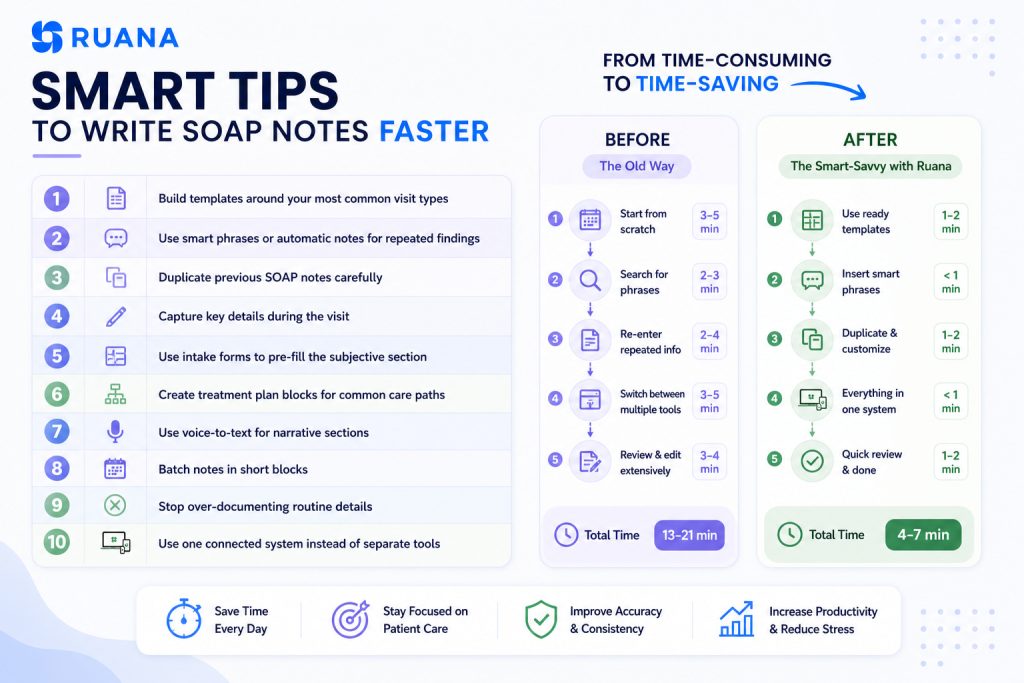
The workflow becomes much easier when practitioners are no longer starting from a blank screen after every appointment. Digital solutions give notes a repeatable structure, while keeping client details close and reducing the manual work that usually builds up during a full day of visits.
Here are a few reasons why practice management software is essential for busy clinics and practitioners.
Reusable Templates
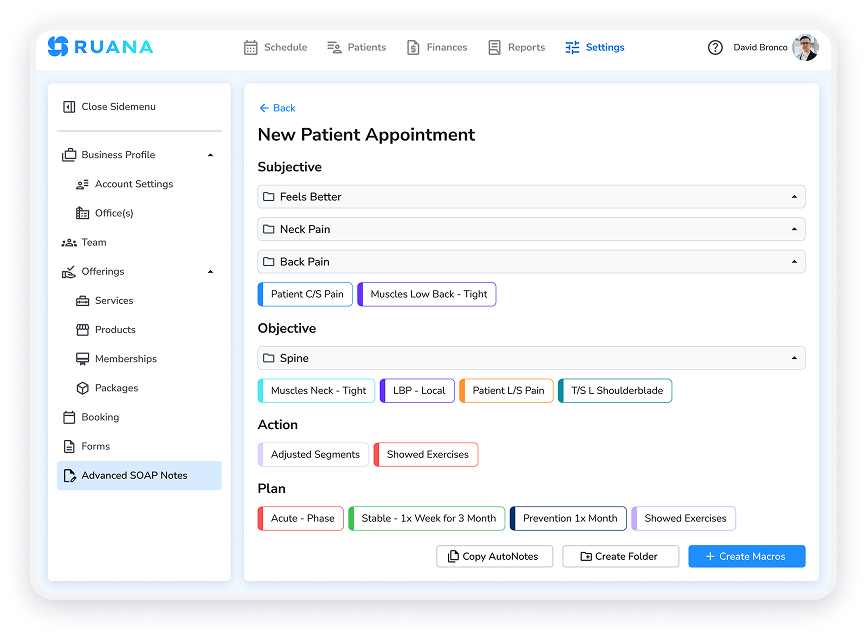
This is especially useful for practices with recurring appointment patterns. A chiropractor may need a template for low back pain follow-ups. A massage therapist may use one for neck and shoulder tension. A wellness provider may use a broader template for progress tracking, symptoms, and session goals.
Create SOAP notes with customizable buttons and automatic notes
The main benefit is speed with structure. Templates reduce repetitive typing, while still leaving room to update the details that matter for the current visit: pain level, response to care, areas treated, progress, and next steps.
Faster Repeat Visits
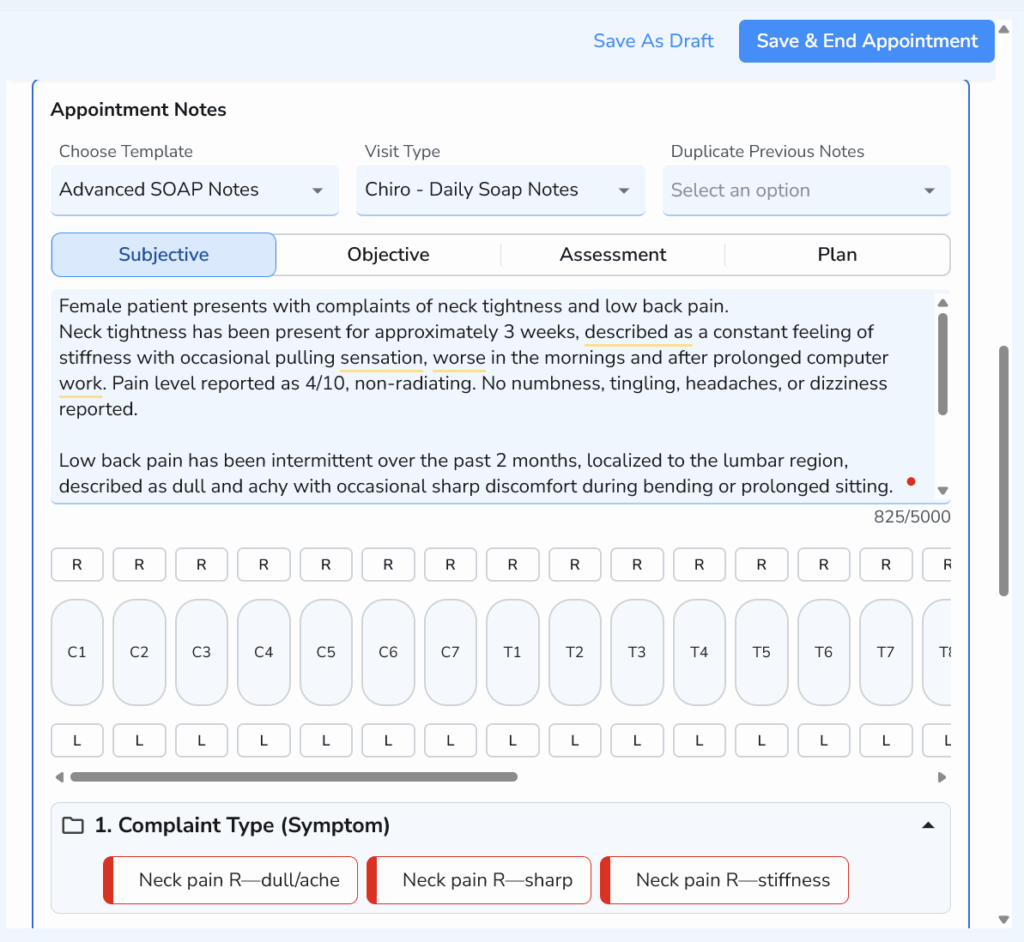
Repeat visits are one of the biggest opportunities for faster SOAP charting. Many clients return with the same complaint, treatment goal, or care plan, so practitioners often need to update previous information instead of writing a completely new note from scratch.
Document patient visits faster with structured Advanced SOAP Notes, including symptoms, spinal levels, and automated selections.
Digital SOAP charting makes that process easier by keeping prior notes available inside the client record. Practitioners can quickly review what happened last time, check what changed, and document today’s update with less backtracking.
This helps reduce the end-of-day charting pileup. When notes are easier to complete during or shortly after the appointment, practitioners are less likely to rely on memory hours later, when several sessions have already started to blend together.
Connected Patient Records
Digitalized workflow is better when it is connected to the rest of the practice workflow. Notes become more useful when they sit next to appointment history, intake forms, contraindications, treatment history, billing details, and follow-up information.
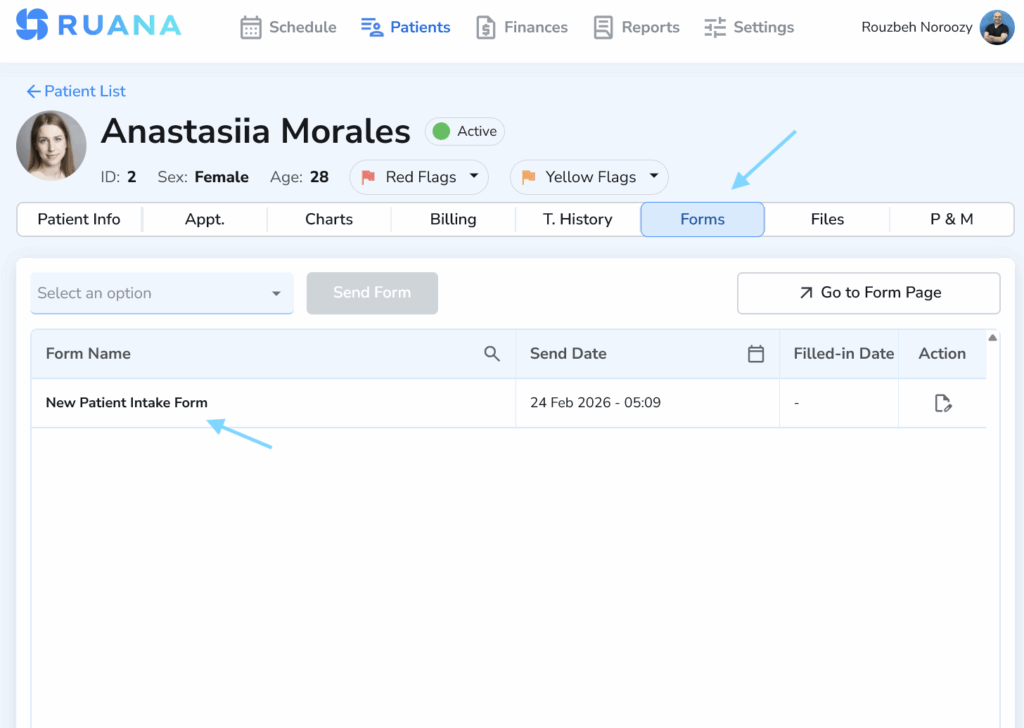
Streamlining patient onboarding: Monitoring the status of digital intake forms and clinical questionnaires within the Ruana platform.
This saves time because practitioners do not have to search through separate systems to understand the client’s full context.
The intake form can support the Subjective section.
Previous SOAP notes can guide the Assessment.
The Plan can inform the next visit, home care instructions, or follow-up schedule.
For clinics using practice management software, this connected setup also helps the front desk and providers stay aligned. Everyone works from the same organized record, which reduces repeated questions, missed details, and unnecessary admin work between appointments.
Final Thoughts
The scannable format of the SOAP charting method helps practitioners keep visit details clear, track progress, and document care without overcomplicating routine notes.
Still, your workflow matters as much as the format. When charts are connected to scheduling, intake forms, client history, and follow-up inside practice management software, documentation becomes faster, cleaner, and easier to maintain over time.
About the Authors
★★★★★4.9 · 329 Reviews
Rouzbeh NoroozyChiropractor & Co-Founder · Palmer West · UC Berkeley · 14 Years of ExperienceRouzbeh Noroozy is a chiropractor with 14 years of clinical experience and co-founder of Ruana practice management software. He completed his undergraduate studies at the University of California, Berkeley and graduated from the renowned Palmer College of Chiropractic West in California. As a practicing clinician and clinic owner, he understands firsthand the administrative challenges practices face — and which digital tools genuinely help streamline day-to-day operations.
Anastasiia NoroozyMedical Graduate & Co-Founder · 8 Years of ExperienceAnastasiia Noroozy is a medical graduate and co-founder of Ruana with 8 years of experience working directly with patients at the clinic in Cologne. She manages the day-to-day flow of the practice and knows every patient-facing process from the inside out — from intake and scheduling to follow-up care. Her hands-on clinical and operational experience directly shapes how Ruana is built to work in the real world.
Our team will review your inquiry and get back to you as soon as possible.
Privacy Settings
To provide the best experiences, we use technologies like cookies to store and/or access device information. Consenting to these technologies will allow us to process data such as browsing behavior or unique IDs on this site. Not consenting or withdrawing consent, may adversely affect certain features and functions.
Functional
Always active
The technical storage or access is strictly necessary for the legitimate purpose of enabling the use of a specific service explicitly requested by the subscriber or user, or for the sole purpose of carrying out the transmission of a communication over an electronic communications network.
Preferences
The technical storage or access is necessary for the legitimate purpose of storing preferences that are not requested by the subscriber or user.
Analytics
The technical storage or access that is used exclusively for statistical purposes.The technical storage or access that is used exclusively for anonymous statistical purposes. Without a subpoena, voluntary compliance on the part of your Internet Service Provider, or additional records from a third party, information stored or retrieved for this purpose alone cannot usually be used to identify you.
Marketing
The technical storage or access is required to create user profiles to send advertising, or to track the user on a website or across several websites for similar marketing purposes.
To provide the best experience for our practitioners, we use cookies to personalize content, analyze our traffic, and support our marketing efforts. By clicking 'Accept', you consent to our use of these technologies. You can manage your preferences at any time.
Functional
Always active
The technical storage or access is strictly necessary for the legitimate purpose of enabling the use of a specific service explicitly requested by the subscriber or user, or for the sole purpose of carrying out the transmission of a communication over an electronic communications network.
Preferences
The technical storage or access is necessary for the legitimate purpose of storing preferences that are not requested by the subscriber or user.
Analytics
The technical storage or access that is used exclusively for statistical purposes.The technical storage or access that is used exclusively for anonymous statistical purposes. Without a subpoena, voluntary compliance on the part of your Internet Service Provider, or additional records from a third party, information stored or retrieved for this purpose alone cannot usually be used to identify you.
Marketing
The technical storage or access is required to create user profiles to send advertising, or to track the user on a website or across several websites for similar marketing purposes.