7 Steps to a Perfect Patient Intake Form (That Saves You Time Every Day)
18.02.26
A great patient intake form does more than collect information - it sets the tone for every appointment. Here are 7 actionable steps to build yours the right way.
Most practitioners design their patient intake form once, never revisit it, and quietly wonder why it keeps causing friction. Patients arrive with incomplete forms. Staff chase down missing details. The whole onboarding experience feels rushed before the appointment even begins.
The good news? A well-built intake form solves most of these problems before they start. Whether you run a chiropractic clinic, a massage therapy practice, a mental health office, or any other health and wellness specialty, the steps below will help you design a form that works hard for you — and feels effortless for your patients.
Step 1: Every Patient Intake Form Needs Consent and Policy Language
Make sure your intake form includes the essentials: consent to treatment, communication preferences, and your cancellation policy.
Many practitioners treat consent as an afterthought – something squeezed in at the end of a long form where it barely gets read. When patients acknowledge your policies before they step through the door, you protect your practice legally, cut awkward conversations about no-shows or late cancellations, and set professional expectations from day one.
Your cancellation policy should be clearly stated and easy to understand. Vague language leads to disputes. Specific language prevents them.
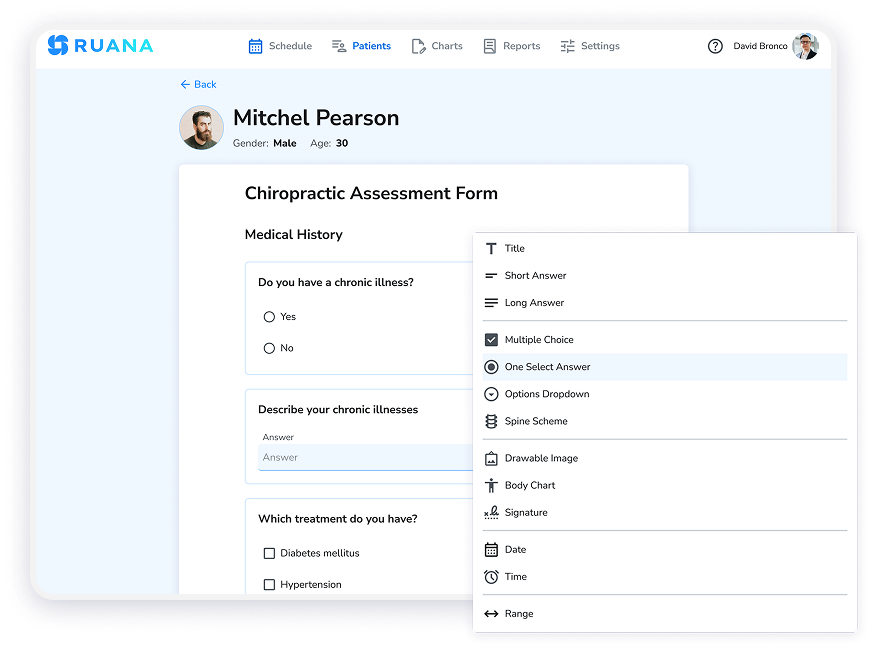
Easily create and customize digital forms for patients and practitioners.
Step 2: Build a Patient Intake Form Around Health History That Shapes Treatment
This is the core of any intake form: understanding where a patient has been so you can figure out where they need to go.
Strong health history questions cover current complaints and how long they have been present, relevant past injuries or conditions, medications and supplements, prior treatment with other practitioners, and any red flags specific to your modality.
The key is relevance. A chiropractic intake form looks different from a massage therapy intake or a mental health questionnaire. Don’t rely on a generic template – tailor the questions to your specialty. According to research published in the Journal of Patient Experience, patients report higher satisfaction when intake processes feel personalized to their specific care needs rather than generic.
For practitioners using Ruana’s practice management software, the form builder supports custom questions for every specialty. You can create different forms for different appointment types – a new patient intake, a follow-up assessment, a specialized health questionnaire – and assign the right one automatically based on the booking. If you’re not sure where to start, Ruana includes ready-made intake form templates you can use as a foundation and modify to fit your practice’s needs.
Step 3: Ask About Goals, Not Just Problems
Here’s a step that separates good intake forms from great ones: ask patients what they actually want to accomplish.
“What brings you in today?” is fine. “What does a successful outcome look like for you in the next 8 weeks?” is better. Goal-oriented questions help you build more targeted treatment plans and give patients a sense that practitioners hear them as whole people – not just a list of symptoms. The patient-centred care model consistently shows that aligning treatment with patient goals leads to better compliance and outcomes.
Use this section to ask about lifestyle factors too – sleep quality, stress levels, physical activity, occupation – that provide context for your clinical decisions. Patients often don’t volunteer this information unless you ask directly.
Step 4: A Digital Patient Intake Form Beats Paper Every Time
The shift to digital intake forms isn’t just about looking modern. It’s about reducing errors, eliminating incomplete submissions, and making the pre-appointment experience smoother for patients who are already dealing with a health concern.
Digital forms sent before the appointment let patients complete them from home, at their own pace, on any device. You receive clean, complete data before they arrive – no deciphering handwriting, no scanning paper into folders, no asking a patient to fill out the same information twice.
Ruana’s paperless intake forms are built directly into the platform. When a patient books an appointment, the intake process becomes part of their booking journey – no separate emails, no chasing.
That said, some patients genuinely prefer paper. A practical approach: keep a printed version available in your waiting room. When patients complete it by hand, snap a photo and upload it into their digital record. Everything stays in one place, and your workflow stays paperless at the office level without alienating patients who aren’t comfortable with technology.
Step 5: Send the Patient Intake Form the Moment Someone Enters Your System
Timing matters. The longer the gap between booking and receiving an intake form, the more likely patients are to forget it or put it off until the last minute.
Ruana automatically sends the intake form the moment a patient is added to the system — while the appointment is still fresh in their mind. There’s no manual sending, no forgetting, and no chasing. The process triggers automatically and handles itself.
On top of that, Ruana sends automatic email and SMS appointment reminders as the date approaches. SMS carries a 98% open rate, so patients are far more likely to see their reminder and arrive prepared. Consistent communication keeps the whole experience front of mind well before they walk through your door.
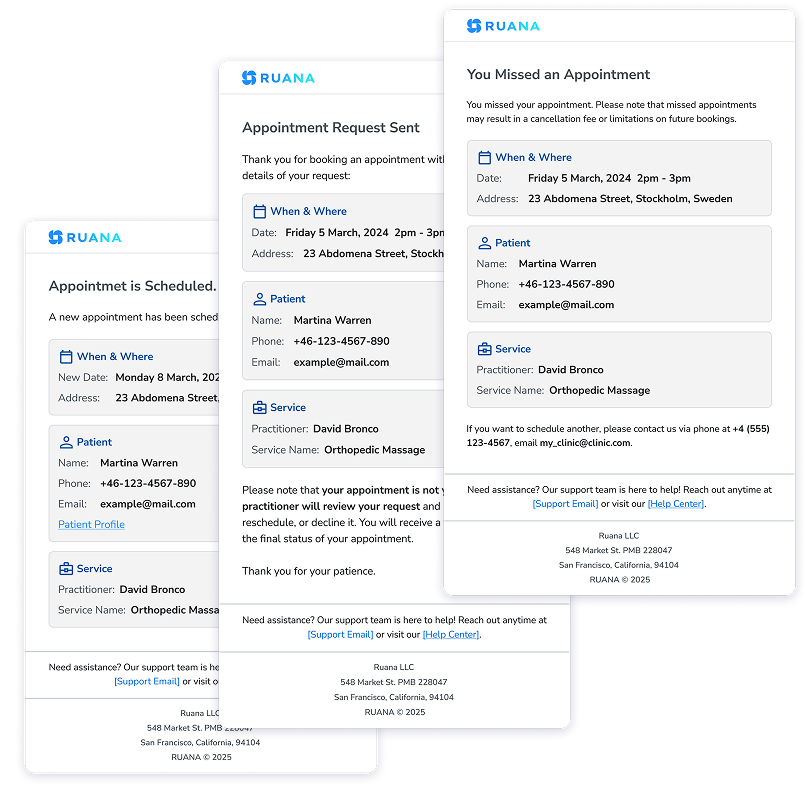
Patient email reminders for booking confirmation, reschedule requests, and cancellations.
Step 6: Add the One Question Most Practitioners Forget
Where did your patient find you?
It sounds simple, but the answer shapes how you grow your practice. Add a referral source question to your intake form – a dropdown (search engine, social media, referred by a friend, returning patient) or an open text field both work well. Marketing data from health and wellness practices consistently shows that knowing your referral sources is one of the highest-return insights a practitioner can collect.
If 60% of new patients find you through Google, you know where to invest your marketing time. If word-of-mouth drives most bookings, a referral incentive program makes sense. Without data, you’re guessing. With it, you make strategic decisions.
A small addition to your intake form that pays dividends for years.
Step 7: Automate the Sending — and Audit Annually
Once your intake form is built, the system should run itself as much as possible. Manual sending is slow, inconsistent, and prone to the kind of human error that results in a new patient arriving with no record on file.
Practice management software like Ruana automates this completely. The right form goes to the right patient at the right time, triggered by their booking. Every new patient gets the same high-quality experience without extra effort from your team.
Then, at least once a year, review your intake form with fresh eyes. Healthcare evolves. Your practice evolves. Your intake form should too. Remove questions that no longer serve a purpose, add questions that new patient trends make relevant, and confirm your consent language still reflects your current policies.
What a Well-Built Patient Intake Form Does for Your Practice
When these seven steps come together, the impact on daily operations is noticeable. Consider this example: a massage therapist running a busy solo practice spent the first 10 minutes of every new patient appointment reviewing health history, because patients rarely completed paper forms in advance. After switching to digital intake forms with automatic delivery, those 10 minutes shifted to before the appointment – freeing up more time for actual treatment and improving patient satisfaction right away.
How Ruana Simplifies Your Patient Intake Form Workflow
Ruana is practice management software built for health and wellness professionals. It includes everything you need to build, send, and manage digital intake forms — along with the scheduling, SOAP notes, billing, and reporting tools that keep your practice running smoothly.
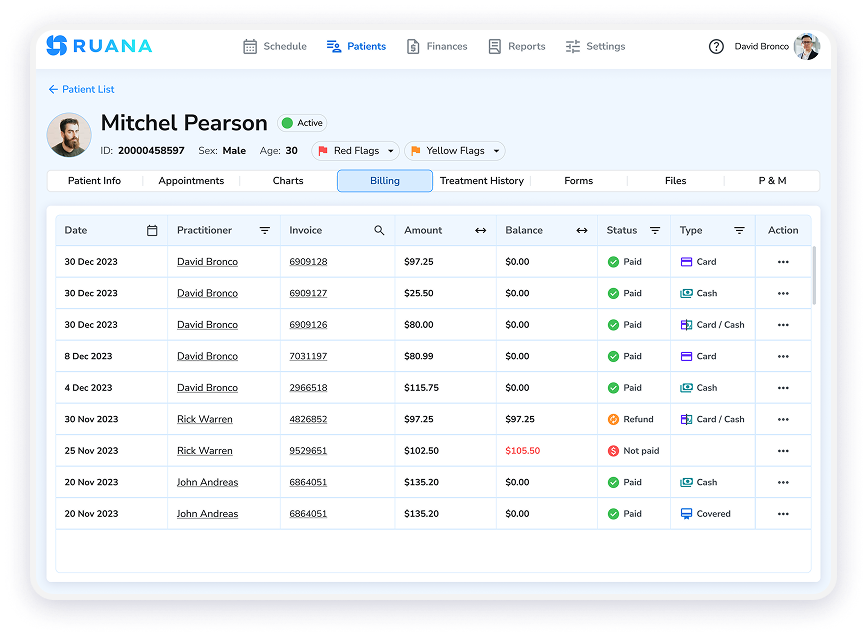
Ruana’s intuitive dashboard connects your scheduling, intake forms, clinical notes, and billing – all in one place.
Key features that support a seamless intake process:
Flexible Form Builder — Create digital intake forms, consent forms, and health questionnaires tailored to your specialty with no technical skills required.
Automatic Intake Form Delivery — Ruana sends the intake form to new patients the moment they enter your system.
Automated Email and SMS Reminders — Patients receive automatic appointment reminders by email and SMS, keeping your schedule running smoothly and reducing no-shows.
Paperless Intake Built Into Booking — The intake form is part of the patient’s booking journey, not a separate step.
Secure Cloud Storage — Patient data is stored on secure AWS servers with enterprise-grade encryption and automatic daily backups, supporting HIPAA compliance for US practitioners and GDPR compliance for EU practitioners.
Unlimited File Uploads — Attach scanned paper forms, documents, or images directly to patient records.
Plans start at $45.99/month for the Solo Plan (up to 30 appointments/month) and $65.99/month for the Professional Plan with unlimited appointments, online appointment requests, memberships and packages, and advanced SOAP notes. Additional practitioners cost $19.99/month.
Ready to Build a Better Patient Intake Form?
Your intake form is often a patient’s first real interaction with your practice. Make it count. With the right structure, the right questions, and the right tools behind it, your intake process becomes one of the most efficient parts of your workflow.
What should a patient intake form include? A thorough patient intake form includes consent to treatment, cancellation and communication policies, current health complaints, relevant health history, medications, past treatment history, and goals for care. A referral source question is also worth adding for practice marketing purposes.
How do I get patients to complete their intake form before the appointment? Send the form digitally as soon as the patient enters your system, then follow up with appointment reminders by email and SMS. Practice management software like Ruana handles both steps automatically.
Should I use paper or digital intake forms? Digital forms deliver clear advantages in efficiency and accuracy. They eliminate incomplete submissions, cut admin time, and integrate directly with your patient records. For patients who prefer paper, keep a printed copy available and upload completed forms to their digital record.
Can I customize my intake form for different appointment types? Yes. Ruana lets you build multiple form types — new patient intakes, follow-up assessments, specialty questionnaires — and assign each one to a specific appointment type so the right form reaches the right patient automatically.
How often should I update my intake form? At least once a year. Review your intake form annually to confirm your consent language, cancellation policies, and health history questions still reflect your current practice and any regulatory updates in your region.
Is my patient intake data secure? With Ruana, patient data lives on secure AWS servers with enterprise-grade encryption, supporting HIPAA compliance for US practitioners and GDPR compliance for EU practitioners, with automatic daily backups.
Your message has been successfully sent.
Our team will review your inquiry and get back to you as soon as possible.